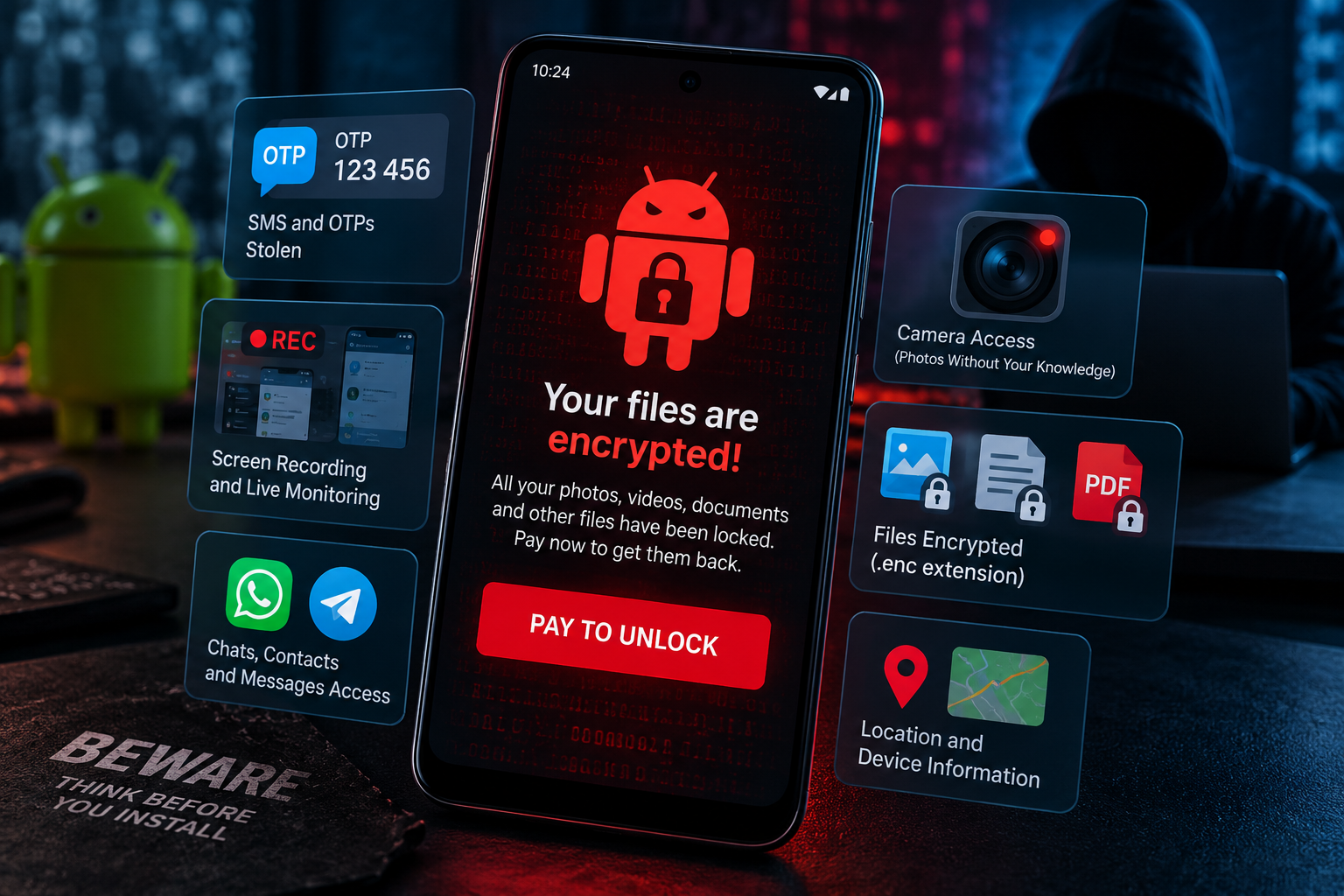
A new Android malware threat is showing how quickly mobile attacks are becoming more aggressive. Mantax Otax combines ransomware with extensive spyware capabilities, allowing attackers to target files while also monitoring activity on an infected smartphone.
Researchers at Zimperium’s zLabs team identified Mantax Otax as an Android malware strain linked to Indonesian threat actors. Unlike traditional ransomware that primarily focuses on encrypting files and demanding payment, Mantax Otax attempts to turn the entire smartphone into a surveillance and extortion platform. zimperium.com
The malware can collect SMS messages, notifications, contacts, call logs, browser history and device information. Researchers also observed capabilities for screen recording, unauthorized photographs, credential theft and lock-screen PIN capture.
On older Android devices, it can additionally encrypt files stored on shared external storage. That combination makes Mantax Otax particularly concerning: the attacker does not have to rely on a single type of damage.
The victim could potentially lose access to files while simultaneously having private information exposed.
What Is Mantax Otax?
Mantax Otax is a hybrid Android threat that combines ransomware, spyware and remote device-control capabilities.
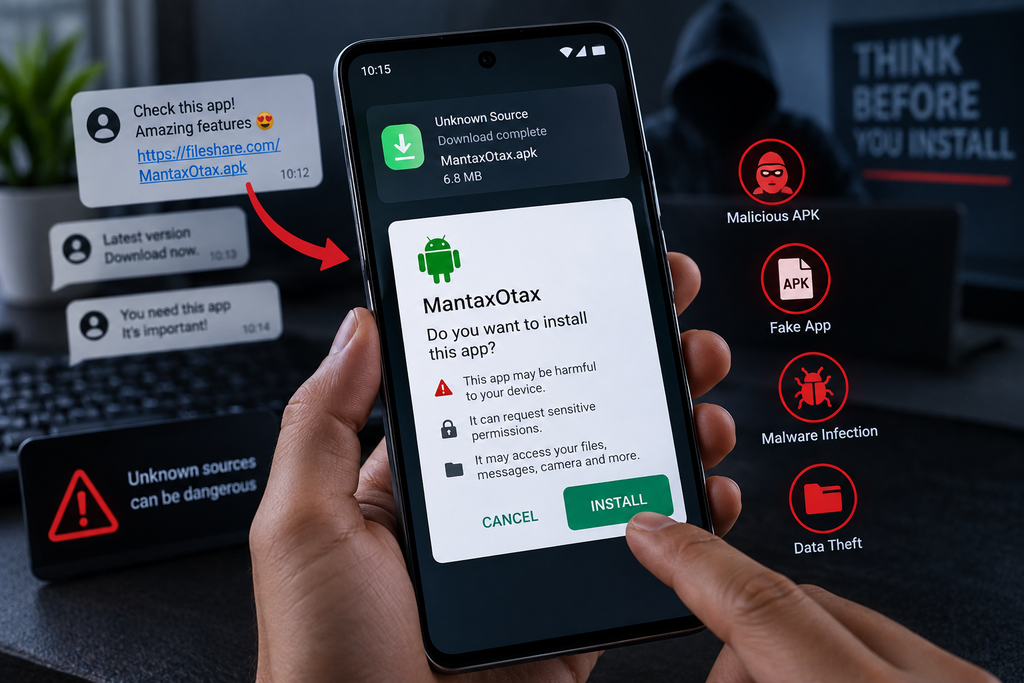
Zimperium discovered samples distributed as standalone Android APK files hosted on third-party file-sharing services. This is significant because the malware does not necessarily need to penetrate the security of an official application marketplace.
Instead, attackers can persuade victims to manually install an APK.
The campaign appears to rely on phishing, social engineering and shared links to convince users that the application is legitimate or necessary. Once installed, the malware begins requesting increasingly powerful permissions. zimperium.com
The initial permission requests include access to information such as SMS messages, contacts, audio and images. The malware also seeks device-administrator privileges and eventually attempts to obtain Android Accessibility access.
That permission escalation is central to the threat.
How Mantax Otax Reaches Android Phones
The infection process starts with something relatively simple: convincing someone to install the wrong application.
Researchers observed Mantax Otax samples being hosted on third-party file-sharing infrastructure rather than distributed exclusively through Google Play. That means victims could encounter the malicious APK through a phishing message, social-media post, chat conversation or another form of social engineering. zimperium.com
This is an important distinction.
The attacker does not necessarily need to exploit an unknown vulnerability in Android. In many cases, the victim can be persuaded to perform the installation themselves.
That makes user awareness an important part of mobile security.
Google recommends obtaining applications through Google Play and maintains Play Protect to scan applications, including potentially harmful applications installed from sources outside Google Play. Play Protect can warn users and, in some cases, disable or remove harmful applications. Google Support
Why Accessibility Access Is So Dangerous
One of the most important parts of the Mantax Otax infection chain is its attempt to obtain Accessibility access.
Android Accessibility Services exist for legitimate reasons. They help users with disabilities interact with applications and the operating system. Android’s documentation notes that an accessibility service can receive interface events and, when configured appropriately, query content from the active window. Android Developers
The same capabilities can become extremely powerful when handed to malware.
With Accessibility access, malicious software may be able to observe elements displayed on the screen and automate interactions. This is why accessibility abuse has become a recurring technique in Android banking malware and credential-stealing campaigns. Malwarebytes
In Mantax Otax’s case, the capability is used as part of a much broader surveillance system.
The malware can use accessibility-driven interaction to access messaging applications, interfere with the device interface and assist with credential theft.
This is also why users should be extremely cautious when an unfamiliar application tells them that Accessibility access is “required” before the app will work.
Mantax Otax Can Steal OTPs and Private Messages
The danger becomes considerably greater when the compromised phone is also used for authentication.
According to Zimperium’s analysis, Mantax Otax monitors notifications and incoming SMS messages and can target one-time passwords. zimperium.com
That creates a potentially serious account-takeover risk.
Many people use their smartphone as the second factor for banking, email, social media and other online accounts. If malware can read incoming messages or manipulate what appears on the screen, an attacker may gain access to information that was supposed to provide an additional layer of security.
Mantax Otax also targets communication data. Researchers reported capabilities involving WhatsApp profiles and messages as well as Telegram credentials and chat history. zimperium.com
The malware’s data collection extends beyond messaging.
Researchers observed collection of contacts, call logs, browser history, installed applications, device information, location information and other information associated with the compromised device.
This makes the threat much closer to a mobile surveillance operation than a conventional file-encrypting ransomware attack.
Screen Recording and Hidden Camera Capabilities
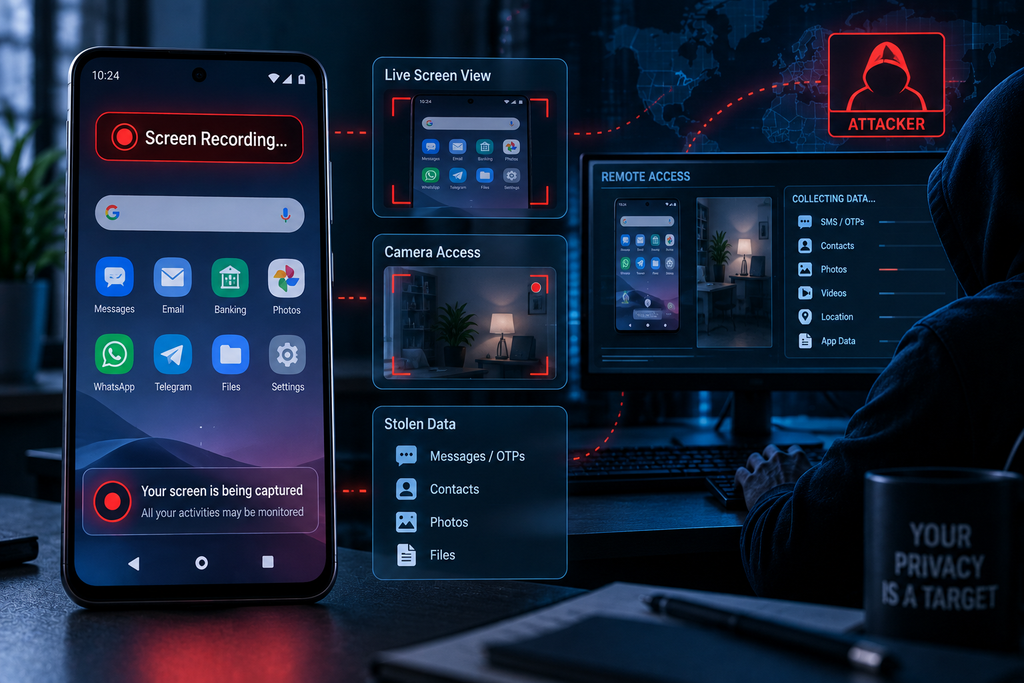
Perhaps the most disturbing aspect of Mantax Otax is its ability to monitor what happens on the victim’s screen.
The malware abuses Android’s MediaProjection functionality to capture screenshots and record screen activity. Zimperium also reported functionality capable of streaming display content toward the attackers. zimperium.com
Android itself places safeguards around MediaProjection. Modern Android documentation states that applications must obtain user consent before starting a media-projection session, with Android 14 and later imposing additional restrictions around repeated capture sessions. Android Developers
However, once a malicious application has successfully manipulated a victim into granting the necessary permissions, the screen can become an extremely valuable source of information.
Imagine opening a banking application, receiving a verification code, reading a private conversation or entering a password while the compromised phone is being monitored.
The attacker may potentially see what the victim sees.
Zimperium also reported that Mantax Otax can access the phone’s cameras through a hidden preview surface and capture photographs without obvious interaction from the victim. zimperium.com
That turns the smartphone camera into another surveillance mechanism.
How the Ransomware Component Works
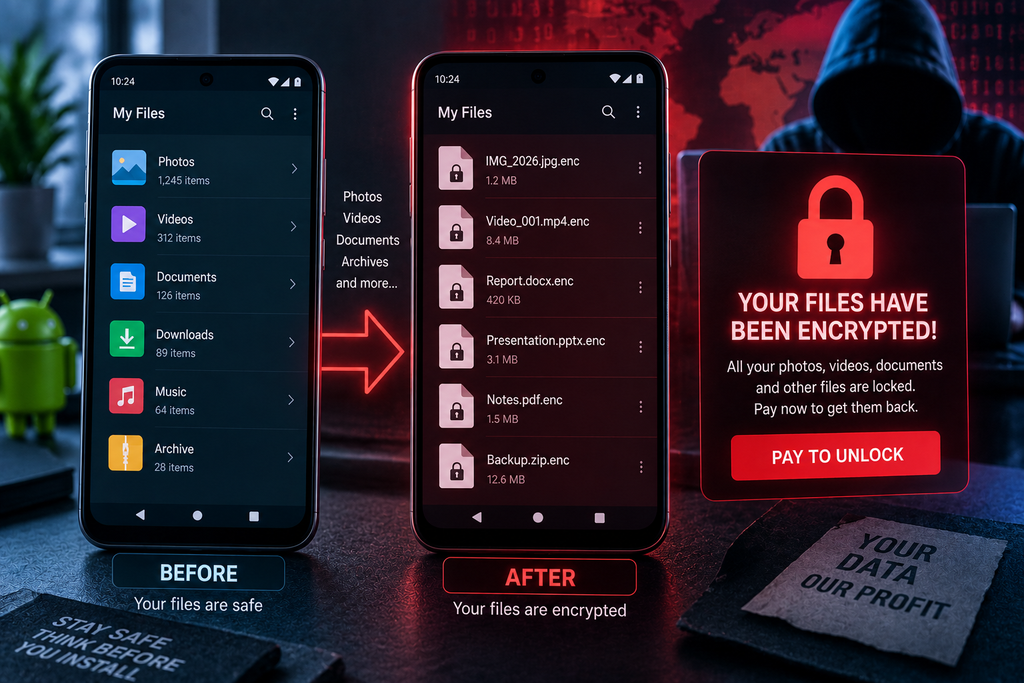
The ransomware component is particularly effective against older Android versions.
On Android 9 and earlier, Zimperium observed Mantax Otax recursively searching shared external storage for targeted files. These included images, videos, documents, archives, databases and cryptographic keys. The malware uses AES-based encryption, deletes the originals and creates encrypted files carrying the .enc extension. zimperium.com
It also modifies local images to display a ransom message informing victims that their files have been encrypted.
However, the ransomware impact changes significantly on newer Android versions.
Android 10 introduced Scoped Storage, which limits how applications access files stored on external storage. Android 11 strengthened enforcement of this storage model. Android Developers
That does not make newer phones immune to Mantax Otax.
It means the file-encryption component has more limited access to shared storage under modern Android protections.
The spyware capabilities remain the more serious concern.
Why Android 10 and Newer Versions Are Better Protected
Scoped Storage is an important defensive layer because applications are no longer given unrestricted access to the entire shared storage area by default.
Android’s official documentation explains that applications targeting Android 10 and later receive scoped access, including access to their own app-specific directories and certain media collections. Android Developers
Android 11 further strengthened this protection by enforcing Scoped Storage for applications targeting Android 11. Android Developers
This helps explain why the ransomware behavior observed by Zimperium is considerably more effective on Android 9 and earlier.
But users should not interpret this as “new Android versions are safe.”
A modern smartphone can still contain banking credentials, private conversations, authentication codes, photographs and other sensitive information.
The surveillance component therefore remains a serious risk even when widespread file encryption is restricted.
Mantax Otax Uses Extortion Beyond File Encryption
Traditional ransomware generally follows a familiar pattern: compromise the device, encrypt valuable files and demand money for recovery.
Mantax Otax expands that model.
Zimperium observed an on-screen chat mechanism that allows attackers to communicate with victims after the encryption process. The malware’s broader surveillance capabilities also give attackers access to potentially sensitive information that could be used for additional pressure. zimperium.com
That creates the possibility of a double-extortion-style scenario.
The victim is not simply being told, “Pay us or your files remain encrypted.”
The underlying threat can become:
Your files are locked, and we may also possess private information from your phone.
The second version of the malware reportedly adds even more disruptive functionality, including WebSocket communications, application blocking, transparent touch-interception layers, pop-ups, full-screen video overlays and remote text-to-speech messages. zimperium.com
These features show that the developers are interested not only in stealing information but also in controlling the victim experience after infection.
How Users Can Protect Their Android Phones
The most effective defense against Mantax Otax begins before installation.
Avoid installing APK files sent through unexpected messages, unfamiliar websites or suspicious file-sharing links. If someone sends an APK and claims that it is an urgent update, special application or security tool, verify it independently before installing anything.
Keeping Android and applications updated is also important because newer versions include stronger privacy and storage protections.
Users should also keep Google Play Protect enabled. Google says Play Protect checks applications during installation and periodically scans devices for potentially harmful software. Google Support
Permissions deserve particular attention.
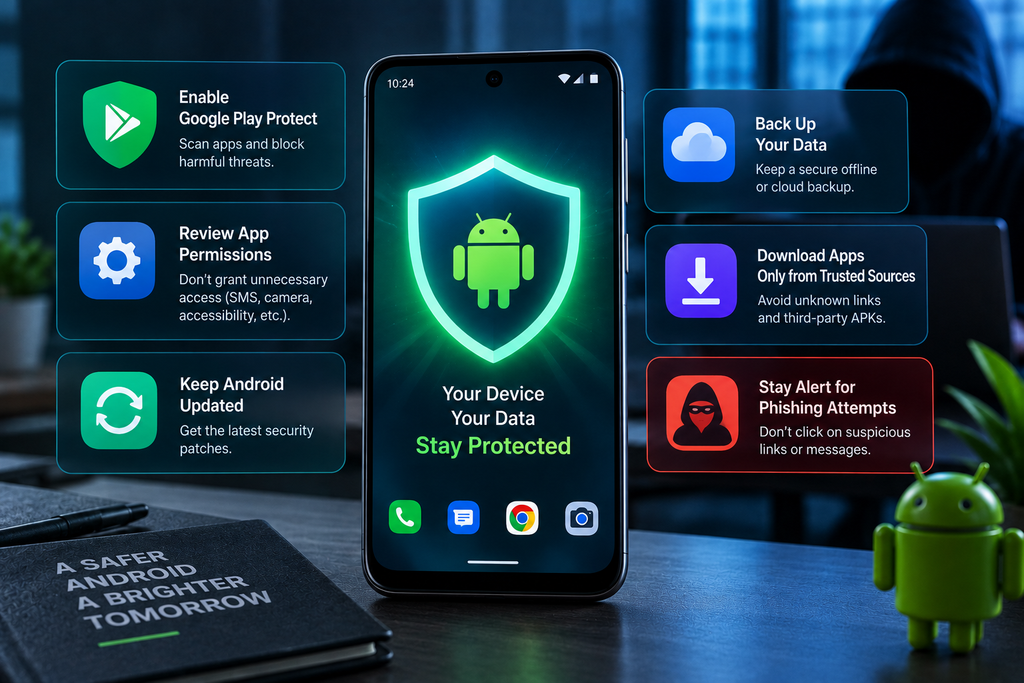
An ordinary application should not automatically need access to SMS messages, Accessibility Services, device administration, screen capture and cameras simultaneously.
If an unfamiliar app suddenly requests several highly sensitive permissions, stop and reconsider the installation.
Users should also maintain offline or otherwise independently protected backups of important photographs and documents. A backup that cannot be reached or modified by the compromised phone can be extremely valuable in a ransomware incident.
For accounts supporting stronger authentication methods, users should consider security options that reduce reliance on SMS-based verification where appropriate.
What Businesses Should Watch For
Organizations should treat Android devices as part of the corporate attack surface rather than personal devices outside the security perimeter.
Security teams should monitor for unexpected sideloaded applications, unauthorized Accessibility Service activation, unusual screen-capture activity, suspicious device-administrator privileges and unexpected outbound connections.
Mobile Device Management and endpoint security controls can also help organizations restrict installation from unknown sources and enforce minimum Android versions.
This is particularly important for employees who use smartphones to access corporate email, cloud applications, authentication systems and business messaging platforms.
A compromised personal phone can become a pathway to corporate accounts even when the attacker never directly compromises the company’s servers.
The Bigger Mobile Security Problem
Mantax Otax is important because it illustrates a broader change in mobile malware.
Attackers are no longer necessarily choosing between ransomware, spyware, credential theft or remote access.
They can combine those capabilities.
The smartphone is especially valuable because it frequently contains several forms of identity at once: passwords, authentication codes, photographs, conversations, contacts, location information, banking applications and access to cloud accounts.
A successful mobile infection can therefore provide an attacker with much more than a collection of encrypted files.
The emergence of Mantax Otax is another reminder that Android security is not simply about avoiding malicious applications. It is also about understanding which permissions an application is requesting and why it needs them.
For users, the safest approach is straightforward: keep the operating system updated, use trusted application sources, leave Play Protect enabled, be skeptical of unsolicited APKs and never grant powerful permissions to an application without understanding the consequences.
The technical details of Mantax Otax may change as its operators develop new versions, but the lesson is unlikely to change.
A smartphone can be both a personal archive and a digital key to someone’s entire online life. Protecting it requires treating unexpected applications and excessive permissions as serious security warnings.
Sources and further reading
For the primary technical analysis, use Zimperium’s Mantax Otax research. It provides the most detailed publicly available technical description of the samples discussed above. zimperium.com
For Android’s storage protections, use Android’s official Scoped Storage documentation. Android Developers
For malware protection, use Google Play Protect’s official Android guidance. Google Support
For technical information about Accessibility Services, use Android’s official AccessibilityService documentation. Android Developers
Recommended internal links
- AI News →
/artificial-intelligence/ - Tech News →
/tech-news/ - Reviews →
/reviews-buying-guides/