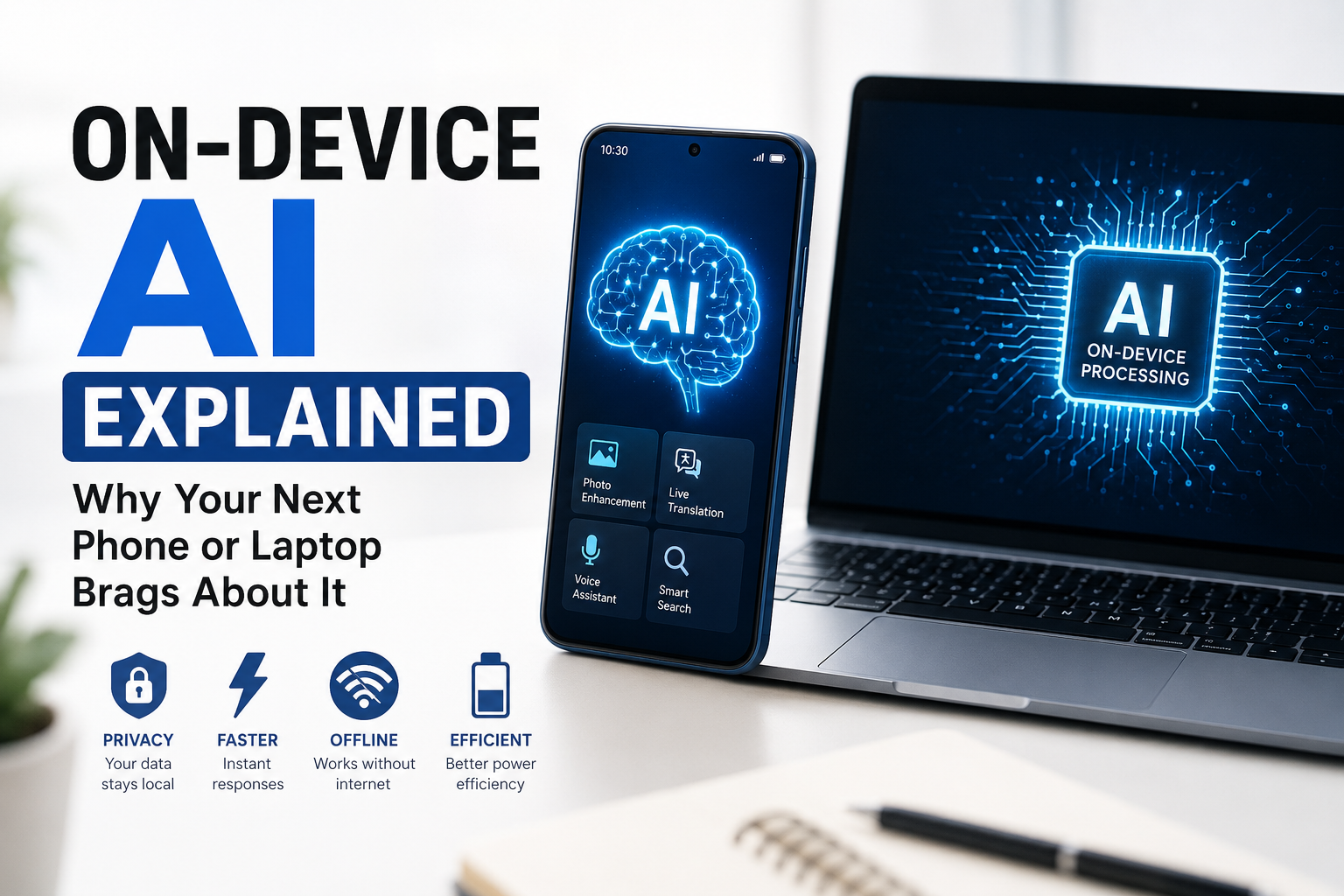
Artificial Intelligence has become one of the biggest selling points in modern technology. Whether you’re shopping for a new smartphone, a Windows laptop, or even a tablet, you’ve probably seen phrases like “AI-powered,” “AI PC,” “On-Device AI,” or “Built for AI.” These terms appear in advertisements from almost every major brand, making it seem like AI is the most important feature you can buy.
But what does on-device AI actually mean? Is it just another marketing buzzword, or does it genuinely improve your everyday experience?
The truth lies somewhere in the middle. On-device AI is a real technological advancement that makes devices faster, more private, and more efficient. At the same time, manufacturers often use the term broadly, making it difficult for consumers to understand what they’re actually getting.
In this guide, we’ll explain on-device AI in simple language, discuss how it works, explore its benefits and limitations, and help you decide whether it’s a feature worth paying for.
What Is On-Device AI?
On-device AI refers to artificial intelligence tasks that are processed directly on your phone, laptop, or tablet instead of being sent to remote cloud servers.
Traditionally, many AI features relied on the internet. For example, when you asked a virtual assistant a question, your voice recording would travel to a server, be processed there, and then the answer would return to your device.
With on-device AI, much of that processing happens locally. Your hardware contains dedicated AI processors capable of running machine learning models without needing constant internet access.
Instead of relying entirely on cloud computing, your device becomes intelligent enough to perform many AI tasks on its own.
Why Is Everyone Talking About It?
The technology industry has entered a new phase where AI isn’t just software—it’s becoming a hardware feature.
Companies now design processors specifically for AI workloads.
Today’s premium devices include dedicated AI chips such as:
- Neural Processing Units (NPUs)
- AI Engines
- Neural Engines
- AI Accelerators
These components are optimized to perform billions of AI calculations every second while using much less battery power than a traditional CPU or GPU.
This is why manufacturers proudly advertise AI capabilities alongside camera quality, battery life, and display technology.
How Does On-Device AI Actually Work?
Think of your device as having three specialized workers.
The CPU handles general tasks like opening apps and browsing the web.
The GPU manages graphics, gaming, and video rendering.
The NPU focuses specifically on AI calculations.
Whenever you use an AI-powered feature, the NPU handles the complex mathematical operations needed for machine learning.
This specialized hardware is significantly faster and more energy-efficient than forcing the CPU to perform the same work.
Why Is On-Device AI Better Than Cloud AI?
Cloud AI is still extremely powerful, but on-device AI solves several common problems.
Faster Responses
Since information doesn’t need to travel over the internet, AI features respond almost instantly.
Whether you’re editing photos or translating text, the experience feels much smoother.
Better Privacy
Your personal information often stays on your own device instead of being uploaded to external servers.
For example:
- Voice recordings
- Personal notes
- Photos
- Documents
- Messages
Keeping sensitive information local reduces privacy concerns.
Works Offline
Many AI features continue functioning even without Wi-Fi or mobile data.
This is especially useful during flights, travel, or areas with poor network coverage.
Lower Internet Usage
Cloud AI consumes data because information constantly travels between your device and remote servers.
On-device AI minimizes this traffic, saving bandwidth.
Better Battery Efficiency
Dedicated AI hardware performs calculations using much less energy compared to traditional processors.
This allows complex AI features to run without draining your battery as quickly.
Real-Life Examples of On-Device AI
Most people already use on-device AI without realizing it.
AI Photography
Modern smartphones use AI every time you press the shutter button.
Your phone instantly:
- Detects faces
- Improves skin tones
- Removes noise
- Adjusts exposure
- Sharpens details
- Enhances night photos
Most of this happens within milliseconds.
1. Voice Dictation
Speech recognition has become dramatically faster.
Instead of waiting for internet processing, many phones now convert speech into text locally.
The result is lower delay and improved privacy.
2. Live Translation
Some smartphones can translate conversations in real time even when you’re offline.
This is especially helpful while traveling.
3. AI Writing Assistance
Many laptops now offer local AI features that can:
- Rewrite sentences
- Correct grammar
- Summarize documents
- Generate text suggestions
These tasks can often be completed without uploading your document to the cloud.
4. Smarter Search
Finding old photos has become much easier.
You can search terms like:
- “Beach”
- “Dog”
- “Birthday”
- “Sunset”
The AI identifies objects directly from your photo library.
5. Background Blur During Video Calls
Video conferencing apps increasingly rely on AI to:
- Blur backgrounds
- Improve microphone quality
- Remove background noise
- Keep your face centered
Many of these features now run locally for smoother performance.
Why Are AI PCs Suddenly Everywhere?
Laptop manufacturers have introduced a new category called AI PCs.
These systems include processors with powerful NPUs capable of handling advanced AI workloads.
An AI PC is designed to accelerate tasks such as:
- Video editing
- Image generation
- Live subtitles
- Meeting transcription
- Noise cancellation
- AI assistants
Instead of depending entirely on cloud computing, these machines perform more AI work locally.
Smartphones Are Becoming AI Devices
Recent flagship smartphones increasingly focus on AI rather than raw performance alone.
Manufacturers now compete on features such as:
- AI photo editing
- Circle-to-search
- Smart summaries
- Live translation
- AI wallpapers
- Voice enhancement
- Object removal
- Automatic note organization
This shift explains why AI has become a central marketing message.
Does On-Device AI Replace Cloud AI?
No.
The two approaches work together.
Simple, fast tasks usually run on your device.
More complex requests—such as generating long articles, creating advanced images, or answering broad questions—often still rely on cloud servers because they require much larger AI models.
Future devices will increasingly combine both methods to deliver the best balance of speed and capability.
Limitations of On-Device AI
Although impressive, on-device AI still has several limitations.
Smaller AI Models
Devices cannot store extremely large AI models due to hardware constraints.
Cloud systems generally remain more capable for advanced reasoning tasks.
Hardware Requirements
Older phones and laptops may not support modern AI features because they lack dedicated AI processors.
Many AI capabilities require newer chipsets.
Limited Storage
Running AI locally requires space for machine learning models.
Some advanced features consume several gigabytes of storage.
Battery Impact
Although NPUs are efficient, intensive AI workloads can still consume noticeable battery power during prolonged use.
Should You Buy a Device Just for On-Device AI?
That depends on how you use your device.
If you frequently:
- Edit photos
- Attend video meetings
- Write documents
- Translate languages
- Travel often
- Work remotely
- Value privacy
then on-device AI can noticeably improve your daily experience.
However, if you mainly browse social media, stream videos, and make calls, AI alone probably shouldn’t justify paying a large premium.
Instead, consider it one important feature alongside battery life, display quality, camera performance, software support, and overall value.
The Future of On-Device AI
Over the next few years, on-device AI will become standard rather than optional.
Future devices are expected to offer:
- More intelligent personal assistants
- Real-time language translation
- Better battery optimization
- Personalized recommendations
- Smarter cameras
- Faster content creation
- Local image generation
- AI-powered coding assistance
- Advanced accessibility tools
As AI hardware continues improving, more tasks that currently require cloud processing will eventually run directly on personal devices.
Is On-Device AI Just Marketing?
Not entirely.
While some companies exaggerate AI branding, the underlying technology is very real.
Dedicated AI hardware genuinely improves performance for many everyday tasks by delivering faster responses, enhanced privacy, lower latency, and better power efficiency. The biggest gains come from features like intelligent photography, voice recognition, video-call enhancements, and productivity tools that operate seamlessly in the background.
Rather than viewing on-device AI as a revolutionary feature that changes everything overnight, it’s best to think of it as the next step in computing. Just as multi-core processors and dedicated graphics transformed personal devices, AI processors are becoming another essential component. Over time, they’ll make smartphones and laptops feel more responsive, more personalized, and more capable—often without you even noticing the technology working behind the scenes.
Frequently Asked Questions (FAQs)
1. What is on-device AI?
On-device AI is artificial intelligence that processes data directly on your smartphone, laptop, or tablet instead of relying entirely on cloud servers.
2. Does on-device AI work without the internet?
Yes. Many features, such as photo enhancements, offline translation, voice dictation, and background noise reduction, can work without an internet connection.
3. Is on-device AI more secure?
Generally, yes. Because much of your data stays on your device, there’s less need to send personal information to external servers, improving privacy.
4. What is an NPU?
An NPU (Neural Processing Unit) is a specialized chip designed to accelerate AI and machine learning tasks while using less power than a CPU or GPU.
5. Do I need an AI phone or AI PC?
If you regularly use productivity tools, video calls, AI-assisted editing, or advanced camera features, an AI-capable device can offer noticeable benefits. Casual users may see fewer immediate advantages.
Related Articles
- Foldable Phones in 2026: Are the Creases Finally Gone?
- Smart Ring vs Smartwatch: Which Should You Actually Buy?
- Home Robots in 2026: Which Ones Are Actually Useful vs Gimmicky
- AI Webcams 2026: Do You Actually Need One for Video Calls?
- Best Budget Laptops for Students 2026: Back-to-School Buying Guide