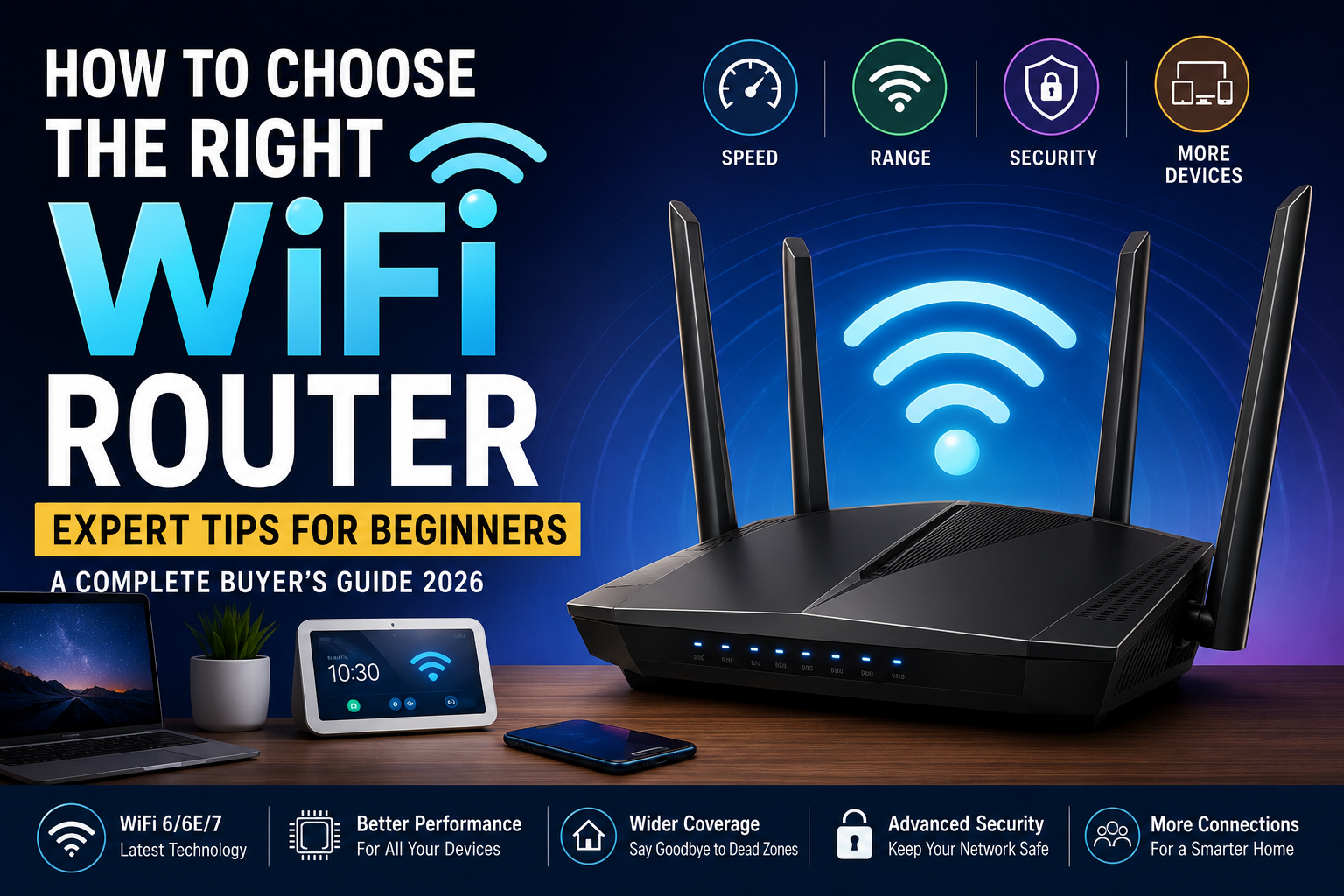
A reliable WiFi router has become one of the most important devices in every modern home. Whether you’re working remotely, attending online classes, streaming movies in 4K, playing competitive online games, or managing smart home devices, your internet experience depends heavily on the quality of your router. Surprisingly, many people continue using the router provided by their Internet Service Provider (ISP), assuming it’s good enough for every situation. While ISP routers are suitable for basic internet access, they often struggle to deliver the speed, coverage, and stability required by today’s connected households.
As internet speeds continue to increase and the number of connected devices grows, choosing the right router has become more important than ever. A family may have multiple smartphones, laptops, tablets, smart TVs, gaming consoles, security cameras, voice assistants, and smart appliances connected to the same network. An outdated or underpowered router can quickly become a bottleneck, leading to slow downloads, buffering videos, dropped video calls, and frustrating gaming experiences.
Modern routers are equipped with advanced technologies such as WiFi 6, WiFi 6E, and the latest WiFi 7 standard, offering faster speeds, lower latency, improved security, and better performance when many devices are connected simultaneously. However, with so many brands, specifications, and technical terms available, beginners often find it difficult to understand which features actually matter.
This comprehensive guide explains everything you need to know before buying a WiFi router. We’ll discuss how routers work, the differences between the latest WiFi standards, the importance of coverage, speed, security, and advanced features, and we’ll recommend the best routers for different budgets and use cases. By the end of this guide, you’ll be able to choose a router that provides fast, reliable internet for years to come.
Why Your WiFi Router Matters More Than Your Internet Plan
One of the biggest misconceptions among internet users is that purchasing a faster broadband plan automatically guarantees better internet performance. While internet speed certainly plays an important role, the router is responsible for distributing that connection throughout your home. Even if you subscribe to a high-speed fiber connection, a poor-quality router can prevent you from experiencing the speeds you’re paying for.
Imagine water flowing through a pipe. Your internet plan determines how much water enters the pipe, while your router determines how efficiently that water reaches every room in your house. If the pipe is too narrow or damaged, increasing the amount of water entering it won’t solve the problem. Similarly, an outdated router can limit performance regardless of your internet subscription.
A high-quality router provides stronger signal coverage, faster wireless speeds, lower latency, and greater stability. This means smoother video streaming, quicker downloads, clearer video calls, and more responsive online gaming. It also handles multiple connected devices far more efficiently, preventing slowdowns during busy hours.
Investing in a better router is often one of the most cost-effective ways to improve your home internet experience without upgrading your broadband plan.
What Exactly Does a WiFi Router Do?
Many people use the terms “modem” and “router” interchangeably, but they serve different purposes.
A modem connects your home to your Internet Service Provider. It receives the internet signal from your ISP through fiber, cable, or DSL and converts it into a usable internet connection.
A router, on the other hand, takes that internet connection and distributes it to all of your devices. It creates your home’s wireless network, allowing smartphones, laptops, smart TVs, tablets, gaming consoles, and smart home devices to access the internet simultaneously.
Think of the modem as the front door to your house and the router as the hallway that connects every room. Without a capable router, even the fastest internet connection cannot be shared efficiently across multiple devices.
Many ISPs provide combination modem-router units that combine both functions into one device. While convenient, these all-in-one units often lack the advanced performance, coverage, and customization found in dedicated routers.
Signs You Need a New WiFi Router
Many users continue using routers that are five to ten years old without realizing how much technology has improved. If you experience any of the following issues, your router may be limiting your internet performance.
Frequent buffering while watching Netflix or YouTube, slow download speeds despite a fast internet plan, weak WiFi signals in certain rooms, dropped video calls, or lag during online gaming are all common symptoms of an aging router.
You may also notice that your internet becomes noticeably slower whenever multiple family members are online at the same time. Older routers struggle to manage dozens of connected devices efficiently, especially in households with smart home products.
Security is another important consideration. Newer routers receive regular firmware updates and support stronger encryption standards such as WPA3, helping protect your network from unauthorized access.
If your router is more than five years old, upgrading to a modern WiFi 6 or WiFi 7 router can significantly improve speed, stability, and overall user experience.
Different Types of WiFi Routers
Not every router is designed for the same environment. Understanding the different categories will help you choose one that matches your home and internet usage.
Single-Band Routers
Single-band routers operate only on the 2.4GHz frequency. They provide decent range but limited speed and are generally suitable only for basic browsing and email. Because they use a single frequency, they are more susceptible to interference from neighboring WiFi networks and household electronics.
Today, single-band routers are largely considered outdated and are not recommended for most users.
Dual-Band Routers
Dual-band routers support both the 2.4GHz and 5GHz frequency bands. This allows devices to connect using the most appropriate band depending on speed and distance requirements.
The 2.4GHz band provides better coverage through walls and over longer distances, while the 5GHz band delivers much faster speeds with lower interference. Most modern households benefit significantly from dual-band routers because they balance speed and coverage effectively.
For many beginners, a quality dual-band WiFi 6 router offers the best value.
Tri-Band Routers
Tri-band routers add an additional high-speed wireless band, allowing more devices to communicate simultaneously without congestion.
These routers are especially useful in larger homes with many connected devices or households where multiple people frequently stream videos, play online games, or transfer large files at the same time.
Although tri-band routers cost more than dual-band models, they offer noticeably better performance in demanding environments.
Mesh WiFi Systems
Traditional routers broadcast WiFi from a single location. In large homes, thick walls and long distances often create dead zones where the signal becomes weak or disappears entirely.
Mesh WiFi systems solve this problem by using multiple nodes placed throughout the house. These nodes work together as one intelligent network, automatically directing devices to the strongest signal as you move around.
Unlike traditional range extenders, mesh systems create a seamless WiFi experience without requiring users to reconnect to different networks.
If your home is larger than 2,500 square feet or has multiple floors, a mesh WiFi system is often the best solution.
Understanding WiFi Standards
When shopping for routers, you’ll frequently encounter terms like WiFi 5, WiFi 6, WiFi 6E, and WiFi 7. These standards represent different generations of wireless technology, each offering improvements in speed, efficiency, and device capacity.
1. WiFi 5 (802.11ac)
WiFi 5 introduced faster wireless speeds and remains sufficient for many smaller households. However, it struggles when many devices connect simultaneously and lacks some of the efficiency improvements found in newer standards.
2. WiFi 6 (802.11ax)
WiFi 6 is currently the most popular standard and provides significant improvements in performance. It supports faster speeds, better battery efficiency for connected devices, lower latency, and improved handling of multiple simultaneous connections.
Most buyers today should consider a WiFi 6 router because it offers excellent value while remaining compatible with older devices.
3. WiFi 6E
WiFi 6E builds upon WiFi 6 by introducing the 6GHz frequency band. This additional spectrum reduces interference and provides faster speeds for compatible devices.
Homes with numerous connected devices or users transferring large files regularly can benefit from WiFi 6E, although compatible devices are still becoming more common.
4. WiFi 7
WiFi 7 represents the latest generation of wireless networking technology. It delivers dramatically higher speeds, lower latency, wider bandwidth channels, and improved efficiency through advanced technologies such as Multi-Link Operation.
Although WiFi 7 routers are more expensive, they are an excellent investment for users planning to keep their router for many years and who own or expect to purchase WiFi 7-compatible devices.
WiFi Standards Comparison
| WiFi Standard | Maximum Speed | Best For | Recommended in 2026 |
|---|---|---|---|
| WiFi 5 | Up to 3.5 Gbps | Basic home use | ⭐⭐⭐ |
| WiFi 6 | Up to 9.6 Gbps | Most households | ⭐⭐⭐⭐⭐ |
| WiFi 6E | Up to 9.6 Gbps | Smart homes | ⭐⭐⭐⭐⭐ |
| WiFi 7 | Up to 46 Gbps | Future-proof networking | ⭐⭐⭐⭐⭐ |
1. ASUS ROG Rapture GT-BE98 – Best Overall WiFi 7 Router
If you’re looking for one of the most powerful consumer routers currently available, the ASUS ROG Rapture GT-BE98 stands at the top of the list. Built around the latest WiFi 7 technology, it is designed for users who demand exceptional speed, ultra-low latency, and reliable performance across multiple connected devices.
Its futuristic design immediately reflects its premium positioning, but the real strength lies inside. The router supports Multi-Link Operation (MLO), allowing compatible devices to transmit data across multiple frequency bands simultaneously. This reduces congestion and improves overall network stability, particularly in homes where many devices remain connected throughout the day.
For gamers, the GT-BE98 offers specialized gaming features including adaptive Quality of Service (QoS), gaming acceleration, customizable game ports, and built-in security powered by ASUS AiProtection Pro. These features help minimize lag and prioritize gaming traffic during busy network usage.
Coverage is equally impressive. High-gain antennas combined with advanced beamforming technology deliver strong WiFi signals across large homes, minimizing dead zones and maintaining stable connections even through multiple walls.
Pros
- Exceptional WiFi 7 performance
- Excellent gaming optimization
- Outstanding coverage
- Advanced security features
- Powerful hardware
- Future-proof technology
Cons
- Premium pricing
- Overkill for small apartments
Best For
Large homes, gamers, content creators, professionals, and users with gigabit or multi-gigabit internet connections.
2. TP-Link Archer BE800 – Best Value WiFi 7 Router
TP-Link has earned a reputation for delivering premium networking hardware at competitive prices, and the Archer BE800 continues that tradition.
Unlike many flagship routers that focus primarily on gamers, the Archer BE800 is designed to provide exceptional performance for everyday households. Whether you’re streaming multiple 4K movies, attending video conferences, downloading large files, or connecting dozens of smart home devices, this router handles demanding workloads with ease.
Its WiFi 7 support enables extremely high wireless speeds while significantly reducing latency and improving efficiency. Even homes with heavy internet usage benefit from smoother streaming and more responsive online experiences.
One of the router’s standout features is its intuitive management software. TP-Link’s companion app makes setup remarkably simple, allowing beginners to configure parental controls, guest networks, device prioritization, and security settings without technical knowledge.
Pros
- Excellent value
- Strong WiFi 7 performance
- Easy setup
- Reliable coverage
- Great mobile app
- Good security features
Cons
- Premium features require higher-end internet plans
- Slightly fewer gaming features than ASUS
Best For
Families, professionals, smart homes, and users seeking premium performance without paying the highest flagship prices.
3. NETGEAR Nighthawk RS700S – Best Router for Large Homes
If coverage is your highest priority, the NETGEAR Nighthawk RS700S deserves serious consideration.
Large homes often suffer from inconsistent WiFi coverage due to thick walls, multiple floors, and long distances from the router. The RS700S addresses these challenges through powerful antennas, intelligent beamforming, and advanced WiFi 7 capabilities.
Even with dozens of connected devices, the router maintains excellent stability. Smart TVs, gaming consoles, laptops, security cameras, and smartphones can all operate simultaneously without noticeable slowdowns.
Security remains another major strength. NETGEAR Armor provides advanced cybersecurity protection by helping detect malicious activity, preventing unauthorized access, and securing connected devices.
The user interface is straightforward enough for beginners while still offering advanced customization for experienced users.
Pros
- Outstanding coverage
- Reliable performance
- Excellent security
- Multi-gig support
- Great stability
Cons
- Expensive
- Larger physical size
Best For
Large homes, smart homes, families with many connected devices, and users requiring consistent whole-home WiFi.
4. Linksys Velop Pro 7 – Best Mesh WiFi System
Not every home can be covered effectively using a single router. Multi-story houses, thick concrete walls, and complex layouts often require a different approach.
The Linksys Velop Pro 7 solves these problems through a mesh networking system consisting of multiple wireless nodes that work together as one seamless network.
Instead of manually switching between WiFi extenders, devices automatically connect to whichever node provides the strongest signal. This creates consistent internet coverage throughout the home without interruptions.
Installation is surprisingly simple. Users place each node in different parts of the house, complete setup through the mobile app, and allow the system to optimize itself automatically.
Performance remains excellent regardless of where you are inside the home.
Pros
- Eliminates WiFi dead zones
- Simple installation
- Excellent roaming performance
- Easy mobile management
- Scalable coverage
Cons
- More expensive than traditional routers
- Multiple units require more space
Best For
Large homes, multi-floor houses, smart homes, and families experiencing poor WiFi coverage.
5. ASUS RT-AX88U Pro – Best WiFi 6 Router
Although WiFi 7 is becoming increasingly popular, WiFi 6 remains the best value for many buyers. The ASUS RT-AX88U Pro continues to be one of the finest WiFi 6 routers available.
It provides outstanding wireless speeds, excellent reliability, strong security, and broad compatibility while costing significantly less than flagship WiFi 7 models.
ASUS includes AiMesh support, allowing additional ASUS routers to expand coverage later if necessary. This makes the router a future-friendly investment for growing households.
Gamers benefit from Adaptive QoS, VPN support, and traffic prioritization, while professionals appreciate its consistent performance during video conferencing and cloud-based workloads.
Pros
- Excellent value
- Strong WiFi 6 performance
- Great software
- Expandable with AiMesh
- Excellent security
Cons
- No WiFi 7 support
Best For
Most households, remote workers, gamers, and users with fiber internet up to 1 Gbps.
6. TP-Link Archer AX55 – Best Budget Router
Not everyone requires the latest WiFi 7 technology. For smaller homes and everyday internet usage, the TP-Link Archer AX55 delivers impressive performance at a much more affordable price.
Despite its budget-friendly cost, it supports WiFi 6 technology, offering faster speeds and improved efficiency compared to older WiFi 5 routers.
Setup takes only a few minutes using TP-Link’s mobile application, making it an excellent option for beginners who want a hassle-free experience.
Coverage is sufficient for apartments and medium-sized homes, while features such as WPA3 encryption, parental controls, and guest networking provide additional value rarely found at this price point.
Pros
- Affordable
- Easy setup
- Reliable WiFi 6 performance
- Good coverage
- Excellent value
Cons
- Not ideal for very large homes
- Limited advanced networking features
Best For
Students, apartments, small families, first-time buyers, and budget-conscious users.
Router Comparison Table
| Router | WiFi Standard | Coverage | Best For | Overall Rating |
|---|---|---|---|---|
| ASUS ROG GT-BE98 | WiFi 7 | Large Homes | Overall Best | ⭐⭐⭐⭐⭐ |
| TP-Link Archer BE800 | WiFi 7 | Large Homes | Best Value | ⭐⭐⭐⭐⭐ |
| NETGEAR RS700S | WiFi 7 | Very Large Homes | Coverage | ⭐⭐⭐⭐⭐ |
| Linksys Velop Pro 7 | WiFi 7 Mesh | Whole Home | Mesh WiFi | ⭐⭐⭐⭐⭐ |
| ASUS RT-AX88U Pro | WiFi 6 | Medium-Large Homes | Best WiFi 6 | ⭐⭐⭐⭐☆ |
| TP-Link Archer AX55 | WiFi 6 | Apartments | Budget Pick | ⭐⭐⭐⭐☆ |
Single Router vs Mesh WiFi: Which One Should You Choose?
One of the most common questions buyers ask is whether they need a traditional router or a mesh WiFi system.
For apartments and smaller homes, a single high-quality router is usually more than enough. Modern WiFi 6 and WiFi 7 routers can easily cover spaces up to approximately 2,000–2,500 square feet, depending on wall materials and layout.
However, larger homes often present greater challenges. Thick concrete walls, multiple floors, and long hallways can weaken WiFi signals, creating frustrating dead zones. In these situations, simply purchasing a more powerful router may not solve the problem.
Mesh WiFi systems distribute multiple access points throughout the home, ensuring that devices always connect to the strongest available signal. This provides consistent coverage without requiring users to manually reconnect as they move between rooms.
Although mesh systems cost more initially, they often provide a much better experience for larger homes than relying on a single router.
Which Router Offers the Best Value?
While premium WiFi 7 routers deliver incredible performance, they aren’t necessary for every household. Choosing the right router depends on your internet speed, home size, and number of connected devices.
If you’re looking for the best overall investment, the TP-Link Archer BE800 offers an outstanding balance between performance and price. Buyers with more modest requirements will find the ASUS RT-AX88U Pro and TP-Link Archer AX55 to be excellent alternatives that still provide reliable performance and modern WiFi technology.
How Much WiFi Speed Do You Actually Need?
One of the biggest misconceptions about WiFi routers is that everyone needs the fastest model available. While it may sound appealing to buy a router capable of delivering several gigabits per second, most households simply don’t require that level of performance.
Your ideal router depends on your internet plan and how your family uses the internet. A person who mainly browses websites, checks email, and watches YouTube videos has very different networking requirements than a household with multiple gamers, remote workers, and 4K streaming devices.
For example, a family with five members may have several smartphones, laptops, smart TVs, gaming consoles, tablets, and smart home devices connected simultaneously. In this scenario, the router must efficiently manage many active connections rather than simply deliver high maximum speeds.
As a general guideline:
| Internet Speed | Recommended Router |
|---|---|
| Up to 100 Mbps | Entry-level WiFi 6 Router |
| 100–300 Mbps | Mid-range WiFi 6 Router |
| 300–1000 Mbps | Premium WiFi 6 or WiFi 6E Router |
| Above 1 Gbps | WiFi 7 Router |
Purchasing a router that significantly exceeds your internet plan isn’t necessarily a waste of money, especially if you intend to upgrade your broadband service in the future. However, most households benefit more from improved coverage and stability than from extremely high theoretical speeds.
Internet Speed vs WiFi Speed: Understanding the Difference
Many people become confused after purchasing a high-speed router because their internet speed doesn’t suddenly increase. This is because your internet speed and your WiFi speed are two separate things.
Your Internet Service Provider (ISP) determines the maximum speed entering your home. If your broadband plan provides 300 Mbps, your router cannot magically increase it to 1 Gbps.
The router’s job is to distribute that available bandwidth efficiently across your devices while minimizing delays, interference, and congestion.
A better router improves:
- Wireless coverage
- Connection stability
- Device capacity
- Signal strength
- Network efficiency
- Local file transfer speeds
It does not increase the speed provided by your ISP.
Think of it this way: if your internet plan is a water tank, your router is the plumbing system. Better plumbing distributes water more efficiently, but it doesn’t create more water.
Understanding MU-MIMO Technology
Modern households often have dozens of connected devices competing for bandwidth at the same time. Older routers typically communicate with one device after another, creating small delays as the number of connected devices increases.
MU-MIMO, which stands for Multi-User Multiple Input Multiple Output, solves this problem by allowing the router to communicate with several compatible devices simultaneously.
Imagine a teacher answering students’ questions.
Without MU-MIMO, the teacher answers one student at a time.
With MU-MIMO, the teacher answers multiple students simultaneously.
This significantly improves performance in busy households where several people are streaming videos, attending online meetings, gaming, or downloading files simultaneously.
Today, nearly every quality WiFi 6 and WiFi 7 router includes MU-MIMO support, making it an important feature for future-proof networking.
What is OFDMA?
Another technology frequently mentioned in router specifications is OFDMA (Orthogonal Frequency Division Multiple Access).
Although the name sounds complicated, the concept is relatively simple.
Older WiFi routers send data to one device at a time using an entire communication channel, even if the device only needs a small amount of information.
OFDMA divides that channel into many smaller sections, allowing multiple devices to receive data simultaneously.
This makes WiFi far more efficient, particularly when many small devices such as smartphones, smart speakers, security cameras, and smart home sensors remain connected throughout the day.
Benefits include:
- Lower latency
- Faster response times
- Better battery life for connected devices
- Reduced network congestion
- Improved overall efficiency
OFDMA is one of the biggest improvements introduced with WiFi 6 technology.
Beamforming: Improving Signal Strength
Traditional routers broadcast WiFi signals equally in every direction, regardless of where connected devices are located.
Beamforming changes this approach.
Instead of spreading the signal randomly, beamforming intelligently focuses wireless signals toward connected devices.
Imagine replacing a traditional light bulb with a flashlight.
A light bulb spreads light everywhere.
A flashlight directs light exactly where it’s needed.
Beamforming works similarly by concentrating WiFi signals toward smartphones, laptops, and tablets, improving signal strength and maintaining faster speeds over greater distances.
This feature is especially beneficial in homes with thick walls or rooms located far from the router.
Dual-Band vs Tri-Band Routers
Many beginners wonder whether they should purchase a dual-band or tri-band router.
Dual-band routers operate using:
- 2.4 GHz
- 5 GHz
This setup is sufficient for most households and provides an excellent balance between coverage and speed.
Tri-band routers introduce an additional high-speed wireless band.
This extra band helps distribute connected devices more efficiently, reducing congestion during heavy internet usage.
Tri-band routers are particularly valuable when:
- Multiple people stream 4K videos simultaneously.
- Several gamers are playing online.
- Large files are frequently transferred.
- Smart home devices remain permanently connected.
While tri-band routers cost more, they provide noticeably smoother performance in busy homes.
How Many Devices Can a Router Handle?
Another common question among buyers concerns the number of devices a router can support.
Technically, many modern routers can connect hundreds of devices.
However, the practical number depends on:
- Router processor
- RAM
- WiFi standard
- Internet speed
- Device activity
For example:
A household with 60 connected devices isn’t necessarily demanding if most devices are idle.
Conversely, just ten devices simultaneously streaming 4K video and downloading games can heavily stress a budget router.
General recommendations:
| Household Size | Recommended Router |
|---|---|
| 1–5 Devices | Budget WiFi 6 Router |
| 5–20 Devices | Mid-range WiFi 6 Router |
| 20–50 Devices | Premium WiFi 6E Router |
| 50+ Devices | WiFi 7 or Mesh System |
Router Security: Why It Matters
Your WiFi router serves as the gateway to your entire home network. Every connected device—including smartphones, laptops, security cameras, smart TVs, and home automation systems—depends on its security.
Unfortunately, many users never change their router’s default password or update its firmware, leaving their network vulnerable to attacks.
When shopping for a router, look for models that support:
- WPA3 encryption
- Automatic firmware updates
- Guest WiFi networks
- Built-in firewall protection
- Malware detection
- VPN support
- Device access controls
Premium manufacturers such as ASUS, TP-Link, NETGEAR, and Linksys now include advanced cybersecurity tools capable of detecting suspicious activity and blocking malicious connections automatically.
Strong security not only protects your personal information but also helps safeguard smart home devices from unauthorized access.
Gaming Performance: What Gamers Should Look For
Gamers often assume that buying the fastest router automatically eliminates lag.
In reality, gaming performance depends on several factors working together.
Low latency is generally more important than extremely high download speeds. A stable connection with minimal delay provides a much smoother gaming experience than a faster but inconsistent network.
Gaming routers typically include:
- Adaptive Quality of Service (QoS)
- Gaming acceleration
- Low latency optimization
- Dedicated gaming ports
- Traffic prioritization
These features ensure gaming traffic receives priority over less time-sensitive activities such as downloads or video streaming.
If multiple family members frequently use the internet while you play online, investing in a gaming-focused router can significantly improve consistency.
Best Router Features for Streaming
Streaming services such as Netflix, Disney+, Prime Video, and YouTube require stable bandwidth rather than maximum speed.
Modern WiFi 6 and WiFi 7 routers easily support multiple simultaneous 4K streams when paired with a suitable broadband connection.
Features particularly useful for streaming include:
- Beamforming
- MU-MIMO
- OFDMA
- Strong Quality of Service management
- Reliable 5GHz or 6GHz connectivity
These technologies reduce buffering while maintaining excellent picture quality across multiple devices.
Smart Home Compatibility
The average smart home now includes:
- Smart lights
- Smart speakers
- Video doorbells
- Security cameras
- Thermostats
- Robot vacuums
- Smart plugs
- Smart appliances
Many of these devices remain connected 24 hours a day.
Modern WiFi 6 and WiFi 7 routers are specifically designed to manage these constant connections efficiently, reducing congestion while maintaining low power consumption for compatible devices.
If you plan to expand your smart home over the next several years, investing in a quality router today can prevent future networking issues.
Common Mistakes Buyers Make
Choosing the wrong router often results from focusing on marketing claims rather than real-world requirements.
Some of the most common mistakes include:
- Buying the cheapest router available.
- Ignoring home size.
- Choosing WiFi 5 instead of WiFi 6.
- Overlooking security features.
- Ignoring firmware update support.
- Buying a gaming router for basic web browsing.
- Placing the router inside a cabinet.
- Forgetting future internet upgrades.
Avoiding these mistakes can dramatically improve your overall networking experience.
Expert Tips for Better WiFi Performance
Even the best router cannot perform well if it’s installed incorrectly.
For optimal performance:
- Place the router near the center of your home.
- Position it on a shelf rather than the floor.
- Avoid placing it inside cabinets.
- Keep it away from microwaves and cordless phones.
- Update firmware regularly.
- Use WPA3 security whenever available.
- Restart the router occasionally.
- Replace routers every five to seven years.
These simple adjustments often improve WiFi performance more than purchasing expensive networking equipment.
Complete WiFi Router Comparison Table
The table below summarizes the strengths of each router reviewed in this guide. While all of these models provide excellent performance, they are designed for different users and budgets.
| Router | WiFi Standard | Coverage | Best For | Security | Overall Rating |
|---|---|---|---|---|---|
| ASUS ROG Rapture GT-BE98 | WiFi 7 | Large Homes | Gaming & Power Users | ⭐⭐⭐⭐⭐ | ⭐⭐⭐⭐⭐ |
| TP-Link Archer BE800 | WiFi 7 | Large Homes | Overall Best Value | ⭐⭐⭐⭐⭐ | ⭐⭐⭐⭐⭐ |
| NETGEAR Nighthawk RS700S | WiFi 7 | Very Large Homes | Coverage & Performance | ⭐⭐⭐⭐⭐ | ⭐⭐⭐⭐⭐ |
| Linksys Velop Pro 7 | WiFi 7 Mesh | Whole Home | Mesh Networking | ⭐⭐⭐⭐☆ | ⭐⭐⭐⭐⭐ |
| ASUS RT-AX88U Pro | WiFi 6 | Medium to Large Homes | Best WiFi 6 Router | ⭐⭐⭐⭐⭐ | ⭐⭐⭐⭐☆ |
| TP-Link Archer AX55 | WiFi 6 | Apartments & Small Homes | Budget Choice | ⭐⭐⭐⭐☆ | ⭐⭐⭐⭐☆ |
Looking at the comparison, it’s clear that there isn’t a single router that’s perfect for everyone. Instead, your ideal choice depends on the size of your home, the number of connected devices, your internet plan, and how you use the internet on a daily basis.
Which WiFi Router Should You Buy?
Choosing the right router becomes much easier once you identify your primary requirements. Spending more money isn’t always necessary if your internet usage is relatively simple.
If your household mainly uses the internet for browsing websites, streaming movies, online classes, and occasional work-from-home tasks, a reliable WiFi 6 router will comfortably handle these activities. However, larger households with multiple gamers, smart home devices, and high-speed fiber internet will benefit from investing in a premium WiFi 7 router.
Below are our recommendations for different types of users.
Best Overall WiFi Router
🏆 TP-Link Archer BE800
The TP-Link Archer BE800 offers the best combination of performance, reliability, future-proof technology, and price. It supports WiFi 7, provides excellent coverage, handles dozens of connected devices efficiently, and includes a beginner-friendly management app. For most households, it represents the best long-term investment.
Best WiFi Router for Gaming
🏆 ASUS ROG Rapture GT-BE98
Gamers demand low latency, stable connections, and advanced traffic prioritization. The ASUS GT-BE98 excels in all these areas, offering specialized gaming features such as Adaptive QoS, gaming acceleration, and high-speed multi-gig connectivity.
If online gaming is a priority, this router delivers one of the best experiences available.
Best Router for Large Homes
🏆 NETGEAR Nighthawk RS700S
Large homes often struggle with inconsistent WiFi coverage, especially when thick walls or multiple floors are involved. The NETGEAR RS700S combines powerful antennas, beamforming technology, and WiFi 7 performance to provide excellent coverage across spacious properties.
Best Mesh WiFi System
🏆 Linksys Velop Pro 7
If your home has persistent WiFi dead zones, a mesh system is often a better investment than purchasing a more expensive single router.
The Linksys Velop Pro 7 creates one seamless wireless network throughout your home, automatically connecting devices to the strongest node as you move from room to room.
Best WiFi 6 Router
🏆 ASUS RT-AX88U Pro
Not everyone needs WiFi 7 today. The ASUS RT-AX88U Pro continues to be one of the best WiFi 6 routers available, offering excellent speed, strong security, reliable performance, and future expansion through ASUS AiMesh technology.
Best Budget Router
🏆 TP-Link Archer AX55
Budget-conscious buyers don’t have to sacrifice performance. The TP-Link Archer AX55 provides modern WiFi 6 technology, strong security, dependable coverage, and easy setup at a very affordable price, making it an ideal choice for apartments and smaller homes.
Should You Buy WiFi 6 or WiFi 7?
One of the biggest questions facing buyers in 2026 is whether WiFi 7 is worth the additional investment.
For most users, WiFi 6 continues to provide outstanding performance. It easily supports video conferencing, 4K streaming, online gaming, remote work, and smart home devices. If your internet speed is below 1 Gbps and you don’t plan to upgrade soon, a quality WiFi 6 router remains an excellent purchase.
WiFi 7 becomes more attractive if you’re investing in a router for the next five to seven years. It offers significantly higher maximum speeds, improved efficiency, reduced latency, and better performance when multiple devices are active simultaneously. As more smartphones, laptops, and gaming devices begin supporting WiFi 7, owning a compatible router ensures you’re ready for future upgrades.
If your budget allows, WiFi 7 is the most future-proof option. Otherwise, a premium WiFi 6 router still delivers excellent value.
How Long Does a WiFi Router Last?
A high-quality router typically lasts between five and seven years, depending on usage, firmware support, and evolving wireless standards.
Unlike smartphones, routers aren’t replaced frequently, which makes it worthwhile to invest in a model with modern features and long-term software support. Manufacturers such as ASUS, TP-Link, NETGEAR, and Linksys regularly release firmware updates that improve performance, fix security vulnerabilities, and add new features.
If your current router is more than five years old, upgrading can provide noticeable improvements in speed, reliability, and security—even if your internet plan hasn’t changed.
Router Maintenance Tips
Maintaining your router properly can significantly improve its lifespan and performance.
Place the router in a central, elevated location where it has a clear line of sight to as much of your home as possible. Avoid hiding it inside cabinets or placing it behind large metal objects, as these can weaken wireless signals.
Regularly check for firmware updates through the manufacturer’s app or web interface. Updated firmware often includes security patches, performance improvements, and compatibility enhancements.
Restarting your router occasionally can also help maintain stable performance, especially after extended periods of continuous operation. Finally, keep the device clean and well-ventilated to prevent overheating, which can reduce long-term reliability.
Frequently Asked Questions
1. What is the best WiFi router for beginners?
For beginners, the TP-Link Archer AX55 is an excellent choice because it offers easy setup, reliable WiFi 6 performance, strong security features, and an intuitive mobile app at an affordable price.
2. Is WiFi 7 worth buying in 2026?
Yes, if you’re purchasing a router that you intend to use for many years or already have gigabit or multi-gigabit internet. WiFi 7 provides higher speeds, lower latency, and better support for modern devices. However, WiFi 6 remains more than sufficient for most households today.
3. Should I buy a mesh WiFi system?
If your home is large, has multiple floors, or suffers from WiFi dead zones, a mesh system provides significantly better coverage than a traditional single-router setup.
4. Does a better router increase internet speed?
A better router cannot increase the speed supplied by your Internet Service Provider. However, it can improve wireless efficiency, reduce congestion, strengthen signal coverage, and help you achieve speeds closer to what your internet plan offers.
5. Which router is best for gaming?
The ASUS ROG Rapture GT-BE98 is one of the best gaming routers available, thanks to its low-latency optimization, adaptive QoS, and WiFi 7 support.
6. How often should I replace my WiFi router?
Most users should consider upgrading every five to seven years, especially if their router no longer receives firmware updates or doesn’t support modern WiFi standards such as WiFi 6 or WiFi 7.
Final Verdict
Selecting the right WiFi router is one of the smartest technology investments you can make. A quality router improves nearly every aspect of your online experience, from smoother streaming and faster downloads to more reliable video calls, responsive gaming, and stronger security for your connected devices.
For most households, the TP-Link Archer BE800 offers the best balance between performance, future-proof technology, and value. It supports the latest WiFi 7 standard, delivers outstanding coverage, and handles multiple connected devices with ease, making it an excellent long-term investment.
Gamers seeking the lowest possible latency should consider the ASUS ROG Rapture GT-BE98, while larger homes will benefit from the exceptional coverage offered by the NETGEAR Nighthawk RS700S or the Linksys Velop Pro 7 mesh system. Budget-conscious buyers can confidently choose the TP-Link Archer AX55, which provides modern WiFi 6 performance without a premium price tag.
Ultimately, the best router is the one that matches your home’s size, internet speed, and daily usage. By considering factors such as WiFi standard, coverage, security, device capacity, and future upgrade plans, you’ll be able to choose a router that provides reliable performance for many years.
Conclusion
A fast internet connection is only as good as the router that distributes it. Whether you’re streaming movies, working from home, attending online classes, gaming, or managing a growing smart home, your WiFi router plays a central role in delivering a smooth and reliable online experience.
Rather than focusing only on advertised speeds, take time to evaluate your home’s layout, the number of connected devices, your internet plan, and your future needs. Investing in a quality WiFi 6 or WiFi 7 router today can improve performance, enhance security, and reduce frustration for years to come. With the right router, you’ll enjoy stronger coverage, faster connections, and a more dependable network that keeps pace with your digital lifestyle.