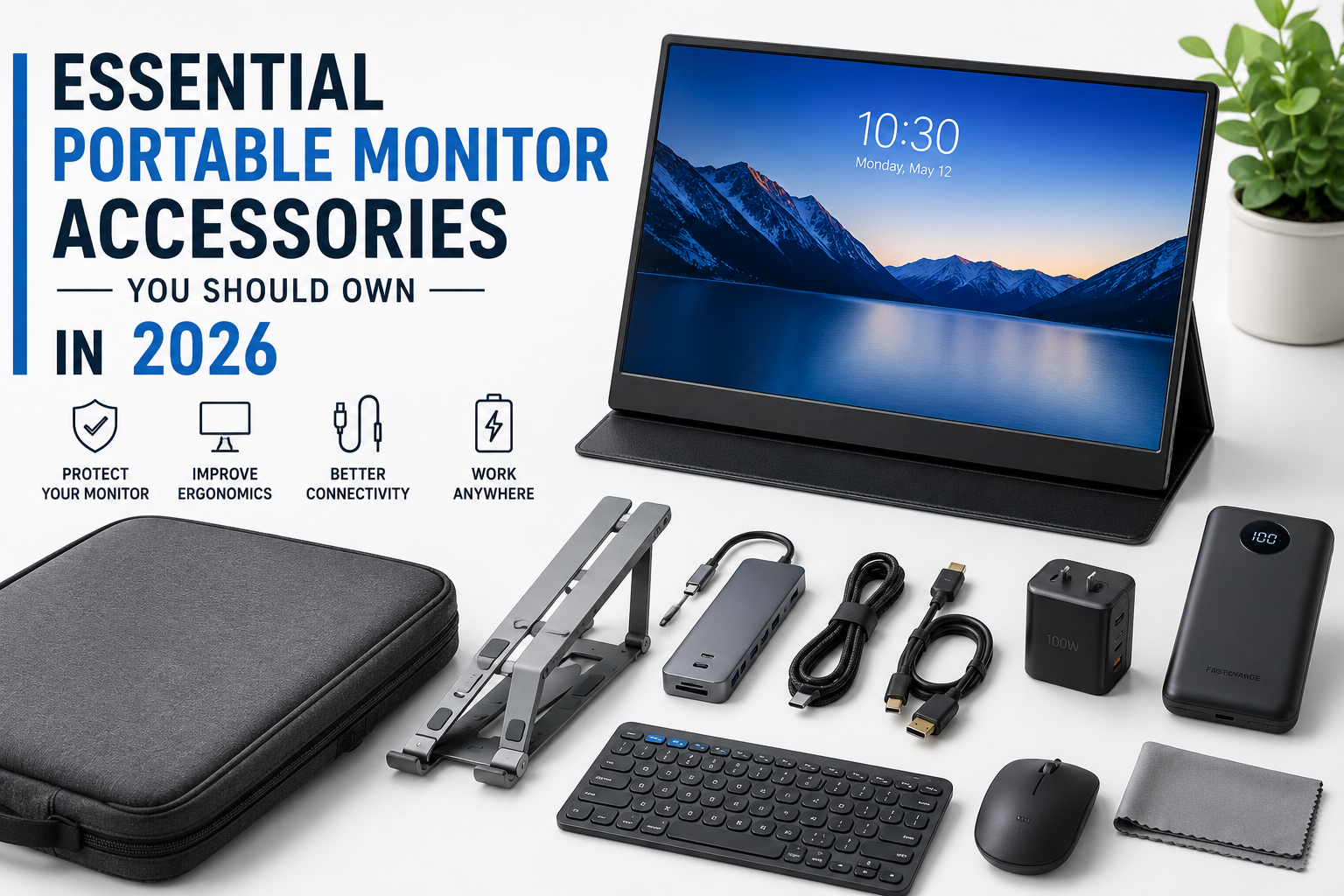
Essential Portable Monitor Accessories You Need in 2026
Discover the best portable monitor accessories in 2026. Improve productivity, protect your display, and build the perfect portable workstation.
Essential Portable Monitor Accessories You Should Own in 2026
Portable monitors have become one of the most useful productivity tools in recent years. Whether you’re working remotely, traveling for business, attending college, gaming on the go, or editing videos outside your office, a portable monitor provides the convenience of a second screen without the bulk of a traditional desktop display.
However, owning a portable monitor is only the beginning. The right accessories can dramatically improve your experience by making your setup more comfortable, organized, durable, and efficient. Many users spend hundreds of dollars on a high-quality portable monitor but overlook the accessories that protect their investment and unlock its full potential.
In 2026, portable workstations have become more sophisticated than ever. USB-C connectivity is now common across laptops, tablets, smartphones, and gaming handhelds. As a result, portable monitor accessories have also evolved, offering better portability, improved cable management, enhanced ergonomics, and stronger protection for professionals and everyday users alike.
Whether you’re a digital nomad working from cafés, a programmer who needs extra screen space, a student attending online classes, or a gamer connecting a portable monitor to a handheld console, choosing the right accessories can make a noticeable difference in your daily workflow.
This comprehensive guide explains the most essential portable monitor accessories you should own in 2026, why each one matters, how to choose the right option, and which accessories provide the best value for your money. By the end of this guide, you’ll know exactly which accessories deserve a place in your portable workstation and which ones you can safely skip.
Table of Contents
- Why Portable Monitor Accessories Matter
- Things to Consider Before Buying Accessories
- Essential Portable Monitor Accessories
- Protective Carrying Case
- Adjustable Portable Monitor Stand
- USB-C Cables
- HDMI Adapters
- Power Delivery Chargers
- Screen Protectors
- Cleaning Kits
- Cable Organizers
- Laptop Stands
- Portable Power Banks
- Comparison Table
- Buying Guide
- Common Mistakes to Avoid
- Expert Recommendations
- Who Should Buy These Accessories?
- Frequently Asked Questions
- Final Verdict
Why Portable Monitor Accessories Matter
Many people assume that purchasing a portable monitor is enough to enjoy a productive dual-screen setup. In reality, the accessories you use have just as much impact on your overall experience as the monitor itself.
Imagine carrying a portable monitor inside a backpack without any protective sleeve. Even a small amount of pressure from books or a laptop can scratch the display or damage the panel. Similarly, using a low-quality USB-C cable may cause screen flickering, unstable connections, or slow charging, leading to frustration during important work sessions.
Accessories solve these everyday problems while making your setup more reliable, comfortable, and professional.
Here are some of the biggest benefits of investing in quality portable monitor accessories:
| Benefit | Why It Matters |
|---|---|
| Better Productivity | More comfortable working positions reduce fatigue. |
| Improved Protection | Cases and screen protectors help prevent accidental damage. |
| Better Cable Management | Keeps your desk organized and travel-friendly. |
| Enhanced Connectivity | High-quality adapters support multiple devices. |
| Longer Device Lifespan | Proper accessories reduce wear and tear. |
| Comfortable Viewing Angles | Adjustable stands improve posture during long work sessions. |
For professionals who spend several hours each day working with a portable monitor, these improvements can significantly increase productivity while reducing physical strain.
Things to Consider Before Buying Portable Monitor Accessories
Not every accessory is suitable for every portable monitor. Before making a purchase, it’s important to understand your own requirements.
Choosing accessories based only on price can often result in compatibility issues or poor performance. Instead, consider how and where you use your portable monitor most often.
1. Device Compatibility
Start by checking which devices you’ll connect to your portable monitor.
Different devices support different connection standards, including:
- USB-C DisplayPort Alt Mode
- HDMI
- Mini HDMI
- Thunderbolt 4
- Thunderbolt 5
- USB-A (with adapters)
Buying incompatible accessories often leads to unnecessary returns and frustration.
2. Portability
If you frequently travel, portability should be one of your highest priorities.
Look for accessories that are:
- Lightweight
- Foldable
- Compact
- Easy to pack
- Durable enough for travel
Bulky accessories may provide excellent stability but become inconvenient if you’re constantly moving between locations.
3. Build Quality
Cheap accessories often use lower-quality materials that wear out quickly.
Premium accessories typically include:
- Aluminum construction
- Reinforced connectors
- Braided cables
- Scratch-resistant coatings
- High-quality zippers
- Shock-resistant carrying materials
Although they cost more initially, they usually last much longer and provide a better user experience.
4. Connectivity Requirements
Consider how many devices you regularly connect.
For example, your setup may include:
- Laptop
- Tablet
- Smartphone
- Nintendo Switch
- Steam Deck
- ROG Ally
- MacBook
- Desktop PC
- Camera
Each device may require different adapters or cables.
Planning ahead can save money and prevent compatibility issues later.
5. Workspace Setup
Some users primarily work from a home office, while others travel daily.
Your workspace influences the accessories you should prioritize.
| Workspace | Recommended Accessories |
|---|---|
| Home Office | Adjustable stand, docking station, cable organizers |
| Coffee Shop | Carry case, compact charger, foldable stand |
| Office | USB-C hub, monitor stand, wireless keyboard |
| Travel | Screen protector, lightweight sleeve, power bank |
| Gaming Setup | HDMI cable, portable power supply, cooling accessories |
Matching your accessories to your environment creates a more efficient workflow.
Essential Portable Monitor Accessories You Should Own
Now let’s explore the accessories that provide the biggest improvements to your portable monitor setup.
Each accessory serves a different purpose, and together they create a portable workstation that’s comfortable, organized, and reliable.
1. Protective Carrying Case
A portable monitor is designed for mobility, which means it spends a lot of time inside backpacks, laptop bags, suitcases, and travel cases. Without proper protection, even a premium display is vulnerable to scratches, pressure damage, cracked screens, and accidental bumps.
A dedicated carrying case is one of the smartest investments you can make because it protects the device every time you transport it.
A high-quality carrying case should provide more than just basic storage. Look for models with padded interiors, reinforced corners, water-resistant materials, smooth zippers, and separate compartments for cables, adapters, chargers, and accessories. These features help keep your setup organized while reducing the risk of damage during travel.
Professionals who travel frequently—such as photographers, consultants, business executives, and remote workers—will especially benefit from a durable carrying case. Instead of worrying about your monitor being compressed between books or laptops inside your backpack, you can carry it with confidence.
Benefits
- Prevents scratches and cracks
- Protects against accidental drops
- Keeps accessories organized
- Makes travel easier
- Extends the life of your monitor
Pros
- Excellent protection
- Easy to carry
- Keeps cables organized
- Available in many sizes
Cons
- Adds slight weight
- Premium cases cost more
2. Adjustable Portable Monitor Stand
One of the biggest complaints among portable monitor users is poor viewing ergonomics. Most built-in monitor covers double as basic stands, but they usually offer limited viewing angles and little height adjustment.
An adjustable monitor stand solves this problem by allowing you to position the display at eye level, reducing neck strain and improving posture during long work sessions.
A quality stand should be lightweight yet sturdy enough to prevent wobbling. Aluminum foldable stands are especially popular because they combine portability with durability. Many models also allow you to adjust both the height and tilt, making them suitable for different work environments.
Whether you’re editing documents, coding, attending virtual meetings, or working with spreadsheets, raising the monitor to a comfortable viewing height can significantly improve productivity and reduce fatigue over time.
Benefits
- Better posture
- Reduced neck pain
- Improved viewing angles
- Increased productivity
- More comfortable long work sessions
Features to Look For
- Foldable design
- Aluminum construction
- Adjustable height
- Non-slip rubber feet
- Stable base
- Lightweight design
3. High-Quality USB-C Cable
If there’s one accessory that every portable monitor owner relies on every day, it’s the USB-C cable. Modern portable monitors often use a single USB-C connection to transfer video, audio, data, and power simultaneously. However, not all USB-C cables are created equal.
Many users unknowingly use inexpensive charging cables that only support power delivery and not video output. This can lead to issues such as a blank screen, intermittent signal loss, slow charging, or poor display performance.
Investing in a certified, high-quality USB-C cable ensures stable connectivity, faster data transfer, and reliable power delivery. Look for cables that explicitly support DisplayPort Alt Mode, USB 3.2 or USB4, and Power Delivery (PD). These specifications guarantee compatibility with modern laptops, tablets, gaming handhelds, and smartphones.
A braided cable with reinforced connectors also tends to last longer than standard plastic cables, especially if you travel frequently.
Key Features to Look For
- Supports DisplayPort Alt Mode
- USB 3.2 Gen 2 or USB4 compatibility
- 100W Power Delivery support
- Braided exterior for durability
- Reinforced connectors
- Length between 1 and 2 meters
Pros
- Single cable for video, power, and data
- Cleaner desk setup
- Reliable display connection
- Long-lasting with proper construction
Cons
- Premium cables cost more
- Low-quality cables may not support video output
4. HDMI Adapter or Mini HDMI Cable
Although USB-C has become the preferred standard, many devices—including desktop PCs, gaming consoles, cameras, and older laptops—still rely on HDMI connections.
A quality HDMI adapter or Mini HDMI cable expands the versatility of your portable monitor, allowing it to work with a much wider range of devices.
For example, you can connect your portable monitor to:
- PlayStation 5
- Xbox Series X/S
- Nintendo Switch Dock
- Desktop computers
- DSLR and mirrorless cameras
- Older Windows laptops
- Media streaming devices
When buying an HDMI cable, choose one that supports at least HDMI 2.0. If you plan to use higher refresh rates or 4K resolutions, HDMI 2.1 is an even better option.
Buying Tips
- Match the connector type (HDMI, Mini HDMI, or Micro HDMI)
- Choose certified HDMI cables
- Avoid overly long cables unless necessary
- Look for gold-plated connectors for improved durability
5. USB-C Hub or Docking Station
A portable monitor often occupies one of your laptop’s USB-C ports. If your laptop has limited connectivity, adding a USB-C hub or docking station can significantly improve your workflow.
Instead of constantly unplugging devices, a hub allows you to connect multiple peripherals through a single port.
A good USB-C hub may include:
- HDMI output
- USB-A ports
- Ethernet
- SD and microSD card readers
- Audio jack
- Additional USB-C Power Delivery input
Creative professionals, photographers, programmers, and office users will especially appreciate the convenience of a well-designed docking solution.
Benefits
- Connect multiple devices simultaneously
- Reduce cable clutter
- Charge your laptop while using accessories
- Simplify workstation setup
Pros
- Excellent productivity upgrade
- Ideal for multitasking
- Supports multiple peripherals
Cons
- Higher-quality hubs are more expensive
- Budget hubs may overheat during heavy usage
6. Fast USB-C Power Delivery Charger
Portable monitors consume power, especially when running at higher brightness levels. While many laptops can power the monitor directly, some devices may struggle to deliver sufficient power for extended periods.
A dedicated USB-C Power Delivery charger ensures consistent performance and prevents battery drain during long work sessions.
Choose a charger that offers at least:
| Usage | Recommended Charger |
|---|---|
| Smartphone + Portable Monitor | 45W |
| Tablet + Monitor | 65W |
| Laptop + Monitor | 65W–100W |
| High-performance laptops | 100W+ |
Gallium Nitride (GaN) chargers have become increasingly popular because they are smaller, lighter, and more energy-efficient than traditional chargers.
Features to Consider
- USB-C PD support
- Multiple charging ports
- Compact design
- Over-current protection
- Temperature control
- Travel-friendly size
7. Portable Power Bank
Working while traveling often means limited access to power outlets. A high-capacity power bank allows you to use your portable monitor almost anywhere.
However, not every power bank is capable of powering a portable monitor.
Choose one that supports:
- USB-C Power Delivery
- 45W to 100W output
- High battery capacity (20,000mAh or more)
- Pass-through charging (optional)
This accessory is particularly useful for:
- Remote workers
- Students
- Business travelers
- Flight passengers
- Digital nomads
- Outdoor photographers
Advantages
- Portable workstation anywhere
- Backup power during emergencies
- Longer productivity sessions
- Great for travel
Limitations
- Adds extra weight
- Larger capacities take longer to recharge
8. Screen Protector
Portable monitors are designed for mobility, which means they are more likely to come into contact with dust, keys, chargers, and other objects inside your bag. A screen protector acts as a protective layer against scratches and minor abrasions.
Depending on your needs, you can choose from:
| Type | Best For |
|---|---|
| Matte | Reduces glare and fingerprints |
| Glossy | Better color vibrancy |
| Privacy | Prevents others from viewing your screen |
| Anti-blue light | Extended work sessions |
A matte protector is often the best all-around option for professionals who work in bright environments or outdoors.
Benefits
- Scratch protection
- Reduced fingerprints
- Less glare
- Easier cleaning
- Better resale value
9. Screen Cleaning Kit
Even the best portable monitor loses its visual clarity when covered in fingerprints, dust, or smudges. Regular cleaning not only improves image quality but also helps maintain the longevity of the display.
A proper cleaning kit should include:
- Microfiber cloth
- Alcohol-free screen cleaning solution
- Dust removal brush
- Air blower (optional)
Avoid using tissues, paper towels, or household glass cleaners, as they can damage the display’s protective coating.
Cleaning Tips
✔ Turn off the monitor before cleaning.
✔ Spray the cleaning solution onto the cloth—not directly onto the screen.
✔ Wipe gently in circular motions.
✔ Store the microfiber cloth in a clean pouch.
10. Cable Organizer
As your portable setup grows, so does the number of cables you carry. USB-C cables, HDMI cables, charging adapters, SD card readers, and power banks can quickly become tangled inside your backpack.
A cable organizer keeps everything neatly arranged and easy to find.
Look for organizers that offer:
- Elastic cable loops
- Mesh storage pockets
- Water-resistant exterior
- Compact travel size
- Separate compartments for chargers and adapters
A well-organized cable pouch saves time and reduces wear on your accessories.
Pros
- Cleaner workspace
- Faster setup
- Easier travel
- Prevents cable damage
11. Wireless Keyboard and Mouse
A portable monitor becomes far more productive when paired with a compact wireless keyboard and mouse. Instead of relying on a laptop’s built-in keyboard or touchpad, you can create a more ergonomic and efficient workspace.
Wireless peripherals reduce cable clutter and make it easier to position your monitor at a comfortable distance.
Ideal For
- Writers
- Programmers
- Designers
- Students
- Office professionals
- Remote workers
Benefits
- Better typing comfort
- Improved productivity
- Cleaner desk setup
- Greater flexibility
Comparison Table: Essential Portable Monitor Accessories
| Accessory | Importance | Best For | Recommended Priority |
|---|---|---|---|
| Carrying Case | ⭐⭐⭐⭐⭐ | Everyone | Essential |
| Adjustable Stand | ⭐⭐⭐⭐⭐ | Office & Remote Work | Essential |
| USB-C Cable | ⭐⭐⭐⭐⭐ | Everyone | Essential |
| HDMI Adapter | ⭐⭐⭐⭐☆ | Gamers & Professionals | High |
| USB-C Hub | ⭐⭐⭐⭐☆ | Multitasking | High |
| PD Charger | ⭐⭐⭐⭐⭐ | Everyone | Essential |
| Power Bank | ⭐⭐⭐⭐☆ | Travelers | High |
| Screen Protector | ⭐⭐⭐⭐☆ | Frequent Travelers | High |
| Cleaning Kit | ⭐⭐⭐⭐☆ | Everyone | Medium |
| Cable Organizer | ⭐⭐⭐⭐☆ | Travelers | Medium |
| Wireless Keyboard & Mouse | ⭐⭐⭐⭐⭐ | Productivity Users | Essential |
Expert Recommendations
If you’re building your portable monitor setup for the first time, you don’t need to purchase every accessory immediately. Start with the essentials that directly improve protection, connectivity, and comfort.
A protective carrying case, an adjustable stand, a certified USB-C cable, and a reliable Power Delivery charger should be your first investments. These accessories address the most common challenges users face, such as accidental damage, poor ergonomics, unstable connections, and insufficient power.
Once your core setup is complete, consider adding a USB-C hub, portable power bank, and wireless keyboard and mouse. These accessories offer greater flexibility and make your workstation more capable, especially if you travel frequently or work from different locations.
Rather than buying the cheapest accessories available, prioritize quality and compatibility. Well-built accessories typically last longer, perform more reliably, and provide a better overall experience, making them a smarter long-term investment.
Complete Buying Guide: How to Choose the Right Portable Monitor Accessories
With so many accessories available online, it’s easy to spend money on products you may never use. Instead of buying everything at once, build your setup based on your workflow, travel habits, and devices.
The best accessories are not always the most expensive—they’re the ones that solve real problems and improve your daily experience.
Below are the key factors to consider before making a purchase.
1. Identify Your Primary Use Case
Think about how you use your portable monitor most often.
| User Type | Must-Have Accessories |
|---|---|
| Office Professional | Adjustable stand, USB-C hub, wireless keyboard, PD charger |
| Student | Carrying case, USB-C cable, cleaning kit |
| Remote Worker | Stand, power bank, cable organizer, wireless mouse |
| Graphic Designer | Color-calibrated USB-C cable, docking station, monitor stand |
| Gamer | HDMI cable, PD charger, carrying case |
| Photographer | SD card hub, monitor stand, cleaning kit |
| Business Traveler | Protective sleeve, GaN charger, power bank, cable organizer |
Choosing accessories that match your routine ensures you get the most value from your investment.
2. Check Compatibility Before Buying
Compatibility is one of the most overlooked aspects when purchasing accessories.
Before clicking the “Buy Now” button, verify:
- Display size (13-inch, 14-inch, 15.6-inch, 16-inch, or 17-inch)
- USB-C DisplayPort Alt Mode support
- HDMI version compatibility
- Power Delivery requirements
- Operating system compatibility
- Laptop and smartphone port availability
Taking a few minutes to confirm compatibility can save you from unnecessary returns and frustration.
3. Prioritize Build Quality
Portable accessories are designed to travel, which means they experience more wear and tear than desktop equipment.
Choose products made from:
- Aluminum alloy
- Braided nylon cables
- Reinforced connectors
- High-density EVA protective cases
- Anti-slip silicone pads
- Water-resistant fabrics
While premium accessories may cost slightly more, they often provide better durability, reliability, and long-term value.
4. Buy for Future Compatibility
Technology evolves quickly, and accessories should remain useful for several years.
Whenever possible, choose products that support:
- USB4
- Thunderbolt 4 or newer
- HDMI 2.1
- 100W USB-C Power Delivery
- High-speed data transfer
- Backward compatibility with older devices
Future-ready accessories reduce the need for frequent upgrades.
Best Accessory Bundles for Different Users
Instead of purchasing accessories individually without a plan, consider building a bundle based on your needs.
Budget Setup
Ideal for students and occasional users.
Includes:
- Protective carrying case
- Quality USB-C cable
- Basic adjustable stand
- Cleaning kit
Best For: Everyday productivity, online classes, and casual use.
Productivity Setup
Perfect for professionals working from home or the office.
Includes:
- Premium monitor stand
- USB-C docking station
- Wireless keyboard
- Wireless mouse
- GaN charger
- Cable organizer
Best For: Programming, spreadsheets, meetings, and multitasking.
Travel Setup
Designed for users who work from different locations.
Includes:
- Lightweight carrying case
- Foldable stand
- High-capacity power bank
- Compact GaN charger
- Cable organizer
- Screen protector
Best For: Digital nomads, consultants, and business travelers.
Gaming Setup
Optimized for handheld and console gaming.
Includes:
- HDMI 2.1 cable
- High-speed USB-C cable
- Fast charger
- Foldable stand
- Carrying case
- Cooling pad (if required)
Best For: Nintendo Switch, Steam Deck, ROG Ally, and laptops.
Common Mistakes to Avoid
Many users buy accessories based solely on price or online ratings without considering compatibility or quality. Avoiding these common mistakes can save both money and frustration.
Buying Cheap USB-C Cables
Not every USB-C cable supports video transmission.
Some cables are designed only for charging and cannot transmit a display signal. Always verify that the cable supports DisplayPort Alt Mode or USB4 before purchasing.
Ignoring Power Requirements
A portable monitor may not perform properly if it doesn’t receive sufficient power.
Using an underpowered charger can lead to:
- Screen flickering
- Random disconnects
- Reduced brightness
- Slow charging
- Device instability
Choose a charger with adequate Power Delivery output based on your monitor and laptop requirements.
Skipping a Protective Case
Many users transport their monitor without a dedicated carrying case.
Even if your monitor survives a few trips, repeated exposure to pressure, dust, and accidental impacts increases the risk of damage over time.
A quality protective case is one of the simplest ways to extend your monitor’s lifespan.
Buying Accessories You Don’t Need
It’s tempting to purchase every recommended accessory, but this isn’t always necessary.
For example:
- A docking station may be unnecessary if your laptop already has enough ports.
- A power bank may not be useful if you rarely work away from a power outlet.
- A privacy screen may not be needed if you primarily use your monitor at home.
Focus on accessories that solve real problems in your daily workflow.
Ignoring Ergonomics
Many users continue using the built-in monitor cover as a stand, even when it forces them to look downward for hours.
Poor monitor positioning can contribute to:
- Neck pain
- Shoulder discomfort
- Eye strain
- Reduced productivity
A simple adjustable stand can significantly improve comfort during long work sessions.
Pros and Cons of Investing in Portable Monitor Accessories
| Pros | Cons |
|---|---|
| Improves productivity | Additional upfront cost |
| Protects your monitor | More items to carry |
| Enhances portability | Premium accessories can be expensive |
| Reduces cable clutter | Some accessories may become outdated over time |
| Extends device lifespan | Requires compatibility research |
| Creates a professional workspace | Budget products may not last long |
For most users, the long-term benefits of quality accessories outweigh the initial investment.
Who Should Buy These Accessories?
Not every user needs the exact same setup. Here’s a breakdown of who benefits the most from investing in portable monitor accessories.
Students
Students often carry their monitors between classrooms, libraries, and home. A protective case, USB-C cable, and lightweight stand can make studying more comfortable while reducing the risk of accidental damage.
Remote Workers
Remote professionals frequently work from cafés, coworking spaces, or home offices. An adjustable stand, docking station, wireless peripherals, and a reliable charger help create a productive workspace wherever they are.
Business Travelers
If you travel regularly for meetings or presentations, portability becomes essential. A compact GaN charger, power bank, carrying case, and cable organizer keep your setup organized and ready for work on the move.
Content Creators
Video editors, photographers, designers, and streamers often depend on accurate displays and efficient workflows. A USB-C hub, premium cables, cleaning kit, and ergonomic stand can significantly improve day-to-day productivity.
Gamers
Portable monitors are increasingly popular among gamers using handheld consoles or gaming laptops. HDMI 2.1 cables, fast chargers, and sturdy stands provide a smoother gaming experience both at home and while traveling.
Hybrid Office Employees
Professionals who split their time between home and the office benefit from accessories that are easy to transport. A compact, organized setup minimizes packing time and ensures a consistent workstation in any environment.
Expert Recommendations
After evaluating various portable workstation setups, several accessories consistently provide the greatest value regardless of the user’s profession or experience level.
If you’re purchasing accessories one at a time, prioritize them in this order:
| Priority | Accessory | Why It Matters |
|---|---|---|
| 1 | Protective Carrying Case | Prevents accidental damage during travel |
| 2 | Premium USB-C Cable | Ensures stable video, data, and power transfer |
| 3 | Adjustable Monitor Stand | Improves comfort and posture |
| 4 | USB-C Power Delivery Charger | Delivers reliable power for extended use |
| 5 | USB-C Hub | Expands connectivity for multiple devices |
| 6 | Wireless Keyboard & Mouse | Increases productivity and ergonomics |
| 7 | Power Bank | Keeps your setup running while away from outlets |
| 8 | Cable Organizer | Maintains a neat and travel-friendly workspace |
| 9 | Screen Protector | Protects against scratches and fingerprints |
| 10 | Cleaning Kit | Preserves display clarity and screen condition |
Investing in these accessories gradually allows you to build a reliable and efficient portable workstation without overspending.
Frequently Asked Questions (FAQs)
1. What accessories are essential for a portable monitor?
The most important portable monitor accessories include a protective carrying case, an adjustable monitor stand, a high-quality USB-C cable, a USB-C Power Delivery charger, and a reliable HDMI cable or adapter. These accessories improve protection, connectivity, and overall productivity.
2. Do all USB-C cables support portable monitors?
No. Many USB-C cables are designed only for charging and do not support video transmission. To connect a portable monitor, choose a cable that supports DisplayPort Alt Mode, USB 3.2, USB4, or Thunderbolt specifications.
3. Is a portable monitor stand worth buying?
Yes. A dedicated stand improves ergonomics by raising the monitor to eye level, reducing neck strain and improving posture. It also provides better viewing angles and a more stable workspace.
4. Can I use a power bank with a portable monitor?
Yes, provided the power bank supports USB-C Power Delivery (PD) and delivers sufficient output, typically 45W to 100W depending on your monitor and connected device.
5. Do I need a screen protector for my portable monitor?
A screen protector is highly recommended if you frequently travel with your monitor. It helps prevent scratches, reduces fingerprints, and can minimize glare depending on the type you choose.
6. What is the best charger for a portable monitor?
A USB-C GaN charger with 65W to 100W Power Delivery is ideal for most users. It can power your monitor while simultaneously charging your laptop or tablet.
7. Can I connect a portable monitor to a gaming console?
Yes. Most portable monitors can connect to gaming consoles such as the PlayStation 5, Xbox Series X/S, and Nintendo Switch using an HDMI cable. Some monitors may also require external power.
8. Are USB-C hubs necessary?
A USB-C hub is useful if your laptop has limited ports or if you regularly connect multiple devices, such as external drives, SD cards, Ethernet, keyboards, or additional displays.
9. How do I keep my portable monitor clean?
Use a microfiber cloth and an alcohol-free screen cleaning solution. Never spray liquid directly onto the display, and avoid using paper towels or household glass cleaners, as they may damage the screen coating.
10. Which accessory should I buy first?
If you’re starting from scratch, purchase accessories in this order:
- Protective carrying case
- High-quality USB-C cable
- Adjustable monitor stand
- USB-C PD charger
- USB-C hub
These provide the greatest improvement in protection, comfort, and reliability.
11. Are expensive accessories always better?
Not necessarily. While premium accessories often offer better build quality and durability, the best choice depends on compatibility, performance, and your specific needs. Focus on certified, well-reviewed products rather than simply choosing the most expensive option.
12. How long do portable monitor accessories typically last?
With proper care, quality accessories such as cables, stands, chargers, and carrying cases can last several years. Investing in durable materials like braided cables and aluminum stands usually results in a longer lifespan.
Final Thoughts
A portable monitor is a valuable productivity tool, but the right accessories transform it from a simple secondary display into a complete mobile workstation. Whether you’re attending online classes, editing videos, coding, presenting to clients, or gaming while traveling, carefully selected accessories improve comfort, efficiency, and device longevity.
Start by investing in the essentials: a protective carrying case, a high-quality USB-C cable, an ergonomic stand, and a reliable Power Delivery charger. These accessories address the most common challenges users face, including accidental damage, unstable connections, poor posture, and limited power.
As your needs grow, consider adding a USB-C hub, power bank, wireless peripherals, and cable organizers to create a more versatile setup. Rather than purchasing every accessory at once, build your collection gradually based on your workflow and budget.
In 2026, portable computing continues to evolve, and a well-equipped portable monitor setup can help you stay productive wherever your work or hobbies take you. By choosing quality accessories that are compatible with your devices and built to last, you’ll enjoy a smoother, more efficient experience for years to come.
Quick Accessory Checklist
| Accessory | Recommended |
|---|---|
| Protective Carrying Case | ✅ Essential |
| Adjustable Monitor Stand | ✅ Essential |
| Premium USB-C Cable | ✅ Essential |
| USB-C Power Delivery Charger | ✅ Essential |
| HDMI 2.1 Cable / Adapter | ✅ Recommended |
| USB-C Hub | ✅ Recommended |
| Portable Power Bank | ✅ Recommended |
| Screen Protector | ✅ Recommended |
| Cleaning Kit | ✅ Useful |
| Cable Organizer | ✅ Useful |
| Wireless Keyboard & Mouse | ✅ Highly Recommended |
5 Internal Link Opportunities for Voltixa
As your website grows, link this article to related guides to improve SEO and user engagement. Good internal linking opportunities include:
- How to Choose the Right Portable Monitor in 2026
- Best Portable Monitors for Remote Work
- Best USB-C Hubs and Docking Stations in 2026
- Complete Laptop Accessories Buying Guide
- Best GaN Chargers for Laptops and Portable Monitors