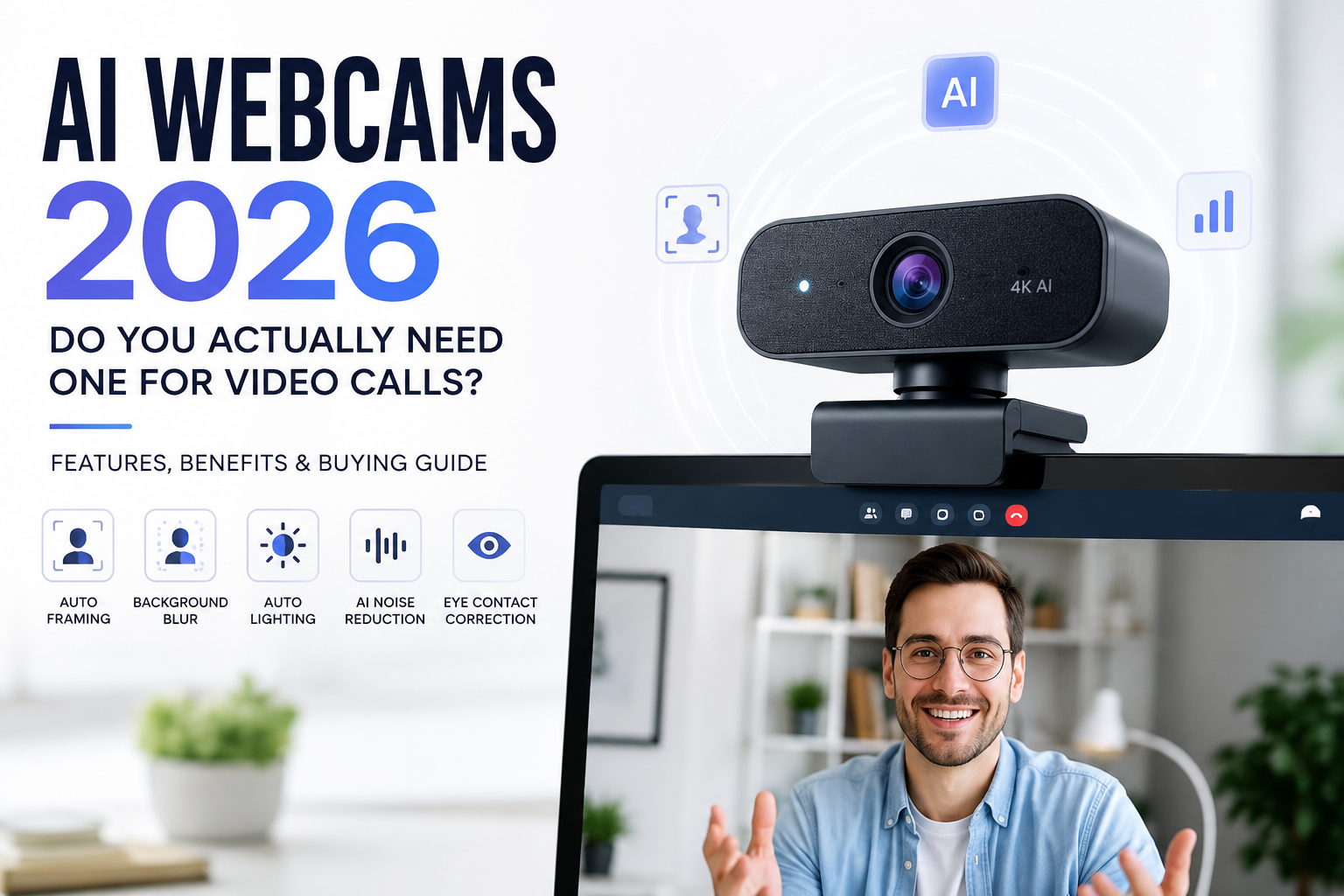
AI Webcams 2026: Do You Actually Need One for Video Calls?
Video calls have become an essential part of daily life. Whether you’re attending remote meetings, streaming online, teaching classes, interviewing for jobs, or chatting with family, a clear and professional video feed matters more than ever. As a result, manufacturers are introducing a new generation of AI-powered webcams that promise studio-quality video, intelligent framing, background enhancement, noise reduction, and automatic lighting adjustments.
The term “AI webcam” has quickly become a popular marketing phrase in 2026, appearing across laptops, standalone webcams, and conference room cameras. But beyond the impressive feature lists and promotional videos lies a simple question: do you actually need an AI webcam, or is it just another gadget trying to solve problems you may not have?
The answer depends on how you use your computer, what camera you already own, and whether the new AI-powered features genuinely improve your workflow. This guide explains everything you need to know before spending money on one.
What Is an AI Webcam?
An AI webcam is a camera equipped with machine learning algorithms that process video in real time. Unlike traditional webcams that simply capture an image, AI webcams analyze each frame and automatically optimize it.
These improvements happen directly on the device or through dedicated AI chips built into the webcam. Instead of requiring manual adjustments, the camera intelligently adapts to changing conditions while you are on a call.
Modern AI webcams commonly include:
- Auto framing
- Face tracking
- Eye contact correction
- Background blur
- Portrait enhancement
- Auto exposure
- HDR video
- AI-powered noise reduction
- Gesture recognition
- Automatic zoom
- Subject detection
The goal is simple: make users look better with little or no manual setup.
Why AI Webcams Are Trending in 2026
The popularity of AI webcams has grown rapidly because remote work is no longer temporary. Hybrid offices, online education, virtual interviews, remote healthcare, and content creation have become part of everyday life.
At the same time, AI processing has become significantly more affordable. Instead of relying entirely on your computer’s processor, many webcams now include dedicated processors that perform AI tasks without slowing down your PC.
Laptop manufacturers have also started integrating AI camera technologies into premium notebooks, making consumers more familiar with these features.
Key AI Features That Actually Matter
Auto Framing
One of the most useful AI features is automatic framing.
If you move around during a presentation or stand up to explain something, the camera automatically adjusts to keep you centered without needing to reposition the webcam manually.
This feature is especially useful for teachers, presenters, fitness instructors, and professionals who move frequently during meetings.
Background Blur Without a Green Screen
AI can separate the subject from the background in real time.
Instead of using a physical green screen, the webcam creates a natural depth effect that keeps the focus on your face while softly blurring everything behind you.
Modern AI segmentation is much cleaner than early software-based blur effects.
Automatic Light Adjustment
Lighting remains one of the biggest challenges during video calls.
AI webcams continuously monitor lighting conditions and automatically adjust:
- Brightness
- Exposure
- Contrast
- White balance
- Color temperature
Whether you’re sitting near a bright window or working in a dim room, the camera attempts to keep your face properly exposed.
Noise Reduction
Many premium AI webcams now include microphone arrays powered by AI.
Instead of simply lowering overall noise, they identify speech and reduce distractions such as:
- Keyboard typing
- Air conditioners
- Ceiling fans
- Dogs barking
- Traffic sounds
- Office chatter
The result is much clearer audio for meetings.
Eye Contact Correction
This feature has gained significant attention in 2026.
Normally, when reading notes or looking at your screen, your eyes appear to drift away from the camera.
AI eye contact correction subtly adjusts your gaze so it appears you’re looking directly into the camera, making conversations feel more natural.
When implemented well, the effect is surprisingly convincing.
HDR Video
High Dynamic Range helps maintain detail in bright and dark areas simultaneously.
If sunlight enters through a window behind you, HDR prevents your face from appearing too dark while reducing blown-out highlights.
This dramatically improves video quality in difficult lighting conditions.
AI Webcam vs Regular Webcam
| Feature | Standard Webcam | AI Webcam |
|---|---|---|
| Auto Framing | No | Yes |
| Face Tracking | Limited | Excellent |
| Background Blur | Software only | Hardware AI |
| Lighting Adjustment | Basic | Intelligent |
| Noise Reduction | Minimal | AI-powered |
| Eye Contact Correction | No | Yes |
| Portrait Enhancement | Limited | Advanced |
| Processing | CPU | Dedicated AI chip |
Who Should Buy an AI Webcam?
AI webcams make the most sense for professionals whose appearance and presentation directly impact communication.
Remote employees attending multiple video meetings every day can benefit from automatic framing, improved lighting, and cleaner audio without spending time adjusting settings before every call.
Content creators and livestreamers will appreciate sharper image quality, smoother subject tracking, and enhanced background separation, especially when recording tutorials, product reviews, or live sessions.
Teachers and online instructors often move while explaining lessons, making auto-framing particularly valuable for keeping them centered during presentations.
Freelancers and consultants who regularly meet clients can project a more polished and professional image without investing in expensive camera equipment.
Students preparing for online interviews or participating in virtual classes may also find an AI webcam useful, although the upgrade is not always essential if their existing webcam already performs well.
Who Probably Doesn’t Need One?
Despite the growing hype, AI webcams are not necessary for everyone.
If you only make occasional video calls with friends or family, the webcam built into a modern laptop is usually sufficient.
Casual users are unlikely to notice a dramatic improvement unless their current camera has particularly poor image quality.
Similarly, users with excellent lighting setups or external DSLR cameras may see only minor benefits from switching to an AI webcam.
Are AI Features Worth Paying Extra For?
The value depends on your daily usage.
If you spend several hours every day on video calls, AI enhancements can noticeably improve both convenience and image quality. Automatic adjustments reduce the need to constantly reposition the camera, tweak lighting, or edit software settings before each meeting.
However, if video calls make up only a small part of your routine, paying a premium for AI features may not offer enough real-world value.
Privacy Considerations
Since AI webcams analyze your face and surroundings in real time, privacy has become an important consideration.
Reputable manufacturers generally process AI functions locally on the device, meaning video data does not need to be uploaded to cloud servers for features such as auto framing or background blur.
Before purchasing, it’s worth checking whether the webcam performs AI processing on-device and whether it includes physical privacy features such as a shutter or camera cover.
Tips Before Buying an AI Webcam
Rather than focusing solely on AI branding, pay attention to practical specifications that affect everyday performance.
Look for a webcam capable of recording at least 1080p resolution, as this remains the standard for professional video calls. A larger image sensor generally delivers better low-light performance, while HDR support helps maintain balanced exposure in challenging lighting conditions.
Autofocus should be quick and reliable, ensuring that your face remains sharp even if you move. High-quality microphones with AI noise reduction are equally important for clear communication.
Compatibility with your preferred conferencing platforms, whether Zoom, Microsoft Teams, Google Meet, or other services, is also worth confirming before making a purchase.
Popular AI Webcam Brands in 2026
Several manufacturers have introduced AI-powered webcams aimed at professionals, creators, and remote workers. Brands such as Logitech, Insta360, OBSBOT, Dell, Lenovo, HP, Razer, and Anker offer models featuring intelligent tracking, HDR imaging, AI-enhanced microphones, and advanced software integration.
Each brand targets a different audience, so comparing features and pricing is important before deciding which model best suits your needs.
The Future of AI Webcams
AI webcams are evolving beyond simple image enhancement. Future models are expected to include real-time language translation, emotion recognition for meeting analytics, automatic gesture controls, smarter multi-person framing, enhanced security features, and even integration with AI assistants that can summarize meetings or generate transcripts.
As dedicated AI processors become more powerful and affordable, many of these features are likely to become standard rather than premium.
Final Verdict
AI webcams are more than just a passing trend. For professionals who spend a significant portion of their day in virtual meetings, the combination of intelligent framing, better lighting, improved audio, and automatic enhancements can create a noticeably better experience without requiring technical expertise.
That said, not everyone needs to upgrade. If your current webcam already provides clear video and your meetings are occasional, the improvements may not justify the extra cost.
The smartest buying decision is to evaluate how often you rely on video communication. For remote workers, online educators, streamers, and business professionals, an AI webcam can be a worthwhile investment. For casual users, a quality standard webcam—or even the camera built into a recent laptop—will often be more than enough.
As AI technology continues to advance throughout 2026, these intelligent features are expected to become increasingly common, making future webcams more capable, more convenient, and more accessible than ever before.
Related Articles
- Best Budget Smartwatches 2026: Under $100 Picks That Don’t Feel Cheap
- Garmin vs Apple Watch vs Fitbit: Which Smartwatch Deal Is Actually Worth Buying
- Best Noise Cancelling Headphones 2026: Tested and Ranked
- Best Smart Glasses Under $100 in 2026: Features, Pros & Buying Guide
- Best Power Banks 2026: Fast Charging, Multi-Port, and Travel-Friendly Picks