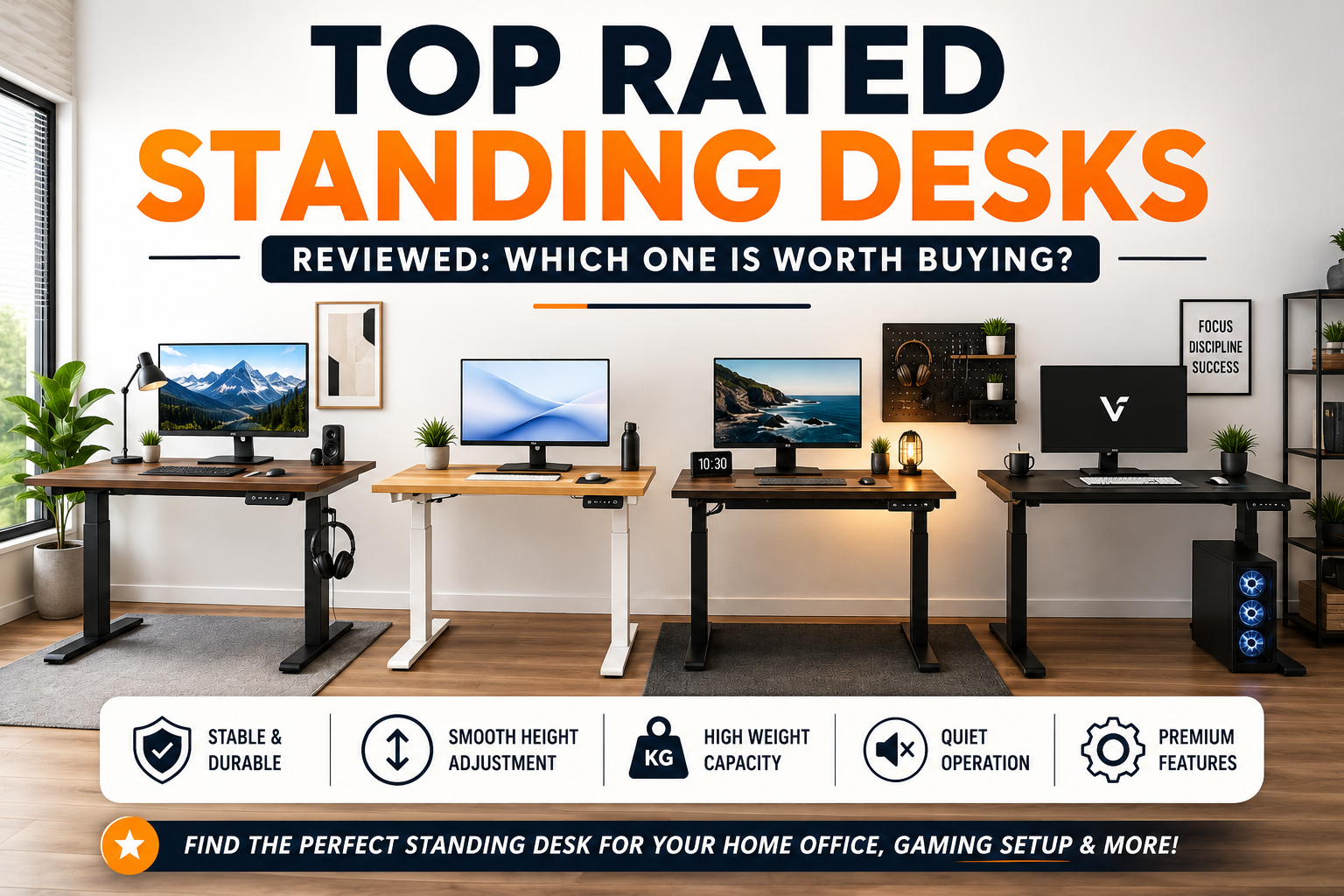
Working at a desk for eight or more hours every day has become the new normal. Whether you’re working from home, studying, coding, editing videos, or gaming, long hours of sitting can lead to back pain, neck strain, poor posture, and reduced productivity. This is one of the biggest reasons why standing desks have become one of the most popular office upgrades in recent years.
A standing desk, also known as a sit-stand desk or height-adjustable desk, allows you to switch between sitting and standing with the push of a button or manual adjustment. Instead of remaining in one position throughout the day, you can change your posture whenever you feel tired or uncomfortable. Even standing for short periods can help improve circulation, reduce stiffness, and keep your energy levels higher during long work sessions.
However, buying the right standing desk isn’t as simple as choosing the most expensive model. Some desks have powerful dual motors, while others use single motors. Some offer advanced memory presets, cable management, and anti-collision technology, whereas budget options may sacrifice stability or lifting capacity.
With hundreds of standing desks available online, choosing the best one can quickly become confusing.
This detailed buying guide reviews some of the highest-rated standing desks available today, compares their features, explains who each desk is best suited for, and highlights the most important factors you should consider before spending your money.
Whether you’re setting up a professional office, upgrading your work-from-home desk, or building the ultimate gaming station, this guide will help you make an informed purchase.
Quick Comparison: Best Standing Desks at a Glance
| Standing Desk | Best For | Motor | Weight Capacity | Memory Presets | Overall Rating |
|---|---|---|---|---|---|
| FlexiSpot E7 | Overall Best | Dual Motor | High | Yes | ⭐⭐⭐⭐⭐ |
| Uplift V2 | Premium Buyers | Dual Motor | Excellent | Yes | ⭐⭐⭐⭐⭐ |
| Fully Jarvis | Home Office | Dual Motor | High | Yes | ⭐⭐⭐⭐⭐ |
| Vari Electric Standing Desk | Beginners | Dual Motor | High | Yes | ⭐⭐⭐⭐☆ |
| Secretlab Magnus Pro | Gamers | Dual Motor | Excellent | Yes | ⭐⭐⭐⭐⭐ |
| IKEA IDÅSEN | Minimalists | Dual Motor | Good | Limited | ⭐⭐⭐⭐☆ |
| FEZIBO Standing Desk | Budget Buyers | Single Motor | Moderate | Yes | ⭐⭐⭐⭐☆ |
| Branch Duo Standing Desk | Small Offices | Dual Motor | Good | Yes | ⭐⭐⭐⭐⭐ |
Why Should You Buy a Standing Desk?
A standing desk is more than just a modern office accessory. It is an investment in your comfort, productivity, and long-term health.
People who spend most of their day sitting often experience muscle stiffness, shoulder pain, fatigue, and lower back discomfort. Switching between sitting and standing allows your muscles to stay active throughout the day.
Some practical benefits include:
- Better posture during long working hours
- Reduced pressure on the lower back
- Improved blood circulation
- Higher productivity and focus
- Increased comfort during meetings
- Better workspace flexibility
- Improved ergonomics for multiple users
- Easier adjustment for different chair heights
It’s important to understand that standing all day is not recommended either. The real advantage comes from alternating between sitting and standing every 30–60 minutes.
Who Should Consider Buying a Standing Desk?
Standing desks are suitable for a wide variety of users.
Office Professionals
Employees working eight or more hours daily often experience posture-related discomfort. A height-adjustable desk allows them to stay comfortable throughout the day.
Remote Workers
Home offices have become permanent workspaces for many professionals. A standing desk helps create a healthier work environment without needing expensive office furniture.
Programmers and Developers
Software developers frequently spend long hours coding. Switching between sitting and standing reduces physical fatigue during extended development sessions.
Students
Students attending online classes or studying for competitive exams can stay more focused by changing positions regularly.
Content Creators
Video editors, graphic designers, YouTubers, photographers, and streamers often spend countless hours at their desks. A standing desk improves comfort during long editing sessions.
Gamers
Gaming sessions can easily extend beyond several hours. Adjustable desks allow gamers to customize desk height for both casual gaming and competitive play.
Manual vs Electric Standing Desk
Before choosing a standing desk, it’s essential to understand the difference between manual and electric models.
| Feature | Manual Desk | Electric Desk |
|---|---|---|
| Adjustment | Hand Crank | Motorized |
| Speed | Slow | Fast |
| Ease of Use | Moderate | Excellent |
| Noise | Silent | Very Low |
| Price | Lower | Higher |
| Memory Settings | No | Yes |
| Daily Convenience | Moderate | Excellent |
| Best For | Budget Buyers | Most Users |
Manual Standing Desk
Manual standing desks use a hand crank to adjust height. While they are more affordable, frequent adjustments can become tiring, especially if you switch positions multiple times each day.
Electric Standing Desk
Electric standing desks use one or two motors that smoothly raise or lower the desk with the press of a button. Most premium models include programmable height presets, making them much more convenient for everyday use.
For most users, an electric standing desk offers a significantly better overall experience.
Key Features to Consider Before Buying
1. Motor Type
One of the biggest differences between standing desks is the motor system.
Single Motor
Single-motor desks are generally more affordable but may lift more slowly and produce slightly more noise.
Ideal for:
- Students
- Home users
- Budget buyers
Dual Motor
Dual-motor desks provide:
- Faster adjustments
- Better stability
- Higher lifting capacity
- Longer lifespan
- Quieter operation
For professionals, gamers, and anyone using multiple monitors or heavy equipment, a dual-motor desk is usually the better investment.
2. Height Adjustment Range
Not every desk offers the same height range.
A wider adjustment range ensures that shorter and taller users can maintain proper ergonomic posture.
As a general guideline:
| User Height | Recommended Desk Range |
|---|---|
| Under 5’4″ | Lower minimum height |
| 5’5″–6’0″ | Standard adjustment range |
| Above 6’0″ | Extended maximum height |
If multiple family members or coworkers use the same desk, choose a model with a broad adjustment range.
3. Weight Capacity
Many buyers overlook weight capacity until after purchase.
Consider everything that will sit on your desk:
- Dual monitors
- Laptop
- Desktop PC
- Speakers
- Microphone
- Camera
- Keyboard
- Printer
- Books
- Monitor arm
Heavy setups require a stronger frame and more powerful motors.
As a general rule:
| Usage | Recommended Capacity |
|---|---|
| Laptop Only | 50–70 kg |
| Dual Monitors | 80–100 kg |
| Professional Setup | 100–125 kg+ |
| Gaming Setup | 120 kg+ |
Choosing a desk with extra capacity improves stability and longevity.
4. Stability
A standing desk should remain stable even at its maximum height.
A poorly built desk may wobble while typing, using multiple monitors, or writing, making it frustrating to use.
Look for:
- Steel frame construction
- Wide feet
- Crossbar support (if available)
- High-quality lifting columns
- Reinforced legs
Stable desks generally provide a much better working experience over the long term.
5. Desktop Size
The desktop should match your workflow.
Here are some common recommendations:
| Setup | Recommended Size |
|---|---|
| Laptop Only | 40–48 inches |
| Single Monitor | 48 inches |
| Dual Monitors | 55–60 inches |
| Triple Monitors | 63–72 inches |
| Gaming Setup | 60–72 inches |
Choosing the right desktop size ensures enough room for accessories without making your workspace feel cramped.
6. Memory Presets
One of the most useful features on modern electric standing desks is programmable memory presets.
Instead of manually adjusting the desk every time, you simply press a saved button, and the desk automatically moves to your preferred sitting or standing height.
This feature is especially useful for:
- Shared workstations
- Couples
- Office environments
- Users who alternate positions frequently
Most premium standing desks offer three to four programmable presets, making daily adjustments effortless.
Detailed Reviews of the Best Standing Desks
This section takes a closer look at some of the highest-rated standing desks available today. Instead of simply listing specifications, we’ll examine how each desk performs in real-world use, its strengths, potential drawbacks, and the type of user who will benefit the most.
1. FlexiSpot E7 – Best Overall Standing Desk
Quick Specifications
| Feature | Details |
|---|---|
| Type | Electric Standing Desk |
| Motor | Dual Motor |
| Height Range | Approximately 22.8–48.4 inches |
| Weight Capacity | 355 lbs (161 kg) |
| Memory Presets | 4 |
| Anti-Collision | Yes |
| Warranty | Up to 15 Years |
Overview
The FlexiSpot E7 has earned a strong reputation among professionals, remote workers, and content creators because it balances performance, durability, and price exceptionally well. It delivers premium features without reaching the high price tag of some luxury competitors.
The desk uses a dual-motor lifting system that raises and lowers smoothly, even when carrying a heavy workstation with multiple monitors, speakers, and other accessories. The steel frame feels sturdy throughout the height range, making it a dependable option for daily use.
Another standout feature is its excellent weight capacity. Whether you’re using a single laptop or a full desktop setup with monitor arms and studio equipment, the E7 handles the load with ease.
What We Like
- Extremely stable even at maximum height
- Quiet dual motors
- Smooth height transitions
- High lifting capacity
- Premium steel construction
- Long warranty
- Multiple desktop size options
Things to Consider
- Desktop surface is usually sold separately in some regions
- Premium accessories increase the total cost
Best For
- Home office professionals
- Software developers
- Designers
- Content creators
- Hybrid workers
- Users with dual-monitor setups
Expert Verdict
If you’re looking for the best balance between price, features, and long-term reliability, the FlexiSpot E7 is one of the safest choices available today. It suits both beginners and experienced professionals who want a dependable standing desk that can grow with their workspace.
Overall Rating: ⭐⭐⭐⭐⭐ (5/5)
2. Uplift V2 – Best Premium Standing Desk
Quick Specifications
| Feature | Details |
|---|---|
| Type | Electric |
| Motor | Dual Motor |
| Weight Capacity | 355 lbs |
| Memory Presets | Yes |
| Anti-Collision | Yes |
| Stability | Excellent |
Overview
The Uplift V2 is often considered one of the most customizable standing desks on the market. Buyers can choose from a wide variety of desktop materials, sizes, frame colors, and accessories to create a workspace tailored to their needs.
Its dual motors operate quietly and efficiently, while the frame remains remarkably stable across its height range. This makes it an excellent choice for professionals who use heavy equipment or frequently switch between sitting and standing.
The Uplift V2 also offers an impressive selection of optional accessories, including keyboard trays, cable management systems, monitor arms, and under-desk storage solutions.
What We Like
- Outstanding build quality
- Huge customization options
- Excellent cable management accessories
- Stable even with multiple monitors
- Smooth lifting performance
- Premium desktop materials
Things to Consider
- Higher price than many competitors
- Accessories can become expensive
Best For
- Professional offices
- Creative professionals
- Video editors
- Engineers
- Heavy workstation users
Expert Verdict
The Uplift V2 is designed for buyers who prioritize premium quality and customization over budget. If you’re building a long-term office setup and want one of the best desks available, this model deserves serious consideration.
Overall Rating: ⭐⭐⭐⭐⭐ (5/5)
3. Fully Jarvis – Best for Home Office
Quick Specifications
| Feature | Details |
|---|---|
| Type | Electric |
| Motor | Dual Motor |
| Weight Capacity | Around 350 lbs |
| Memory Presets | Yes |
| Noise Level | Very Quiet |
Overview
The Fully Jarvis has long been a favorite among remote workers thanks to its combination of modern aesthetics and dependable performance.
Its lifting mechanism feels smooth, and the desk remains relatively stable throughout its adjustment range. The desk also features a minimalist design that fits well in both professional offices and home workspaces.
One reason many buyers appreciate the Jarvis desk is the wide selection of desktop materials, including bamboo and hardwood options that give the workspace a premium appearance.
What We Like
- Attractive minimalist design
- Quiet operation
- Reliable dual motors
- Eco-friendly desktop options
- Easy assembly
- Comfortable daily use
Things to Consider
- Slight wobble at maximum height under heavy loads
- Premium wood finishes increase the price
Best For
- Home office workers
- Writers
- Students
- Programmers
- Designers
Expert Verdict
If aesthetics are just as important as functionality, the Fully Jarvis remains one of the most appealing standing desks available. It offers an excellent balance between comfort, reliability, and modern design.
Overall Rating: ⭐⭐⭐⭐⭐ (4.8/5)
4. Vari Electric Standing Desk – Best for Beginners
Quick Specifications
| Feature | Details |
|---|---|
| Type | Electric |
| Motor | Dual Motor |
| Weight Capacity | Around 200 lbs |
| Memory Presets | Yes |
| Assembly Time | Approximately 15–30 minutes |
Overview
Not everyone wants to spend hours assembling furniture. The Vari Electric Standing Desk is well known for its quick and straightforward installation process.
Unlike many standing desks that require dozens of individual components, Vari ships much of the desk preassembled. Most users can complete setup in under half an hour.
Performance is also impressive. The motors are smooth, reasonably quiet, and responsive. While it may not offer the highest lifting capacity compared to premium models, it easily handles common office setups with laptops, monitors, keyboards, and accessories.
What We Like
- Very easy assembly
- Excellent build quality
- Smooth motor operation
- Stable frame
- Beginner-friendly
- Reliable customer support
Things to Consider
- Fewer desktop customization options
- Lower weight capacity than premium desks
Best For
- First-time standing desk buyers
- Students
- Remote workers
- Small offices
- Home workspaces
Expert Verdict
The Vari Electric Standing Desk removes much of the complexity from buying your first adjustable desk. It offers dependable performance, simple assembly, and excellent usability, making it an ideal entry point into ergonomic office furniture.
Overall Rating: ⭐⭐⭐⭐☆ (4.7/5)
Comparison Table: Featured Standing Desks
| Feature | FlexiSpot E7 | Uplift V2 | Fully Jarvis | Vari Electric |
|---|---|---|---|---|
| Dual Motor | ✅ | ✅ | ✅ | ✅ |
| Memory Presets | 4 | Yes | Yes | Yes |
| Heavy Duty | ⭐⭐⭐⭐⭐ | ⭐⭐⭐⭐⭐ | ⭐⭐⭐⭐☆ | ⭐⭐⭐⭐☆ |
| Noise Level | Very Low | Very Low | Low | Low |
| Stability | Excellent | Excellent | Very Good | Very Good |
| Easy Assembly | Good | Moderate | Moderate | Excellent |
| Best Value | ⭐⭐⭐⭐⭐ | ⭐⭐⭐⭐☆ | ⭐⭐⭐⭐☆ | ⭐⭐⭐⭐⭐ |
Which One Offers the Best Value?
Choosing the “best” standing desk depends on your budget, workspace, and daily usage. Here’s a quick summary to help narrow down your options:
| If You Want… | Recommended Desk |
|---|---|
| Best Overall Performance | FlexiSpot E7 |
| Premium Quality & Customization | Uplift V2 |
| Stylish Home Office Setup | Fully Jarvis |
| Easy Setup for Beginners | Vari Electric Standing Desk |
| Heavy Workstation Support | Uplift V2 or FlexiSpot E7 |
For most users, the FlexiSpot E7 delivers the strongest combination of stability, lifting power, smooth performance, and value for money. However, if you want extensive customization or premium finishes, the Uplift V2 is an outstanding choice.
More Top-Rated Standing Desks
While the desks covered in the previous section are among the most popular choices, several other excellent models deserve consideration. Depending on your budget, workspace, and intended use, one of these desks might be a better fit for your needs.
5. Secretlab MAGNUS Pro – Best Standing Desk for Gamers
Quick Specifications
| Feature | Details |
|---|---|
| Type | Electric Standing Desk |
| Motor | Dual Motor |
| Weight Capacity | 265 lbs (120 kg) |
| Memory Presets | Yes |
| Cable Management | Built-in |
| Best For | Gaming & Content Creation |
Overview
The Secretlab MAGNUS Pro isn’t just another standing desk—it’s designed specifically for gamers and creators who want a clean, organized setup.
Its biggest highlight is the integrated cable management system. Instead of dealing with wires hanging behind the desk, power cables can be routed neatly through a built-in cable tray, creating a clutter-free workspace. Some versions even include an integrated power supply, reducing cable mess even further.
The steel desktop is durable and compatible with magnetic accessories, making it easy to attach headphone holders, cable anchors, RGB lighting, and other gaming accessories without drilling or adhesive.
Pros
- Outstanding cable management
- Premium steel construction
- Excellent stability
- Quiet dual motors
- Magnetic accessory ecosystem
- Clean, modern design
Cons
- Premium pricing
- Steel desktop may not appeal to users who prefer wood
- Accessories can significantly increase the total cost
Best For
- PC gamers
- Streamers
- YouTubers
- Video editors
- Professional content creators
Expert Recommendation
If your desk is the centerpiece of your gaming or streaming setup, the Secretlab MAGNUS Pro offers features that few competitors can match. The built-in cable management alone can transform a messy workspace into a professional-looking setup.
Overall Rating: ⭐⭐⭐⭐⭐ (5/5)
6. IKEA IDÅSEN – Best Minimalist Standing Desk
Quick Specifications
| Feature | Details |
|---|---|
| Type | Electric |
| Motor | Dual Motor |
| Weight Capacity | Good |
| Design | Scandinavian |
| Best For | Home Offices |
Overview
The IKEA IDÅSEN is ideal for users who appreciate simple, modern furniture. Its Scandinavian-inspired design blends easily into home offices without looking overly technical.
The desk feels solid during everyday use and offers smooth height adjustments. While it doesn’t include as many advanced features as premium competitors, it delivers dependable performance for standard office work.
One advantage of IKEA’s ecosystem is the availability of matching storage units, chairs, and office furniture, allowing users to create a cohesive workspace.
Pros
- Elegant minimalist design
- Good stability
- Reliable motor performance
- Easy to match with IKEA furniture
- High-quality construction
Cons
- Fewer smart features
- Limited accessory options
- Premium price compared to similar-feature desks
Best For
- Minimalist workspaces
- Home offices
- Students
- Professionals
- Designers
Expert Recommendation
For buyers who prioritize aesthetics and simplicity, the IKEA IDÅSEN is an excellent option. It may not offer every premium feature, but it excels in reliability and clean design.
Overall Rating: ⭐⭐⭐⭐☆ (4.6/5)
7. FEZIBO Standing Desk – Best Budget Standing Desk
Quick Specifications
| Feature | Details |
|---|---|
| Type | Electric |
| Motor | Single Motor |
| Memory Presets | Yes |
| Weight Capacity | Moderate |
| Best For | Budget Buyers |
Overview
Not everyone needs a premium standing desk. If you’re looking for an affordable way to improve your workspace, the FEZIBO Standing Desk offers impressive value.
Despite its lower price, it includes features commonly found on more expensive desks, such as electric height adjustment, programmable memory presets, and multiple desktop size options.
Although the single motor is slower than dual-motor systems, it performs well for everyday home office tasks.
Pros
- Affordable pricing
- Electric height adjustment
- Memory presets included
- Multiple desktop sizes
- Good value for money
Cons
- Lower lifting capacity
- Slight wobble at maximum height
- Slower adjustment speed
Best For
- Students
- First-time buyers
- Remote workers
- Budget home offices
Expert Recommendation
The FEZIBO Standing Desk proves that you don’t need to spend a fortune to enjoy the benefits of a sit-stand workstation. It offers excellent value for beginners with lighter office setups.
Overall Rating: ⭐⭐⭐⭐☆ (4.5/5)
8. Branch Duo Standing Desk – Best for Small Spaces
Quick Specifications
| Feature | Details |
|---|---|
| Type | Electric |
| Motor | Dual Motor |
| Weight Capacity | Good |
| Design | Compact |
| Best For | Apartments & Small Offices |
Overview
The Branch Duo Standing Desk is designed for users who have limited space but don’t want to compromise on ergonomics.
Its compact footprint makes it suitable for apartments, bedrooms, and small home offices. Despite its smaller size, it maintains solid build quality and smooth electric height adjustment.
Assembly is straightforward, and the minimalist appearance works well in modern interiors.
Pros
- Compact footprint
- Quiet operation
- Attractive design
- Good stability
- Easy assembly
Cons
- Smaller work surface
- Limited customization options
Best For
- Apartments
- Students
- Remote workers
- Small offices
Expert Recommendation
If you’re working with limited space, the Branch Duo Standing Desk delivers an impressive balance of quality, functionality, and modern design.
Overall Rating: ⭐⭐⭐⭐⭐ (4.8/5)
Standing Desk Comparison Summary
| Desk | Best For | Budget | Stability | Overall Rating |
|---|---|---|---|---|
| FlexiSpot E7 | Overall Best | $$$ | ⭐⭐⭐⭐⭐ | 5.0 |
| Uplift V2 | Premium Users | $$$$ | ⭐⭐⭐⭐⭐ | 5.0 |
| Fully Jarvis | Home Office | $$$ | ⭐⭐⭐⭐☆ | 4.8 |
| Vari Electric | Beginners | $$$ | ⭐⭐⭐⭐☆ | 4.7 |
| Secretlab MAGNUS Pro | Gaming | $$$$ | ⭐⭐⭐⭐⭐ | 5.0 |
| IKEA IDÅSEN | Minimalists | $$$ | ⭐⭐⭐⭐☆ | 4.6 |
| FEZIBO | Budget | $$ | ⭐⭐⭐⭐☆ | 4.5 |
| Branch Duo | Small Spaces | $$$ | ⭐⭐⭐⭐☆ | 4.8 |
Complete Buying Guide
Buying the right standing desk involves more than comparing prices. A desk that works well for a student may not meet the needs of a software developer with multiple monitors or a video editor using heavy equipment. Here are the key factors to evaluate before making your purchase.
1. Consider Your Workspace Size
Measure your available space carefully before ordering.
Check:
- Room dimensions
- Wall clearance
- Chair movement
- Door clearance
- Monitor arm space
A desk that’s too large can make a room feel cramped, while one that’s too small may not accommodate your equipment.
2. Think About Your Equipment
Ask yourself:
- How many monitors do you use?
- Do you have a desktop PC?
- Will you use monitor arms?
- Do you own speakers or studio equipment?
- Will the desk support a printer or other heavy accessories?
Heavier setups require stronger frames and higher weight capacities.
3. Prioritize Stability
One of the biggest complaints about low-quality standing desks is wobbling at higher positions.
A stable desk makes typing, writing, and using multiple monitors much more comfortable.
4. Choose Dual Motors If Possible
While single-motor desks are less expensive, dual-motor models generally offer:
- Faster lifting
- Smoother movement
- Better durability
- Higher lifting capacity
- Quieter operation
If your budget allows, investing in a dual-motor desk is worthwhile.
5. Don’t Ignore Warranty Coverage
Standing desks contain motors, electronics, and moving parts. A longer warranty often reflects the manufacturer’s confidence in product durability.
Look for warranties covering:
- Frame
- Motors
- Electronics
- Controller
- Desktop (where applicable)
Common Mistakes to Avoid
Many buyers regret their purchase because they focus only on price. Avoid these common mistakes to ensure you choose a desk that meets your needs.
Buying the Cheapest Desk
A very inexpensive desk may save money initially but can suffer from wobbling, noisy motors, and a shorter lifespan.
Ignoring Weight Capacity
Overloading a desk can reduce motor life and affect stability. Always account for your monitors, computer, accessories, and future upgrades.
Choosing the Wrong Size
A desk that’s too small can quickly become cluttered. Plan for your current setup and any equipment you may add later.
Forgetting Cable Management
Without proper cable management, wires can become tangled or stretched when the desk moves. Look for built-in trays or add aftermarket cable organizers.
Standing All Day
Standing desks are designed for movement, not for standing continuously. The healthiest approach is to alternate between sitting and standing every 30 to 60 minutes.
Expert Recommendations
After comparing dozens of standing desks and evaluating key features such as stability, build quality, lifting capacity, and overall value, these are our recommendations:
1. Best Overall
Offers the best balance of performance, durability, and price.
2. Best Premium Choice
Ideal for professionals seeking maximum customization and long-term reliability.
3. Best Budget Option
🏆 FEZIBO Standing Desk
An affordable entry point for users with lighter setups.
4. Best for Gaming
🏆 Secretlab MAGNUS Pro
Exceptional cable management and premium build quality make it the top pick for gamers and creators.
5. Best for Home Office
🏆 Fully Jarvis
Combines elegant design, dependable performance, and everyday comfort.
Who Should Buy a Standing Desk?
A standing desk is a worthwhile investment for anyone who spends long hours at a computer. It is especially beneficial for:
1. Office Professionals
Improve posture and reduce discomfort during long workdays.
2. Remote Workers
Create a healthier and more ergonomic home office environment.
3. Software Developers
Alternate between sitting and standing during long coding sessions to reduce fatigue.
4. Students
Stay focused during study sessions with better posture and improved comfort.
5. Gamers
Adjust desk height for both casual and competitive gaming while maintaining a comfortable setup.
6. Content Creators
Editors, designers, streamers, and photographers can benefit from customizable working positions during extended creative sessions.
Frequently Asked Questions (FAQs)
1. Are standing desks actually worth buying?
Yes. A high-quality standing desk allows you to alternate between sitting and standing throughout the day, which can improve comfort, reduce prolonged sitting, and help create a more ergonomic workspace. The biggest benefit comes from changing positions regularly rather than standing all day.
2. How long should I stand at a standing desk?
A good starting point is to stand for 20–30 minutes every hour. Many users gradually work toward a sit-to-stand ratio of about 1:1 or 2:1, depending on their comfort and work style. Listen to your body and switch positions before you become uncomfortable.
3. Is a dual-motor standing desk better than a single-motor model?
In most cases, yes. Dual-motor desks generally offer:
- Faster height adjustments
- Better stability
- Higher weight capacity
- Quieter operation
- Longer motor lifespan
If your budget allows, a dual-motor desk is usually the better long-term investment.
4. Can a standing desk support dual monitors?
Absolutely. Most mid-range and premium standing desks are designed to support dual-monitor setups. Before buying, check the desk’s weight capacity and ensure it can handle your monitors, monitor arms, laptop, and other accessories.
5. What desk size is best for two monitors?
For most dual-monitor setups, a desktop width of 55–60 inches provides enough space for the monitors, keyboard, mouse, and additional accessories without feeling cramped.
6. Are standing desks difficult to assemble?
Not usually. Most standing desks include clear instructions and can be assembled in 30–90 minutes. Some models, such as the Vari Electric Standing Desk, are designed for especially quick assembly.
7. Do standing desks consume a lot of electricity?
No. Electric standing desks only use power while moving between heights. During normal use, their electricity consumption is very low, making them inexpensive to operate.
8. What accessories should I buy with a standing desk?
Popular accessories include:
- Monitor arms
- Cable management trays
- Anti-fatigue mats
- Ergonomic office chairs
- Keyboard trays
- Under-desk drawers
- Headphone holders
- Laptop stands
These accessories can further improve comfort, organization, and productivity.
9. Are standing desks suitable for gaming?
Yes. Many gamers use standing desks to improve comfort during long sessions. Models like the Secretlab MAGNUS Pro are specifically designed with gamers in mind, offering excellent cable management and a sturdy frame for multiple monitors and peripherals.
10. What is the ideal height for a standing desk?
The correct height depends on your height and posture. As a general rule:
- Your elbows should be bent at approximately 90 degrees.
- Your wrists should remain straight while typing.
- The top of your monitor should be at or slightly below eye level.
- Your shoulders should stay relaxed rather than raised.
11. Can I use a standing desk in a small apartment?
Yes. Compact models like the Branch Duo Standing Desk are designed for smaller spaces while still offering excellent ergonomics and functionality.
12. Which standing desk offers the best value for money?
For most buyers, the FlexiSpot E7 offers the best combination of stability, performance, durability, and price. It delivers premium features without the premium price tag of some competitors, making it a great all-around choice.
Final Verdict
Standing desks have evolved from niche office furniture into an essential upgrade for professionals, students, remote workers, and gamers. If you spend several hours a day at a desk, investing in a quality standing desk can significantly improve your comfort, workspace flexibility, and overall productivity.
Choosing the right model depends on your budget, workspace size, and equipment. A compact desk may be ideal for a student or apartment dweller, while a professional with multiple monitors or studio equipment will benefit from a stronger frame and higher weight capacity.
After reviewing the top-rated options, here’s our overall recommendation:
| Award | Standing Desk |
|---|---|
| 🏆 Best Overall | FlexiSpot E7 |
| 🏆 Best Premium | Uplift V2 |
| 🏆 Best for Home Office | Fully Jarvis |
| 🏆 Best for Gaming | Secretlab MAGNUS Pro |
| 🏆 Best Budget | FEZIBO Standing Desk |
| 🏆 Best for Small Spaces | Branch Duo Standing Desk |
Before making your purchase, compare the desk’s dimensions, weight capacity, motor type, warranty, and available accessories. Spending a little more on a well-built standing desk often pays off in long-term comfort, durability, and everyday usability.
Whether you’re creating a productive home office, upgrading your gaming setup, or improving your workplace ergonomics, a quality standing desk is an investment that can support your work for years to come.
Quick Buying Checklist
Use this checklist before placing your order:
- ✅ Choose a dual-motor model if your budget allows.
- ✅ Check the maximum weight capacity.
- ✅ Measure your available workspace.
- ✅ Select the right desktop size for your setup.
- ✅ Look for programmable memory presets.
- ✅ Ensure the frame remains stable at full height.
- ✅ Check warranty coverage for the frame and motors.
- ✅ Plan for cable management.
- ✅ Consider future upgrades like additional monitors.
- ✅ Read verified customer reviews before purchasing.
Suggested Internal Links for Voltixa
Once these articles are published on your website, internally link them within this article to strengthen your site’s SEO:
- How to Choose the Right Mechanical Keyboard
- How to Choose the Right Wireless Mouse
- How to Choose the Right WiFi Router: Expert Tips for Beginners
- Essential Portable Monitor Accessories You Should Own in 2026
- Best External SSDs Under ₹3000 in India (2026)