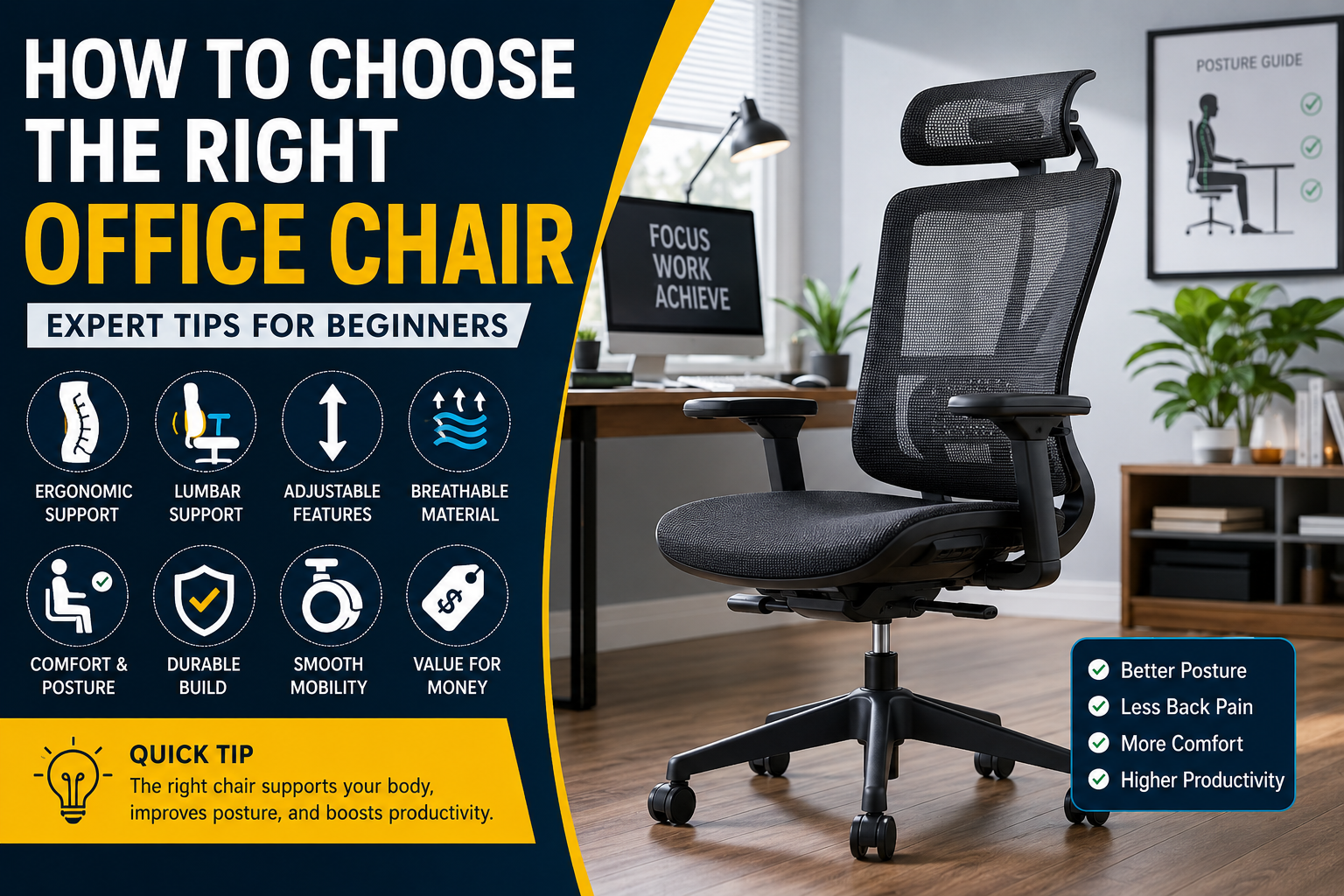
Whether you work from home, spend long hours in an office, or simply use your computer for gaming and studying, choosing the right office chair is one of the most important investments you can make. Many people focus on buying a fast computer or a large monitor but overlook the chair they sit on every day. Unfortunately, a poor-quality chair can lead to back pain, neck stiffness, shoulder discomfort, poor posture, and even reduced productivity over time.
The good news is that finding the perfect office chair doesn’t have to be difficult. Modern office chairs come with a variety of ergonomic features designed to improve comfort, support your spine, and help you maintain a healthier sitting posture throughout the day. However, with so many options available—from budget task chairs to premium ergonomic models—it can be confusing to know which one is actually worth buying.
This comprehensive guide will explain everything beginners need to know before purchasing an office chair. We’ll cover different chair types, essential ergonomic features, materials, adjustability, comfort factors, buying mistakes to avoid, and expert recommendations. By the end of this guide, you’ll know exactly how to choose an office chair that fits your body, workspace, and budget.
Table of Contents
- Why Your Office Chair Matters
- Different Types of Office Chairs
- Essential Features to Look For
- Ergonomic Design Explained
- Seat Material Comparison
- Mesh vs Leather vs Fabric
- Adjustability Features
- Chair Size and Weight Capacity
- Choosing According to Your Work Style
- Buying Tips
- Common Buying Mistakes
- Pros and Cons
- Who Should Buy Which Chair?
- Frequently Asked Questions
- Final Verdict
Why Choosing the Right Office Chair Matters
Many people spend 8 to 10 hours every day sitting. Poor posture during these long hours puts significant stress on your spine, hips, shoulders, and neck. Over time, this can contribute to chronic pain, fatigue, and decreased concentration.
An ergonomic office chair supports your body’s natural posture, allowing you to work comfortably while reducing unnecessary pressure on your muscles and joints.
Benefits of a Good Office Chair
- Improves posture
- Reduces lower back pain
- Prevents neck and shoulder strain
- Increases productivity
- Improves blood circulation
- Reduces fatigue
- Supports healthy spinal alignment
- Enhances overall comfort
Instead of considering an office chair as just another piece of furniture, think of it as an investment in your health and daily performance.
Signs You Need a Better Office Chair
Your current chair may not be providing the support your body needs. If you experience any of the following issues regularly, it could be time for an upgrade:
- Lower back pain after work
- Neck stiffness
- Shoulder discomfort
- Tingling or numbness in your legs
- Constantly adjusting your sitting position
- Poor posture
- Lack of focus due to discomfort
- Feeling tired after sitting for long periods
Even a high-end desk setup cannot compensate for an uncomfortable or poorly designed chair.
Different Types of Office Chairs
Understanding the various chair categories will help you choose one that matches your daily work routine.
1. Task Chairs
Task chairs are the most common office chairs found in homes and workplaces. They are compact, lightweight, and designed for everyday computer work.
Best For
- Students
- Home offices
- Small workspaces
- Beginners
- Budget buyers
Advantages
- Affordable
- Compact size
- Easy to move
- Suitable for short to medium work sessions
Disadvantages
- Limited adjustability
- Basic lumbar support
- Less comfortable for long hours
2. Ergonomic Chairs
Ergonomic chairs are specifically engineered to support the human body during extended sitting sessions.
They typically include adjustable lumbar support, headrests, armrests, seat depth adjustment, synchronized reclining mechanisms, and breathable materials.
Best For
- Remote workers
- Software developers
- Office professionals
- Designers
- Writers
- Anyone sitting more than six hours daily
Advantages
- Excellent back support
- Highly adjustable
- Encourages healthy posture
- Reduces fatigue
Disadvantages
- Higher price
- Learning curve for adjustments
3. Executive Chairs
Executive chairs are larger and usually feature premium materials like PU leather or genuine leather.
These chairs prioritize comfort and appearance.
Best For
- Managers
- Executives
- Large offices
- Professional workspaces
Advantages
- Luxurious appearance
- Thick cushioning
- Comfortable for moderate work
Disadvantages
- Less breathable
- Often heavier
- Can become warm during summer
4. Mesh Chairs
Mesh office chairs use breathable mesh material instead of thick foam on the backrest.
These are becoming increasingly popular because they improve airflow.
Best For
- Hot climates
- Long work hours
- Home offices
- Everyday productivity
Advantages
- Excellent ventilation
- Lightweight
- Modern appearance
- Reduced sweating
Disadvantages
- Less plush cushioning
- Mesh quality varies by manufacturer
5. Gaming Chairs
Although designed for gamers, many professionals also use gaming chairs for work.
They often include racing-style designs, neck pillows, and lumbar cushions.
Best For
- Gamers
- Content creators
- Streamers
Advantages
- Stylish design
- Thick padding
- High reclining angle
Disadvantages
- Not always ergonomically correct
- Lumbar pillows can be inconsistent
- Marketing often outweighs functionality
Office Chair Comparison
| Chair Type | Comfort | Ergonomics | Price | Best For |
|---|---|---|---|---|
| Task Chair | ⭐⭐⭐ | ⭐⭐⭐ | Low | Beginners |
| Mesh Chair | ⭐⭐⭐⭐ | ⭐⭐⭐⭐ | Medium | Daily Office Work |
| Ergonomic Chair | ⭐⭐⭐⭐⭐ | ⭐⭐⭐⭐⭐ | Medium-High | Long Working Hours |
| Executive Chair | ⭐⭐⭐⭐ | ⭐⭐⭐ | High | Professional Offices |
| Gaming Chair | ⭐⭐⭐⭐ | ⭐⭐⭐ | Medium-High | Gaming & Streaming |
Essential Features to Look For Before Buying
Many buyers choose a chair based only on appearance. However, comfort depends on several important ergonomic features working together.
Let’s look at each one.
1. Adjustable Seat Height
Seat height adjustment is one of the most important features in any office chair.
Your feet should rest flat on the floor while your knees remain at approximately a 90-degree angle. If the chair is too high, it can reduce circulation in your legs. If it’s too low, it may place unnecessary pressure on your hips and lower back.
Ideal Range
Most adults are comfortable with a seat height between 16 and 21 inches, but taller or shorter users may need chairs with extended adjustment ranges.
Expert Tip
When seated correctly:
- Feet should stay flat on the floor.
- Knees should align with or sit slightly below your hips.
- Thighs should remain parallel to the ground.
2. Lumbar Support
The lower back naturally curves inward. Sitting for extended periods without proper lumbar support causes the spine to flatten, leading to muscle strain and discomfort.
A good office chair should include built-in lumbar support or, even better, adjustable lumbar support that can be positioned to match the curve of your lower back.
Why It Matters
Proper lumbar support helps:
- Maintain the spine’s natural curve
- Reduce pressure on the lower back
- Minimize fatigue during long work sessions
- Improve sitting posture over time
Fixed vs. Adjustable Lumbar Support
| Feature | Fixed Lumbar | Adjustable Lumbar |
|---|---|---|
| Cost | Lower | Higher |
| Comfort | Good | Excellent |
| Customization | Limited | High |
| Best For | Casual users | Daily professionals |
3. Seat Cushion Comfort
The seat cushion plays a major role in overall comfort, especially if you sit for several hours each day.
A high-quality cushion should distribute your body weight evenly without feeling too soft or too firm. Memory foam and high-density foam are generally preferred because they retain their shape better over time and provide consistent support.
Avoid chairs with overly thin padding, as they can become uncomfortable during long work sessions and may wear out more quickly.
What to Look For
- High-density foam
- Pressure-relieving design
- Durable cushioning
- Comfortable edge support
- Adequate seat width for your body type
4. Adjustable Armrests
Armrests may seem like a minor feature, but they play a significant role in reducing strain on your shoulders, neck, and wrists. When your arms are properly supported, your upper body stays relaxed, allowing you to work comfortably for longer periods.
Poorly positioned armrests can force your shoulders upward or cause you to lean awkwardly, eventually leading to discomfort.
Types of Armrests
| Armrest Type | Adjustability | Best For |
|---|---|---|
| Fixed | None | Budget chairs |
| 2D | Height, Rotation | General office work |
| 3D | Height, Width, Rotation | Professionals |
| 4D | Height, Width, Depth, Rotation | Heavy computer users |
Expert Tip
Adjust the armrests so that:
- Your elbows remain close to your body.
- Your forearms stay parallel to the desk.
- Your shoulders remain relaxed instead of raised.
- Your wrists stay straight while typing.
If your desk prevents the chair from moving close enough because of the armrests, choose a chair with adjustable or flip-up armrests.
5. Backrest Support
A quality backrest should support your entire back—not just your lower spine.
Ideally, it should follow the natural “S” shape of your spine and allow you to sit upright without feeling forced into an uncomfortable position.
Look for:
- Tall backrest
- Curved ergonomic design
- Breathable material
- Adjustable tilt
- Proper shoulder support
For users working eight hours or more each day, a high-back chair usually offers better overall support than a mid-back model.
6. Reclining Mechanism
Many people think reclining is only for relaxing, but it’s actually an important ergonomic feature.
Changing your sitting angle throughout the day reduces pressure on your spine and encourages better blood circulation.
Common Recline Angles
| Recline Angle | Best Use |
|---|---|
| 90° | Typing and focused work |
| 100–110° | General office work |
| 110–120° | Reading and meetings |
| 120–135° | Short breaks |
| 135°+ | Relaxation (not ideal for working) |
Experts generally recommend sitting at a slight recline of around 100–110 degrees, as this reduces stress on the lower back compared with sitting perfectly upright all day.
7. Seat Depth
Seat depth refers to the distance from the front edge of the seat to the backrest.
If the seat is too deep, it presses against the back of your knees. If it’s too short, it won’t provide enough support for your thighs.
Ideal Fit
When sitting all the way back:
- Leave about 2–3 inches (5–8 cm) between the front edge of the seat and the back of your knees.
- Your thighs should be fully supported without pressure behind the knees.
Some premium ergonomic chairs allow you to adjust seat depth, making them suitable for users of different heights.
8. Headrest
Not every office chair needs a headrest, but it can be beneficial if you spend long hours at your desk or frequently lean back during calls and meetings.
A good headrest supports your neck without pushing your head forward.
Best For
- Remote workers
- Programmers
- Designers
- Executives
- People with neck discomfort
If you mostly sit upright while typing, a headrest is helpful but not essential.
9. Swivel Base and Smooth Casters
A chair should move with you instead of forcing you to twist your body.
A 360-degree swivel base allows you to reach different areas of your workspace easily, while quality caster wheels help the chair glide smoothly.
Wheel Types
| Floor Type | Recommended Wheels |
|---|---|
| Hardwood | Soft rubber casters |
| Tile | PU-coated wheels |
| Carpet | Standard nylon casters |
| Thick carpet | Larger dual-wheel casters |
If you have delicate flooring, consider using a chair mat to reduce wear and improve movement.
Understanding Ergonomics
Ergonomics is the science of designing products and workspaces to fit the human body, reducing strain and improving comfort.
An ergonomic office chair supports the natural alignment of your spine and encourages healthy posture throughout the day.
Characteristics of an Ergonomic Chair
- Adjustable seat height
- Adjustable lumbar support
- Adjustable armrests
- Reclining backrest
- Comfortable seat cushion
- Breathable backrest
- Stable five-point base
- Smooth mobility
Rather than forcing your body to adapt to the chair, an ergonomic chair adapts to your body’s unique shape and sitting style.
Choosing the Right Chair Material
The material of an office chair affects comfort, durability, maintenance, and breathability.
1. Mesh Chairs
Mesh chairs have become a popular choice because they provide excellent airflow.
Pros
- Highly breathable
- Lightweight
- Modern appearance
- Keeps you cool during long sessions
- Low maintenance
Cons
- Less plush than foam-backed chairs
- Mesh quality varies significantly
- Lower-quality mesh may sag over time
Best For
- Warm climates
- Long workdays
- Home offices
- Everyday computer users
2. Fabric Chairs
Fabric chairs offer a balance of comfort and affordability.
Pros
- Soft seating surface
- Comfortable for extended use
- Available in many colors and styles
Cons
- Can absorb spills and stains
- Requires more cleaning
- May trap dust over time
Best For
- Students
- Home offices
- Budget-conscious buyers
3. Leather Chairs
Leather chairs are often associated with executive offices due to their premium appearance.
Pros
- Luxurious look
- Easy to wipe clean
- Durable with proper care
Cons
- Less breathable
- Can become warm in summer
- Generally more expensive
Best For
- Executive offices
- Conference rooms
- Professional environments
Material Comparison Table
| Feature | Mesh | Fabric | Leather |
|---|---|---|---|
| Breathability | ⭐⭐⭐⭐⭐ | ⭐⭐⭐ | ⭐⭐ |
| Comfort | ⭐⭐⭐⭐ | ⭐⭐⭐⭐ | ⭐⭐⭐⭐ |
| Maintenance | ⭐⭐⭐⭐ | ⭐⭐ | ⭐⭐⭐⭐⭐ |
| Durability | ⭐⭐⭐⭐ | ⭐⭐⭐ | ⭐⭐⭐⭐ |
| Appearance | Modern | Casual | Premium |
| Best Climate | Warm | Any | Cool |
Choosing the Right Chair Based on Your Work Style
Not every user has the same requirements. Consider how you spend most of your day before choosing a chair.
| User Type | Recommended Chair |
|---|---|
| Student | Task Chair |
| Remote Worker | Ergonomic Mesh Chair |
| Software Developer | Ergonomic Chair with Lumbar Support |
| Graphic Designer | Ergonomic Chair with Adjustable Armrests |
| Gamer | Gaming Chair or Ergonomic Chair |
| Manager | Executive Chair |
| Content Creator | High-Back Ergonomic Chair |
| Accountant | Mesh Ergonomic Chair |
Office Chair Buying Checklist
Before making your purchase, confirm that the chair offers the features most important for comfort and long-term support.
| Feature | Essential | Optional |
|---|---|---|
| Adjustable Seat Height | ✅ | |
| Lumbar Support | ✅ | |
| Comfortable Cushion | ✅ | |
| Breathable Material | ✅ | |
| Reclining Backrest | ✅ | |
| Adjustable Armrests | ✅ | |
| Adjustable Headrest | ✅ | |
| Seat Depth Adjustment | ✅ | |
| Weight Capacity | ✅ | |
| Smooth Wheels | ✅ |
Expert Buying Tips
Choosing an office chair isn’t just about selecting the most expensive option. Focus on finding one that matches your body size, work habits, and daily sitting duration.
Here are some practical recommendations:
- Prioritize ergonomics over appearance.
- Test all adjustment mechanisms before purchasing, if possible.
- Match the chair’s weight capacity to your needs.
- Choose breathable materials if you live in a warm or humid climate.
- Ensure the chair fits comfortably under your desk.
- Invest in adjustable lumbar support if you work at a computer for more than six hours a day.
- Read user reviews to evaluate long-term durability rather than relying solely on marketing claims.
- Check the warranty, as reputable manufacturers often provide longer coverage on high-quality models.
A well-chosen office chair can improve comfort, posture, and productivity for years, making it one of the smartest investments for any workspace.
Common Mistakes to Avoid When Buying an Office Chair
Buying an office chair may seem straightforward, but many people end up regretting their purchase because they focus on appearance or price instead of comfort and ergonomics. Since you’ll likely use the chair every day for several years, taking the time to choose wisely is essential.
Let’s look at the most common mistakes and how to avoid them.
1. Choosing Price Over Comfort
One of the biggest mistakes beginners make is buying the cheapest chair available.
While saving money is understandable, an inexpensive chair with poor support can lead to discomfort, back pain, and even higher replacement costs in the future.
Better Approach
Instead of choosing the lowest-priced option, focus on getting the best value. A mid-range ergonomic chair often provides significantly better comfort and durability without costing a fortune.
2. Ignoring Ergonomic Features
Many chairs look attractive online but lack essential ergonomic adjustments.
Without proper support, sitting for long hours becomes tiring and may contribute to poor posture.
Must-Have Features
- Adjustable seat height
- Lumbar support
- Reclining backrest
- Comfortable seat cushion
- Stable five-star base
These features make a noticeable difference during daily use.
3. Buying Without Checking Dimensions
A chair that is too large or too small won’t provide the support your body needs.
Before purchasing, compare the chair’s dimensions with:
- Your height
- Your weight
- Desk height
- Available workspace
A properly sized chair allows your feet to rest flat on the floor while keeping your knees at roughly a 90-degree angle.
4. Overlooking Weight Capacity
Every office chair has a maximum recommended weight capacity.
Using a chair beyond its intended limit can reduce its lifespan and compromise stability.
General Guidelines
| User Weight | Recommended Capacity |
|---|---|
| Up to 80 kg | Standard chair |
| 80–110 kg | Reinforced ergonomic chair |
| Above 110 kg | Heavy-duty office chair |
Always leave some margin below the maximum weight rating for better durability.
5. Ignoring Build Quality
A chair’s appearance doesn’t always reflect its quality.
Pay attention to:
- Metal vs. plastic frame
- Gas lift certification
- Wheel quality
- Stitching
- Foam density
- Base material
A chair built with high-quality components typically lasts much longer and offers a more stable seating experience.
6. Not Reading Customer Reviews
Manufacturer descriptions often highlight only the positives.
Reading verified customer reviews can reveal valuable information about:
- Long-term comfort
- Durability
- Assembly experience
- Customer service
- Common issues
Look for reviews from people with similar height, weight, and work habits.
7. Buying Based Only on Appearance
Executive leather chairs and racing-style gaming chairs often look impressive, but appearance shouldn’t be the deciding factor.
Instead, ask yourself:
- Will I sit in this chair for eight hours comfortably?
- Does it provide adequate lumbar support?
- Can I adjust it to fit my body?
Comfort should always come before style.
8. Forgetting About Your Workspace
Even an excellent chair may not fit your workspace.
Measure:
- Desk height
- Legroom
- Available floor space
- Distance to shelves or drawers
Also ensure the chair can slide comfortably under your desk when not in use.
Pros and Cons of Ergonomic Office Chairs
Every chair type has strengths and weaknesses. Understanding these can help you choose the right model for your needs.
| Pros | Cons |
|---|---|
| Excellent back support | Higher initial cost |
| Improves posture | More adjustment options to learn |
| Reduces fatigue | Premium models can be expensive |
| Comfortable for long hours | Assembly may take longer |
| Adjustable for different users | Some features may not be needed by everyone |
| Promotes healthier sitting habits | Budget ergonomic chairs vary in quality |
Verdict
Although ergonomic chairs typically cost more upfront, they often provide better long-term value through improved comfort, durability, and reduced physical strain.
How to Choose Based on Your Budget
A higher price doesn’t always mean a better chair. The key is selecting one that offers the features you actually need.
1. Budget Chairs (₹5,000–₹10,000)
Suitable For
- Students
- Casual users
- Part-time remote workers
Expected Features
- Basic lumbar support
- Height adjustment
- Fixed armrests
- Standard foam cushion
These chairs are suitable for light to moderate daily use.
2. Mid-Range Chairs (₹10,000–₹25,000)
Suitable For
- Professionals
- Home offices
- Software developers
- Writers
- Designers
Expected Features
- Better lumbar support
- Adjustable armrests
- Mesh back
- Improved cushioning
- Tilt mechanism
- Higher-quality materials
For most users, this price range offers the best balance between cost and comfort.
3. Premium Chairs (₹25,000+)
Suitable For
- Executives
- Full-time remote workers
- Heavy computer users
- Professionals spending 8–12 hours seated daily
Expected Features
- Fully adjustable lumbar support
- 3D or 4D armrests
- Seat depth adjustment
- Premium mesh or fabric
- Multi-position recline
- Extended warranty
- Superior build quality
If you spend most of your day at a desk, a premium ergonomic chair can be a worthwhile long-term investment.
Which Office Chair Is Right for You?
Different users have different priorities. The table below can help you narrow your options.
| User | Recommended Chair Type | Key Features |
|---|---|---|
| Student | Task Chair | Affordable, adjustable height |
| Office Employee | Ergonomic Mesh Chair | Lumbar support, breathable back |
| Remote Worker | Ergonomic Chair | Adjustable armrests, recline |
| Programmer | High-Back Ergonomic Chair | Lumbar support, headrest |
| Designer | Ergonomic Mesh Chair | Flexible movement, comfort |
| Gamer | Ergonomic or Gaming Chair | Recline, neck support |
| Executive | Executive Chair | Premium materials, cushioning |
Who Should Buy an Ergonomic Office Chair?
An ergonomic office chair isn’t necessary for everyone, but it’s highly recommended for people who spend long periods sitting.
You should consider one if you:
- Work from home every day.
- Spend more than six hours at a desk.
- Frequently experience back or neck discomfort.
- Attend long virtual meetings.
- Use multiple monitors.
- Write, code, design, or edit for extended periods.
- Want to improve posture and reduce fatigue.
- Are investing in a healthier, more productive workspace.
If you only use your desk occasionally for short tasks, a well-built task chair may be sufficient.
Office Chair Buying Checklist
Use this checklist before finalizing your purchase.
| Checklist Item | Yes/No |
|---|---|
| Adjustable seat height | ☐ |
| Adjustable lumbar support | ☐ |
| Comfortable seat cushion | ☐ |
| Breathable backrest | ☐ |
| Adjustable armrests | ☐ |
| Reclining mechanism | ☐ |
| Stable five-point base | ☐ |
| Smooth caster wheels | ☐ |
| Suitable weight capacity | ☐ |
| Fits your desk height | ☐ |
| Fits your workspace | ☐ |
| Good warranty | ☐ |
| Positive customer reviews | ☐ |
If you can check most of these boxes, you’re likely choosing a chair that will provide comfort and support for years.
Expert Recommendations
After evaluating dozens of office chair features and common user requirements, these recommendations can help simplify your decision.
Best for Beginners
Choose a mesh ergonomic chair with adjustable seat height and built-in lumbar support. It offers excellent comfort, ventilation, and value for everyday use.
Best for Long Working Hours
Look for an ergonomic chair that includes adjustable lumbar support, a synchronized recline mechanism, a high backrest, and adjustable armrests. These features help reduce fatigue during extended work sessions.
Best for Hot Climates
A breathable mesh-back chair is ideal, as it improves airflow and keeps you cooler throughout the day.
Best Value for Money
Mid-range ergonomic chairs (₹10,000–₹25,000) generally provide the best combination of comfort, adjustability, durability, and affordability.
Best Premium Choice
If your budget allows, invest in a high-quality ergonomic chair with advanced adjustments and a long warranty. While the initial cost is higher, the long-term benefits for comfort and productivity often justify the investment.
Quick Decision Guide
| If You… | Choose… |
|---|---|
| Work less than 4 hours/day | Task Chair |
| Work 6–8 hours/day | Ergonomic Mesh Chair |
| Work more than 8 hours/day | Premium Ergonomic Chair |
| Want a premium office look | Executive Chair |
| Live in a hot climate | Mesh Chair |
| Need maximum adjustability | Ergonomic Chair with 3D/4D armrests |
A thoughtfully chosen office chair supports not only your posture but also your overall work experience. Taking the time to evaluate your needs, budget, and workspace will help you make a purchase you’ll appreciate every day.
Frequently Asked Questions (FAQ)
1. What is the most important feature in an office chair?
The most important feature is ergonomic lumbar support. It helps maintain the natural curve of your spine, reduces lower back strain, and improves posture during long working hours. A chair with adjustable lumbar support is ideal because it can be customized to fit different body types.
2. Is a mesh office chair better than a leather office chair?
It depends on your needs.
Mesh chairs provide excellent airflow, making them ideal for warm climates and long work sessions. Leather chairs offer a premium appearance and are easy to clean but can become warm after extended use.
For most users, especially those working from home or in hot environments, a high-quality mesh ergonomic chair is the better choice.
3. How much should I spend on an office chair?
Your budget should reflect how long you sit each day.
- Occasional use: ₹5,000–₹10,000
- Daily office work: ₹10,000–₹25,000
- Professional long-hour use: ₹25,000+
Think of your office chair as an investment in your health and productivity rather than simply another piece of furniture.
4. Can an office chair help reduce back pain?
Yes. A well-designed ergonomic chair with proper lumbar support, adjustable seat height, and a reclining mechanism can reduce pressure on your spine and encourage healthier posture. While it isn’t a medical treatment, it can significantly improve comfort during long periods of sitting.
5. Are gaming chairs good for office work?
Gaming chairs can be comfortable, but many prioritize appearance over ergonomics. For long hours of typing, coding, writing, or office work, a dedicated ergonomic office chair is generally the better choice because it offers more effective lumbar support and adjustability.
6. How long should an office chair last?
The lifespan depends on build quality and usage.
- Budget chairs: 2–4 years
- Mid-range chairs: 5–7 years
- Premium ergonomic chairs: 8–12 years or more
Regular maintenance and using the chair within its recommended weight capacity can extend its life.
7. Should my feet touch the floor while sitting?
Yes. Your feet should rest flat on the floor with your knees at approximately a 90-degree angle. If your chair is too high, use a footrest to maintain proper posture.
8. Is an adjustable headrest necessary?
Not always. If you spend long hours leaning back during meetings, reading, or watching presentations, a headrest can provide valuable neck support. If you mainly sit upright while typing, it is optional.
9. What size office chair should I buy?
Choose a chair that matches your height, weight, and desk setup. Check the seat height range, seat width, weight capacity, and backrest height before purchasing. A chair that fits your body properly will be more comfortable and supportive.
10. How do I know if an office chair is ergonomic?
An ergonomic office chair should include most of the following:
- Adjustable seat height
- Lumbar support
- Reclining backrest
- Adjustable armrests
- Comfortable seat cushion
- Stable five-star base
- Smooth-rolling casters
- Breathable backrest
The more adjustable the chair is, the easier it will be to customize for your body.
11. Is it worth buying an expensive ergonomic chair?
If you spend six to ten hours sitting every day, investing in a premium ergonomic chair can be worthwhile. Higher-quality materials, better adjustability, and improved durability often result in greater long-term comfort and fewer posture-related issues.
12. What is the ideal sitting posture?
A healthy sitting posture includes:
- Feet flat on the floor
- Knees at a 90-degree angle
- Back fully supported
- Shoulders relaxed
- Elbows close to the body
- Monitor at eye level
- Wrists in a neutral position while typing
Remember to stand up and stretch every 30–60 minutes to reduce prolonged sitting.
Final Verdict
Choosing the right office chair is one of the smartest investments you can make for your comfort, health, and productivity. Whether you work from home, spend long hours in an office, or simply need a better chair for studying or gaming, selecting a model with the right ergonomic features can make a noticeable difference in your daily routine.
Rather than focusing only on appearance or price, prioritize adjustable lumbar support, seat height, armrests, reclining capability, breathable materials, and overall build quality. A chair that fits your body and work habits will help reduce fatigue, encourage better posture, and provide lasting comfort.
Before making a purchase, compare your options carefully, read verified customer reviews, and ensure the chair suits your workspace and budget. A well-chosen office chair isn’t just another piece of furniture—it’s an investment in your long-term well-being and productivity.
Internal Link Opportunities for Voltixa
- How to Choose the Right Mechanical Keyboard: Complete Buying Guide
- How to Choose the Right Wireless Mouse for Work and Gaming
- Best Monitor Arms for Better Ergonomics and Productivity
- Essential Portable Monitor Accessories You Should Own
- How to Create the Perfect Home Office Setup on Any Budget