Title: How to Choose the Right Student Laptop (2026 Buying Guide)
Description: Looking for the perfect student laptop? Learn how to choose the right laptop based on your budget, performance, battery life, display, portability, and more in this complete 2026 buying guide.
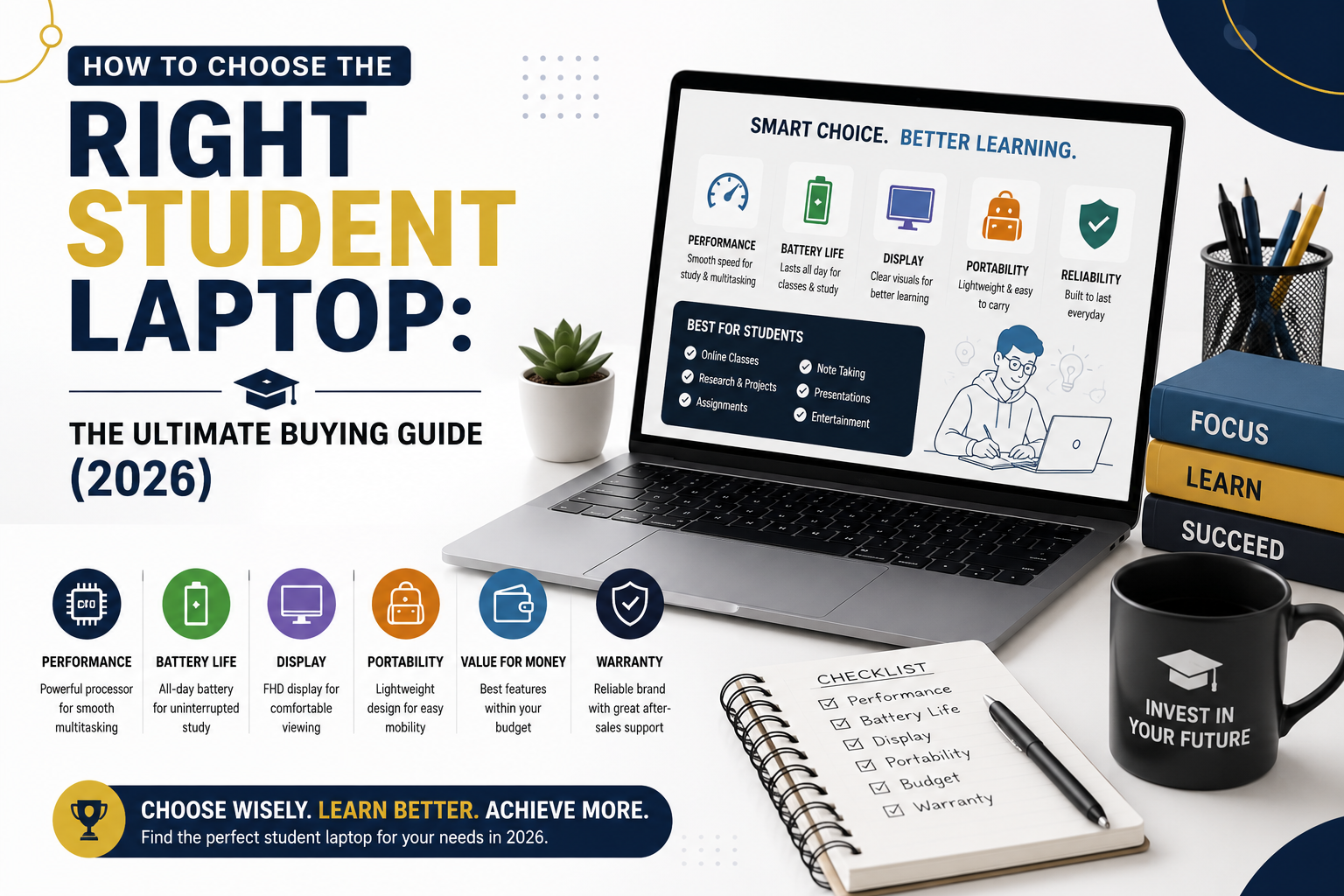
How to Choose the Right Student Laptop: The Ultimate Buying Guide
Buying a laptop as a student can be overwhelming. With hundreds of models available from brands like Dell, HP, Lenovo, ASUS, Acer, Apple, and MSI, it’s easy to get confused by technical specifications and marketing claims.
The good news is that the best student laptop isn’t always the most expensive one. The right laptop depends on your course, daily tasks, budget, and how long you plan to use it.
Whether you’re in school, college, or university, this guide will help you choose a laptop that offers the best value for your money.
Why Choosing the Right Laptop Matters
A laptop is one of the most important investments for a student. It will be used for:
- Online classes
- Research
- Assignments
- Presentations
- Programming
- Graphic design
- Video editing
- Entertainment
Choosing the wrong laptop can lead to slow performance, poor battery life, and the need for an early replacement.
1. Set Your Budget First
Before comparing specifications, decide how much you’re willing to spend.
Budget Laptops
Ideal for:
- School students
- Online classes
- Microsoft Office
- Web browsing
- Video streaming
Mid-Range Laptops
Suitable for:
- College students
- Programming
- Multitasking
- Photo editing
- Business studies
Premium Laptops
Perfect for:
- Engineering
- Architecture
- Video editing
- Animation
- AI and Machine Learning
- Professional content creation
Buying Tip: Buy the most capable laptop within your budget instead of paying for features you may never use.
2. Choose the Right Processor
The processor is the brain of your laptop and has the biggest impact on performance.
Intel Processors
- Intel Core i3 – Basic tasks
- Intel Core i5 – Best for most students
- Intel Core i7 – Heavy multitasking and creative work
- Intel Core Ultra – AI-ready, premium performance
AMD Processors
- Ryzen 3 – Everyday tasks
- Ryzen 5 – Excellent value for students
- Ryzen 7 – High-performance computing
- Ryzen 9 – Professional workloads
For most students, an Intel Core i5 or AMD Ryzen 5 offers the best balance of performance and price.
3. How Much RAM Do You Need?
RAM affects how smoothly your laptop can run multiple applications.
| RAM | Best For |
|---|---|
| 8 GB | Everyday student tasks |
| 16 GB | Programming, multitasking, light editing |
| 32 GB | Video editing, 3D design, engineering |
If possible, choose a laptop with upgradeable RAM for better longevity.
4. Storage: SSD vs HDD
Storage speed greatly affects boot times and application performance.
SSD (Solid State Drive)
Pros:
- Fast startup
- Quick file transfers
- Silent operation
- More reliable
HDD (Hard Disk Drive)
Pros:
- Lower cost
- Higher storage capacity
For students, a 512 GB SSD is an excellent choice, offering fast performance and enough space for documents, projects, and media.
5. Battery Life
A laptop with strong battery life allows you to work throughout the day without searching for a power outlet.
Aim for:
- 8–10 hours: Good
- 10–15 hours: Excellent
- 15+ hours: Ideal for frequent travelers
Battery performance also depends on screen brightness and the types of applications you run.
6. Display Quality
Since you’ll spend hours looking at the screen, display quality matters.
Look for:
- Full HD (1920 × 1080) resolution
- IPS panel for wider viewing angles
- Anti-glare coating for comfortable use
- 14-inch display for portability
- 15.6-inch display for multitasking
Avoid low-resolution displays if you expect to read, write, or design for extended periods.
7. Laptop Weight and Portability
If you’ll carry your laptop to class every day, weight is important.
- Under 1.5 kg: Excellent portability
- 1.5–2 kg: Comfortable for most students
- Above 2 kg: Better suited for gaming or desktop replacement
8. Graphics Card
Not every student needs a dedicated graphics card.
Integrated Graphics
Suitable for:
- Office work
- Coding
- Browsing
- Streaming
Dedicated Graphics
Recommended for:
- Gaming
- Video editing
- Architecture
- CAD software
- 3D modeling
9. Build Quality
A durable laptop is more likely to survive years of daily use.
Look for:
- Strong hinge design
- Sturdy keyboard
- Solid chassis
- Good cooling system
A well-built laptop often lasts longer and requires fewer repairs.
10. Keyboard and Touchpad
Comfortable typing is essential for assignments and note-taking.
Choose a laptop with:
- Responsive keyboard
- Spacious touchpad
- Backlit keyboard (optional but useful)
If possible, test the keyboard before buying.
11. Connectivity and Ports
Check that the laptop includes the ports you’ll need:
- USB-A
- USB-C
- HDMI
- Audio jack
- Wi-Fi 6 or newer
- Bluetooth 5.x
Students who connect to projectors or external monitors will benefit from HDMI support.
12. Which Laptop Is Best for Your Course?
School Students
- 8 GB RAM
- Intel Core i3 / Ryzen 3
- 256–512 GB SSD
College Students
- 16 GB RAM
- Intel Core i5 / Ryzen 5
- 512 GB SSD
Computer Science Students
- Intel Core i5 or Ryzen 5
- 16 GB RAM
- 512 GB SSD
Engineering Students
- Intel Core i7 or Ryzen 7
- 16–32 GB RAM
- Dedicated GPU (if required)
Graphic Design & Video Editing
- Intel Core i7 / Ryzen 7
- 16–32 GB RAM
- Dedicated graphics
- Color-accurate display
Common Mistakes to Avoid
- Buying the cheapest laptop without checking specifications.
- Choosing an HDD over an SSD.
- Ignoring battery life.
- Buying more power than you actually need.
- Forgetting to check RAM upgrade options.
- Ignoring warranty and after-sales service.
Frequently Asked Questions
Is 8 GB RAM enough for students?
Yes. It is suitable for web browsing, office work, online classes, and everyday productivity. Students working with programming or creative software may prefer 16 GB.
Should students buy a gaming laptop?
Only if they need the additional graphics performance for gaming, video editing, or 3D design. Gaming laptops are generally heavier and have shorter battery life.
Is a 512 GB SSD enough?
For most students, yes. It provides fast performance and enough storage for assignments, software, and personal files.
Which screen size is best?
A 14-inch laptop offers the best balance of portability and usability, while a 15.6-inch display provides more screen space for multitasking.
How long should a student laptop last?
A quality laptop can typically last 4–6 years, depending on maintenance, software updates, and workload.
Final Thoughts
The right student laptop is one that matches your academic needs, fits your budget, and remains reliable throughout your studies. Focus on the features that matter most—processor, RAM, SSD storage, battery life, display quality, and portability—rather than buying the most expensive model.
By carefully comparing these factors, you can choose a laptop that supports your education today and continues to perform well for years to come.