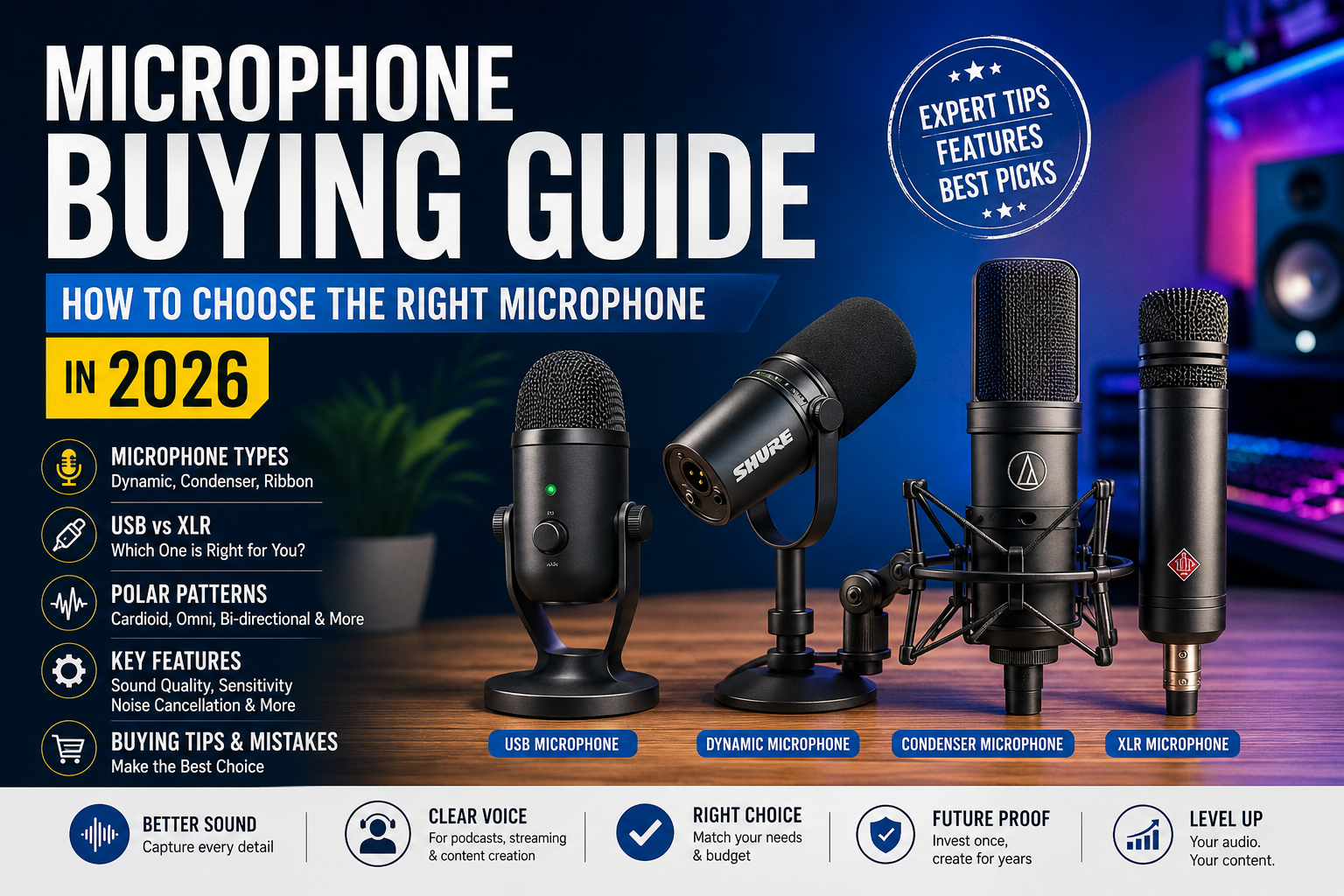
Whether you’re launching a podcast, starting a YouTube channel, recording music, attending online meetings, streaming games, or creating professional content, choosing the right microphone is one of the most important investments you can make.
Many people spend hundreds or even thousands of dollars on cameras, monitors, lighting, and computers while completely overlooking audio quality. In reality, viewers are much more forgiving of average video than poor audio. Clear, crisp, and natural sound instantly makes your content feel more professional.
The microphone market in 2026 offers more choices than ever before. USB microphones are easier to use, XLR microphones have become more affordable, wireless technology has improved dramatically, and AI-powered noise cancellation is now available in many modern microphones.
However, having so many options can also make buying the right microphone confusing.
Should you buy a USB microphone or an XLR microphone?
Is a condenser microphone always better?
Do gaming microphones work well for podcasting?
Is an expensive microphone always worth buying?
This complete microphone buying guide answers all these questions and more. By the end of this article, you’ll understand exactly which microphone suits your needs and budget.
Why Choosing the Right Microphone Matters
A microphone captures the first impression your audience receives.
Regardless of whether you’re recording a podcast, teaching online classes, attending Zoom meetings, producing music, or streaming games, your voice needs to sound natural, clean, and easy to understand.
A poor microphone can introduce unwanted background noise, static, echo, distortion, and muffled speech. These problems reduce professionalism and can make listeners lose interest quickly.
On the other hand, even an affordable but well-chosen microphone can dramatically improve your recordings.
Some benefits of choosing the right microphone include:
- Better voice clarity
- Reduced background noise
- Professional-quality recordings
- Improved audience engagement
- Higher production value
- Better streaming experience
- Easier editing after recording
- Greater confidence while speaking
In today’s creator economy, excellent audio is no longer optional—it’s an expectation.
Understanding How Microphones Work
Before buying a microphone, it’s helpful to understand what it actually does.
A microphone converts sound waves into electrical signals.
When you speak, your voice creates vibrations in the air. Inside the microphone is a diaphragm that moves in response to these vibrations. The movement is then converted into an electrical signal, which your computer, audio interface, or recording device processes into digital audio.
Although this process sounds simple, different microphone technologies capture sound differently.
This is why two microphones recording the same voice can produce completely different results.
Some microphones emphasize deep bass.
Others capture fine details.
Some reject background noise exceptionally well.
Others pick up everything happening in the room.
Understanding these differences is the first step toward making a smart purchase.
Different Types of Microphones
Not every microphone is designed for the same purpose.
Different recording environments require different microphone technologies.
Let’s explore the most common types.
Dynamic Microphones
Dynamic microphones are among the most durable and widely used microphones in the world.
Instead of focusing on extreme detail, they prioritize reliability and background noise rejection.
This makes them ideal for:
- Live performances
- Public speaking
- Podcasts
- Streaming
- Gaming
- Radio broadcasting
- Noisy rooms
One of the biggest advantages of dynamic microphones is that they naturally reject sounds coming from farther away.
If your room isn’t acoustically treated, a dynamic microphone often produces cleaner audio than a condenser microphone.
Advantages
- Extremely durable
- Handles loud voices easily
- Great noise isolation
- Excellent for untreated rooms
- Long lifespan
- Doesn’t require external power in most cases
Limitations
- Slightly less detailed sound
- Requires speaking closer to the microphone
- May need additional gain
For beginners recording at home, a dynamic microphone is often the safest investment.
Condenser Microphones
Condenser microphones are known for capturing incredible detail.
They reproduce subtle vocal tones, breathing, and high-frequency sounds with exceptional accuracy.
This makes them popular among:
- Professional singers
- Music producers
- Voice-over artists
- Studio recording engineers
- YouTubers
- ASMR creators
Because condenser microphones are highly sensitive, they also capture room echo, keyboard sounds, fans, air conditioners, and outside traffic.
If your recording environment is noisy, this sensitivity can become a disadvantage.
Advantages
- Crystal-clear recordings
- Rich vocal detail
- Wide frequency response
- Excellent studio quality
- Ideal for professional production
Limitations
- Picks up background noise easily
- Less suitable for untreated rooms
- Often requires phantom power (48V)
- More delicate than dynamic microphones
For users with a quiet recording space, condenser microphones can deliver exceptional audio quality.
Ribbon Microphones
Ribbon microphones are less common but highly respected in professional recording studios.
They produce an exceptionally warm, smooth, and natural sound that many musicians and audio engineers appreciate.
Ribbon microphones excel at recording:
- Acoustic instruments
- Vintage vocals
- Guitar amplifiers
- Brass instruments
- Orchestra performances
However, ribbon microphones are usually more expensive and require careful handling.
For most beginners, they are not the first choice.
Dynamic vs Condenser vs Ribbon Microphones
| Feature | Dynamic | Condenser | Ribbon |
|---|---|---|---|
| Durability | Excellent | Good | Moderate |
| Detail Level | Medium | Excellent | Excellent |
| Background Noise | Low | High | Medium |
| Best For | Podcasts, Streaming | Studio Recording | Professional Music |
| Price Range | Affordable | Moderate to Premium | Premium |
| Beginner Friendly | Excellent | Very Good | No |
Understanding Polar Patterns
One of the most overlooked aspects of buying a microphone is its polar pattern.
A polar pattern describes the direction from which a microphone captures sound. Choosing the right pattern is just as important as choosing the microphone type because it determines how much of your surroundings will be recorded.
Different recording situations require different pickup patterns.
For example, a solo podcaster wants the microphone to focus only on their voice, while a conference room microphone needs to capture several people speaking from different directions.
The most common polar patterns are cardioid, omnidirectional, bidirectional, and supercardioid.
Cardioid Pattern
Cardioid microphones capture sound mainly from the front while reducing audio coming from the sides and rear.
This is the most popular choice for beginners because it helps minimize keyboard noise, room echo, and background distractions.
Cardioid microphones are ideal for:
- Podcasting
- YouTube videos
- Voice-overs
- Streaming
- Online meetings
- Gaming
- Home studios
Because of their focused pickup, cardioid microphones deliver cleaner recordings in typical home environments.
USB vs XLR Microphones
One of the biggest decisions you’ll make when buying a microphone is choosing between a USB microphone and an XLR microphone.
Both have their strengths, and the right choice depends on your experience, budget, and intended use.
Many beginners assume that XLR microphones are always better. While XLR microphones offer greater flexibility and professional-grade audio potential, modern USB microphones have improved significantly and are capable of producing excellent sound quality for most users.
Let’s explore both options in detail.
USB Microphones
USB microphones are designed for simplicity.
They connect directly to your computer, laptop, or sometimes even a smartphone using a USB cable. Since they include a built-in analog-to-digital converter (ADC) and preamp, there’s no need for additional recording equipment.
This plug-and-play convenience makes USB microphones an excellent choice for beginners.
Best For
- Podcasting
- YouTube content creation
- Online teaching
- Zoom and Microsoft Teams meetings
- Gaming
- Live streaming
- Voice-overs
- Remote work
Advantages
- Easy to set up
- No audio interface required
- Budget-friendly
- Portable
- Minimal cable clutter
- Perfect for beginners
Limitations
- Limited upgrade options
- Internal preamps vary in quality
- Less flexible than professional XLR setups
- Not ideal for complex multi-microphone recording
If you’re just getting started and want great sound without technical complexity, a USB microphone is often the best choice.
XLR Microphones
XLR microphones use a professional three-pin connector and require an external audio interface or mixer to function.
Instead of processing audio inside the microphone, XLR microphones send an analog signal to the interface, where it is amplified and converted into digital audio.
This setup offers superior control over gain, signal quality, and future upgrades.
Best For
- Music production
- Professional podcast studios
- Voice-over artists
- Broadcasting
- Film production
- Multi-person podcasts
- Studio vocal recording
Advantages
- Superior audio quality
- Better preamp options
- Upgrade individual components
- Long cable runs without signal loss
- Supports multiple microphones
- Industry-standard connection
Limitations
- Higher overall cost
- Requires additional equipment
- Slightly more difficult to configure
- Less portable
An XLR setup is an excellent long-term investment if you plan to create professional audio content or expand your recording studio.
USB vs XLR Comparison Table
| Feature | USB Microphone | XLR Microphone |
|---|---|---|
| Setup | Very Easy | Moderate |
| Audio Quality | Excellent | Outstanding |
| Additional Equipment | None | Audio Interface Required |
| Upgrade Potential | Limited | Excellent |
| Portability | High | Moderate |
| Price | Lower | Higher |
| Multi-Microphone Support | Limited | Excellent |
| Beginner Friendly | ⭐⭐⭐⭐⭐ | ⭐⭐⭐ |
Wired vs Wireless Microphones
Another important consideration is whether you need a wired or wireless microphone.
The decision largely depends on your mobility requirements.
Wired Microphones
Wired microphones provide a direct physical connection to the recording device.
They are known for their reliability and consistent audio quality.
Advantages
- No battery required
- Stable signal
- No wireless interference
- Lower latency
- Generally more affordable
- Ideal for studio use
Best For
- Home recording
- Podcasting
- Music production
- Streaming
- Voice-over work
Wireless Microphones
Wireless microphones transmit audio using radio frequencies or digital wireless technology.
Modern wireless systems have become much more reliable than previous generations.
Advantages
- Freedom of movement
- Cleaner setup
- Ideal for presentations
- Excellent for filmmaking
- Convenient for interviews
- Perfect for fitness instructors
Limitations
- Requires charging
- Potential signal interference
- Higher price
- Battery management
Wired vs Wireless Comparison
| Feature | Wired | Wireless |
|---|---|---|
| Reliability | Excellent | Very Good |
| Mobility | Limited | Excellent |
| Battery Required | No | Yes |
| Setup | Easy | Moderate |
| Audio Stability | Excellent | Excellent (Modern Systems) |
| Cost | Lower | Higher |
Understanding Microphone Polar Patterns
Earlier, we discussed the cardioid pattern, the most common choice for home creators. Now let’s look at the other major pickup patterns and when they make sense.
Omnidirectional
Omnidirectional microphones capture sound equally from every direction.
Instead of focusing on one speaker, they record the entire surrounding environment.
Ideal For
- Conference rooms
- Group discussions
- Interviews
- Classroom recordings
- Ambient sound recording
Advantages
- Natural sound
- Multiple speakers
- No need to stay directly in front of the microphone
Drawbacks
- Captures significant background noise
- Unsuitable for noisy environments
Bidirectional (Figure-8)
A bidirectional microphone records sound from both the front and the back while rejecting sounds from the sides.
Best For
- Face-to-face interviews
- Duet singing
- Podcast conversations
- Instrument recording
This pattern is frequently used in professional recording studios.
Supercardioid and Hypercardioid
These microphones have an even narrower pickup area than standard cardioid microphones.
They reject side noise exceptionally well while capturing audio directly in front of the microphone.
Ideal For
- Film production
- Outdoor recording
- Stage performances
- Sports broadcasting
- Noisy environments
These microphones require more accurate positioning because their pickup area is smaller.
Essential Features to Consider Before Buying
A microphone’s specifications can seem overwhelming, but understanding a few key features will help you make a better purchase.
Frequency Response
Frequency response describes the range of sounds a microphone can capture.
It is measured in Hertz (Hz).
Human hearing ranges from approximately 20 Hz to 20 kHz.
A wider frequency response allows the microphone to capture richer audio details.
Typical recommendations include:
- Voice recording: 80 Hz–15 kHz
- Singing: 20 Hz–20 kHz
- Musical instruments: Full 20 Hz–20 kHz range
Remember that a wider range doesn’t automatically mean better quality. The microphone should suit your intended application.
Sensitivity
Sensitivity indicates how effectively a microphone converts sound into an electrical signal.
High-sensitivity microphones:
- Capture quieter sounds
- Require less gain
- Produce more detailed recordings
However, they also pick up more room noise and ambient sounds.
Low-sensitivity microphones are generally better for untreated rooms and loud environments.
Maximum SPL (Sound Pressure Level)
Maximum SPL tells you how loud a sound source can be before the microphone starts to distort.
For example:
- Podcast voice: Low SPL
- Singing: Moderate SPL
- Drums: Very High SPL
- Guitar amplifiers: High SPL
If you plan to record loud instruments, choose a microphone with a high maximum SPL rating.
Bit Depth and Sample Rate
If you’re using a USB microphone, you’ll often see specifications like:
- 16-bit / 44.1 kHz
- 24-bit / 48 kHz
- 24-bit / 96 kHz
These values affect recording quality.
Sample Rate
Sample rate determines how many times audio is measured every second.
Higher sample rates capture more detail.
Bit Depth
Bit depth affects dynamic range and recording precision.
For most creators, a 24-bit / 48 kHz microphone offers an excellent balance of quality and file size.
Built-in Headphone Monitoring
Many USB microphones include a headphone jack that allows you to hear your own voice in real time.
This is called zero-latency monitoring.
Benefits include:
- No echo
- Better pronunciation
- Easier podcast recording
- Improved streaming
- More accurate vocal monitoring
If you record frequently, this feature is highly recommended.
Gain Control
Gain determines how much the microphone amplifies your voice.
Microphones with onboard gain controls allow quick adjustments without opening recording software.
This is particularly useful when:
- Switching speakers
- Recording multiple people
- Moving farther from the microphone
- Live streaming
Mute Button
A dedicated mute button is invaluable during online meetings and live broadcasts.
Instead of searching for software controls, you can instantly mute the microphone with a single touch.
Many modern microphones also include LED indicators that clearly show when the microphone is muted or active.
AI Noise Cancellation
One of the biggest improvements in microphones released over the last few years is AI-powered noise reduction.
Some microphones now use artificial intelligence to distinguish your voice from unwanted background sounds.
AI noise cancellation can reduce:
- Keyboard typing
- Air conditioner noise
- Ceiling fans
- Street traffic
- Office chatter
- Dog barking
- Echo
- Computer fan noise
While AI processing isn’t a replacement for a quiet recording environment, it can significantly improve voice clarity for remote workers, gamers, and content creators.
Comparison Table: Features Worth Paying For
| Feature | Recommended? | Why It Matters |
|---|---|---|
| USB Connectivity | ✔ For Beginners | Easy setup |
| XLR Support | ✔ Professionals | Better expandability |
| Cardioid Pattern | ✔ Yes | Reduces background noise |
| Headphone Monitoring | ✔ Yes | Real-time audio monitoring |
| Gain Control | ✔ Yes | Easier recording adjustments |
| Mute Button | ✔ Yes | Convenient during meetings |
| AI Noise Cancellation | ✔ Recommended | Cleaner recordings |
| Shock Mount Compatibility | ✔ Yes | Reduces vibrations |
| Pop Filter Support | ✔ Yes | Minimizes plosive sounds |
| 24-bit Recording | ✔ Recommended | Higher recording quality |
Choosing the Right Microphone Based on Your Needs
Not every microphone is designed for the same purpose. Your ideal choice depends on how you plan to use it.
In the next section, we’ll explore the best microphone options for:
- Podcasting
- YouTube videos
- Live streaming
- Gaming
- Music recording
- Singing
- Online teaching
- Business meetings
- Interviews
- Outdoor content creation
- Voice-over work
- Travel creators
We’ll also cover buying tips, common mistakes to avoid, expert recommendations, and practical advice to help you choose confidently.
Choosing the Right Microphone Based on Your Needs
The best microphone isn’t necessarily the most expensive one—it’s the one that matches your specific use case. A podcaster has different requirements than a musician, and a gamer doesn’t need the same setup as a filmmaker.
Before purchasing, ask yourself three questions:
- What will I primarily use the microphone for?
- Where will I record?
- What is my budget?
Answering these questions will narrow your choices and help you avoid paying for features you’ll never use.
Best Microphone for Podcasting
Podcasting continues to grow in popularity, and clear voice quality is one of the biggest factors that keeps listeners engaged.
For most podcasters, a dynamic cardioid microphone is the best choice because it minimizes background noise and room echo.
Recommended Features
- Cardioid pickup pattern
- Dynamic microphone
- USB for beginners
- XLR for professional studios
- Headphone monitoring
- Mute button
- Gain control
Why It Works
Podcasters usually speak close to the microphone, making dynamic microphones excellent at isolating the voice while reducing distractions from keyboards, fans, and air conditioners.
Best Microphone for YouTube Creators
YouTube creators often record in home environments where room acoustics aren’t perfect.
The ideal microphone depends on the type of content you create.
Talking Head Videos
A USB condenser microphone can produce detailed, natural-sounding audio if your recording space is quiet.
Tutorials
A cardioid USB microphone is usually sufficient.
Product Reviews
A microphone with AI noise reduction and headphone monitoring can improve recording quality while simplifying editing.
Vlogging
Compact wireless microphones are ideal because they allow freedom of movement.
Best Microphone for Live Streaming
Streamers need microphones that sound professional while rejecting background noise from mechanical keyboards, gaming PCs, and room fans.
Recommended Features
- Dynamic microphone
- Cardioid pickup
- USB connectivity
- RGB mute indicator (optional)
- Real-time monitoring
- Good desktop stand
A boom arm can further improve audio quality by positioning the microphone closer to your mouth.
Best Microphone for Gaming
Communication is critical during multiplayer gaming.
Your teammates should hear your voice clearly without excessive keyboard clicks or background conversations.
Look for:
- Cardioid microphone
- USB connection
- Noise reduction
- Easy mute control
- Compact design
Many gaming microphones also include customizable RGB lighting, but audio quality should always take priority over aesthetics.
Best Microphone for Singing
Recording vocals demands higher detail than spoken-word content.
A condenser microphone generally delivers the clarity and frequency response needed for music production.
Ideal setup:
- XLR condenser microphone
- Audio interface
- Pop filter
- Shock mount
- Quiet recording room
Professional singers often pair this setup with acoustic treatment to reduce unwanted reflections.
Best Microphone for Online Meetings
If you work remotely or attend virtual meetings daily, voice clarity is more important than studio-level recording quality.
Choose a microphone that offers:
- USB plug-and-play functionality
- AI noise suppression
- Compact size
- Mute button
- Cardioid pattern
This setup ensures your colleagues hear you clearly even in a typical home office.
Best Microphone for Teachers and Online Courses
Online educators often record lectures, tutorials, and webinars for extended periods.
Comfort and consistent sound quality are key.
Recommended features include:
- USB connectivity
- Cardioid pickup
- Headphone monitoring
- Adjustable stand
- Noise reduction
Students are more likely to stay engaged when the instructor’s voice is clear and free from distractions.
Best Microphone for Interviews
Interview recording depends on the environment.
Indoor Interviews
A bidirectional microphone works well for face-to-face conversations.
Outdoor Interviews
Wireless lavalier microphones provide flexibility and mobility.
Professional Productions
Dual wireless systems simplify recording two speakers simultaneously.
Best Microphone for Music Production
Musicians often require different microphones for different instruments.
Examples include:
| Instrument | Recommended Microphone |
|---|---|
| Vocals | Condenser |
| Acoustic Guitar | Condenser |
| Electric Guitar Amp | Dynamic |
| Drums | Dynamic |
| Piano | Condenser |
| Brass Instruments | Ribbon |
| Violin | Condenser |
Professional studios often own multiple microphone types because no single microphone excels at every recording task.
Best Microphone for Voice-Over Artists
Voice-over work requires a clean, detailed, and natural sound.
Recommended setup:
- Large-diaphragm condenser microphone
- Audio interface
- Pop filter
- Shock mount
- Acoustic panels or sound-treated room
Consistency is crucial, especially for audiobook narration and commercial recordings.
Budget Planning Before Buying
Your budget significantly influences the type of microphone and accessories you can afford.
Here’s a general guide:
| Budget | What You Can Expect |
|---|---|
| Under ₹5,000 | Basic USB microphones for meetings and beginners |
| ₹5,000–₹10,000 | Better USB microphones for streaming and podcasting |
| ₹10,000–₹20,000 | High-quality USB or entry-level XLR setups |
| ₹20,000–₹40,000 | Professional XLR microphones with audio interfaces |
| Above ₹40,000 | Studio-grade microphones for advanced creators and musicians |
Remember to reserve part of your budget for essential accessories.
Essential Microphone Accessories
Buying a microphone is only part of the setup. The right accessories can significantly improve recording quality and convenience.
Pop Filter
A pop filter reduces harsh “P” and “B” sounds, known as plosives, making speech smoother and more professional.
Benefits
- Cleaner vocals
- Reduced popping sounds
- Better podcast recordings
- Affordable upgrade
Shock Mount
A shock mount isolates the microphone from vibrations caused by typing, desk bumps, or movement.
Without one, even small impacts can create unwanted low-frequency noise in your recordings.
Boom Arm
A boom arm lets you position the microphone closer to your mouth without cluttering your desk.
Advantages include:
- Better microphone placement
- More desk space
- Improved comfort
- Reduced keyboard noise
- Professional appearance
Windshield
Foam windscreens help reduce wind noise and are especially useful for outdoor recordings.
Audio Interface
Required for XLR microphones, an audio interface provides:
- Phantom power
- Better preamps
- Gain control
- Low-latency monitoring
- High-quality analog-to-digital conversion
Common Mistakes to Avoid
Many buyers make purchasing decisions based on marketing rather than actual needs.
Avoid these common mistakes.
Buying the Most Expensive Microphone
Higher price doesn’t always mean better results.
A premium studio condenser microphone used in a noisy bedroom may sound worse than an affordable dynamic microphone.
Ignoring Room Acoustics
Your recording environment affects audio quality as much as the microphone itself.
Hard walls, empty rooms, and large windows create echo that even expensive microphones cannot eliminate.
Simple additions like curtains, rugs, and bookshelves can noticeably improve sound.
Choosing the Wrong Pickup Pattern
Many beginners accidentally buy omnidirectional microphones when they really need cardioid microphones.
This results in unnecessary background noise and distracting recordings.
Forgetting About Accessories
A great microphone without a pop filter or boom arm often fails to deliver its full potential.
Budget for accessories before making your purchase.
Speaking Too Far Away
Distance dramatically affects recording quality.
Maintain a consistent speaking distance of around 6–8 inches (15–20 cm) from the microphone unless the manufacturer recommends otherwise.
Ignoring Software Settings
Even the best microphone can sound poor if your recording software is configured incorrectly.
Check:
- Input gain
- Sample rate
- Bit depth
- Noise suppression
- Audio levels
Expert Buying Tips
After reviewing hundreds of microphone setups and common purchasing mistakes, several practical recommendations consistently stand out.
Match the microphone to your environment.
A quieter room allows you to benefit from condenser microphones, while untreated spaces often sound better with dynamic microphones.
Prioritize voice quality over cosmetic features.
RGB lighting, flashy designs, and unnecessary extras rarely improve your recordings.
Buy from reputable brands.
Established manufacturers generally provide better build quality, software support, warranties, and replacement parts.
Think about future upgrades.
If you plan to create content professionally, investing in an XLR ecosystem can provide greater flexibility over time.
Read real user reviews.
Professional reviews are useful, but long-term user feedback often highlights reliability, durability, and real-world performance.
Pros and Cons of Buying a Dedicated Microphone
Pros
- Significantly better audio quality
- Clearer communication
- More professional content
- Better audience engagement
- Reduced background noise
- Improved recording consistency
- Long-term investment for creators
- Suitable for multiple applications
Cons
- High-end models can be expensive
- XLR setups require additional equipment
- Some microphones need acoustic treatment
- Accessories increase the total cost
- Learning curve for beginners using professional gear
Who Should Buy This?
A dedicated microphone is a worthwhile investment for anyone who relies on clear audio.
Ideal Buyers
- Podcasters
- YouTubers
- Live streamers
- Gamers
- Online teachers
- Students attending virtual classes
- Remote workers
- Voice-over artists
- Musicians
- Singers
- Interviewers
- Business professionals
- Public speakers
- Content creators
- Small business owners producing marketing videos
If you only make occasional voice calls, your laptop’s built-in microphone may be sufficient. However, if you create content or communicate professionally on a regular basis, upgrading to a dedicated microphone can noticeably improve your audio quality and the overall experience for your audience.
Frequently Asked Questions (FAQs)
1. Which type of microphone is best for beginners?
For most beginners, a USB cardioid microphone is the best option. It offers plug-and-play functionality, requires no additional equipment, and delivers excellent sound quality for podcasting, online meetings, streaming, and YouTube videos.
2. Is a USB microphone good enough for professional content creation?
Yes. Modern USB microphones can produce outstanding audio quality suitable for podcasts, YouTube channels, live streaming, and online teaching. However, professionals who require maximum flexibility and future upgrade options often choose XLR microphones with dedicated audio interfaces.
3. What’s the difference between a dynamic and condenser microphone?
A dynamic microphone is better at rejecting background noise, making it ideal for untreated rooms and live environments. A condenser microphone captures more detail and is better suited for quiet studios, music recording, and voice-over work.
4. Do I need an audio interface?
If you’re using a USB microphone, no audio interface is required. If you choose an XLR microphone, you’ll need an audio interface or mixer to provide gain, convert the signal to digital audio, and, in many cases, supply phantom power.
5. What is phantom power?
Phantom power is a 48V electrical supply used by many condenser microphones. It is typically provided by an audio interface, mixer, or dedicated phantom power supply. Dynamic microphones generally do not require phantom power.
6. Which microphone is best for gaming?
A USB dynamic microphone with a cardioid pickup pattern is an excellent choice for gamers because it reduces keyboard noise, PC fan sounds, and room echo while keeping your voice clear.
7. Should I buy a wired or wireless microphone?
Choose a wired microphone if you primarily record at a desk or in a studio, as it offers reliable performance without battery concerns. Opt for a wireless microphone if you need freedom of movement for presentations, interviews, fitness instruction, or filmmaking.
8. Does microphone price determine audio quality?
Not always. A well-matched microphone used in the right environment often outperforms a much more expensive model used in poor recording conditions. Room acoustics, microphone placement, and recording technique are just as important as the microphone itself.
9. How far should I keep the microphone from my mouth?
For spoken-word recording, a distance of approximately 15–20 cm (6–8 inches) is ideal. Using a pop filter can help reduce plosive sounds while maintaining consistent audio quality.
10. What accessories should I buy with a microphone?
Essential accessories include:
- Pop filter
- Boom arm
- Shock mount
- Foam windscreen (for outdoor use)
- Headphones for monitoring
- Audio interface (for XLR microphones)
- Quality XLR cable (if applicable)
These accessories improve both recording quality and overall usability.
11. Can I use one microphone for gaming, meetings, and podcasting?
Yes. Many quality USB microphones are versatile enough to handle gaming, virtual meetings, podcasting, streaming, and voice recording. If your needs evolve, you can later upgrade to a more specialized setup.
12. How long does a good microphone last?
A well-built microphone from a reputable manufacturer can last 10 years or more with proper care. Dynamic microphones are especially durable, while condenser microphones require more careful handling due to their sensitive components.
Final Buying Checklist
Before placing your order, review this checklist to ensure you’ve chosen the right microphone:
| Question | Yes/No |
|---|---|
| Have you identified your primary use case? | ✅ |
| Is your recording environment quiet or noisy? | ✅ |
| Do you need USB or XLR connectivity? | ✅ |
| Have you selected the correct polar pattern? | ✅ |
| Is the microphone compatible with your devices? | ✅ |
| Does your budget include essential accessories? | ✅ |
| Have you read trusted reviews and user feedback? | ✅ |
| Will the microphone meet your future needs? | ✅ |
Completing this checklist helps you make a more informed purchase and avoid unnecessary upgrades later.
Expert Recommendations
If you’re still unsure which microphone to choose, these general recommendations can help:
| User Type | Recommended Microphone Type |
|---|---|
| Beginners | USB Dynamic Cardioid |
| Students | USB Cardioid |
| Office Professionals | USB with AI Noise Cancellation |
| Gamers | USB Dynamic |
| Streamers | Dynamic USB or XLR |
| Podcasters | Dynamic Cardioid |
| YouTubers | USB Condenser (Quiet Room) |
| Voice-over Artists | XLR Condenser |
| Singers | XLR Condenser |
| Musicians | XLR Condenser or Ribbon |
| Interviewers | Wireless Lavalier |
| Outdoor Creators | Wireless Microphone System |
Remember, the “best” microphone is the one that fits your recording environment, workflow, and long-term goals—not necessarily the one with the highest price tag.
Conclusion
Choosing the right microphone in 2026 doesn’t have to be complicated. By understanding the differences between dynamic, condenser, and ribbon microphones, as well as USB and XLR connections, you can confidently select a model that suits your needs.
Think about where you’ll record, how you’ll use the microphone, and whether you expect your setup to grow over time. A beginner creating YouTube videos from a home office may be perfectly served by a USB microphone, while a musician building a professional studio will likely benefit from an XLR setup with an audio interface.
Don’t overlook the importance of accessories such as pop filters, boom arms, and shock mounts, as these small additions can significantly improve recording quality. Likewise, paying attention to microphone placement and your room’s acoustics will often have a greater impact than simply buying a more expensive model.
Whether you’re a content creator, podcaster, gamer, educator, remote worker, or musician, investing in the right microphone is an investment in clearer communication and more professional results.
Take the time to evaluate your needs, compare your options, and choose a microphone that will continue to support your work as your skills and projects grow.
Internal Link Opportunities for Voltixa
- How to Choose the Right Office Chair: Expert Tips for Beginners
- Top Rated Standing Desks Reviewed: Which One Is Worth Buying?
- How to Choose the Right Wi-Fi Router: Expert Tips for Beginners
- Essential Portable Monitor Accessories You Should Own
- How to Choose the Right Mechanical Keyboard